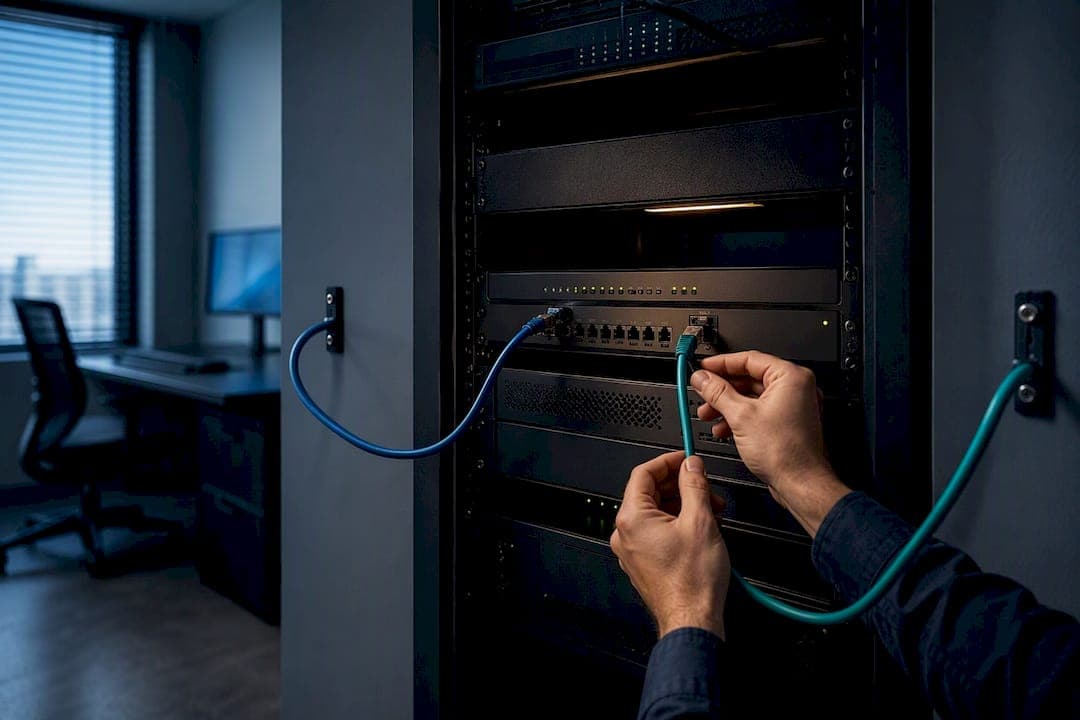
Most small and midsize businesses should start with provider-level call forwarding, then add either cellular backup or a second internet connection as the practical next step. Save SD-WAN or geo-redundant SIP trunking for operations where a dropped call has real financial consequences. This mirrors the tiered model used across comparative failover guides, and lines up with SIP behavior defined in RFC 3261 and with resiliency expectations the CRTC has published for telecom providers.
TL;DR:
- Provider call forwarding is the essential baseline failover, redirecting calls within 30 to 120 seconds but losing IVR and hunt group features.
- Cellular backup offers a cost-effective second WAN that switches within seconds to a few minutes, suitable for maintaining basic calling during internet outages.
- True ISP diversity requires separate last-mile connections through different technologies, ensuring protection against shared failure points and enabling automatic failover.
- SD-WAN actively manages voice traffic based on link performance, making it suitable for larger operations with high call volumes and quality demands.
- Complex setups like SIP trunk redundancy and geo-redundant PBX are expensive and best for organizations where any outage results in significant financial loss.
Table of Contents
- A tiered map of VoIP failover architectures
- Tier 1: provider call forwarding and find-me follow-me rules
- Tier 2: cellular backup for internet outages
- Tier 3: dual-WAN failover and true ISP diversity
- Tier 4: SD-WAN policies built to protect voice
- Tier 5: SIP trunk redundancy and geo-redundant PBX setups
- How to choose the right failover tier for your business
- Setting up and testing your failover plan step by step
- When a specialist install makes sense
- What I've seen go wrong in real installs
- How BusinessVoip.ca handles failover installs on-site
- Where these standards and guides come from
- Sources
- FAQ
A tiered map of VoIP failover architectures
Failover options fall into five rough tiers, and the right one depends on how much downtime your business can tolerate and what you're willing to spend to avoid it. A comparative failover guide that lays out the tradeoffs clearly: cost and complexity rise with each tier, but so does the ability to keep calls alive without anyone noticing.
- Tier 1, call forwarding: free or near-free, detects outages within a provider-specific timeframe generally on the order of a minute or two, but drops active calls and loses IVR or hunt group features.
- Tier 2, cellular backup: modest monthly cost, switches over within seconds to a few minutes, keeps basic calling alive during an internet outage.
- Tier 3, dual-WAN failover: moderate cost, automatic router-level switching, protects against single-ISP outages.
- Tier 4, SD-WAN: higher cost and setup complexity, actively manages voice quality across multiple links rather than just reacting to failures.
- Tier 5, SIP trunk redundancy and geo-redundant PBX: the most expensive and complex option, built for organizations where any outage is unacceptable.
Every business should configure Tier 1 regardless of which higher tier it adopts. It's the safety net underneath everything else.
Tier 1: provider call forwarding and find-me follow-me rules
Call forwarding at the provider level is the cheapest failover option available, and most VoIP providers include it at no extra charge. When your system stops registering, which typically shows up within 30 to 120 seconds based on how registration expiry and contact timers behave under RFC 3261, the provider redirects incoming calls to a backup number you've set in advance.
Set it up in three steps:
- Choose a mobile number or answering service as your forwarding destination.
- Set the shortest timeout your provider allows, so calls redirect quickly instead of ringing into dead air.
- Test it by unplugging your router and calling your main line from an outside phone.
The catch: forwarding loses your call flow. No IVR menu, no hunt groups, no call recording. It's a stopgap that keeps you reachable, not a replacement for your phone system.
Pro Tip: Document the forwarding number somewhere your team can find it without the phone system, like a shared drive or a printed sheet in the server room.
Tier 2: cellular backup for internet outages
Cellular failover adds a second WAN path over LTE or 5G, so your phones keep working even when your primary internet connection goes down entirely. The setup usually takes one of three forms: a USB cellular modem plugged into your router, a router with a built-in cellular radio, or a dedicated failover router that sits between your modem and network.
- Configure health checks to ping an external target every few seconds so the switch to cellular happens automatically.
- Expect switchover in the range of seconds to a couple of minutes, depending on how your router detects the outage.
- Size the cellular data plan for your typical concurrent call count, since VoIP calls use roughly 100 kbps per call and a busy office can burn through a plan fast.
One of the most widely cited comparative reviews of failover options finds that most businesses land at Tier 2 or Tier 3 because cellular and dual-WAN setups balance cost against reliability better than either doing nothing or going straight to enterprise-grade redundancy.
Cellular backup runs anywhere from the cost of a basic data SIM to a dedicated failover router with a monthly plan attached. For most SMBs, it's the sweet spot between doing nothing and overbuilding.

Tier 3: dual-WAN failover and true ISP diversity
A second internet connection only helps if it's genuinely independent of the first. Two "different" ISPs riding the same fiber trunk or the same utility pole share a failure point, so true diversity means a different last-mile technology entirely, cable paired with fiber, or a wired connection paired with cellular.
- Set router health checks to ping two or three external targets every 5 to 10 seconds, not just one, to avoid false positives from a single dead target.
- Apply QoS rules that prioritize SIP signaling and RTP media traffic above general internet use, so voice quality holds up even when the network is busy.
- Expect automatic switchover within seconds once the router detects the primary path is down, though active calls will typically drop and need to re-register on the new path.
Dual-WAN setups from providers like TeleDynamics describe this pairing well: the router handles connectivity, but Tier 1 forwarding should still sit underneath it in case both WAN links fail at once.
Pro Tip: Ask your ISP directly which pole, conduit, or central office each connection runs through before you call it "redundant."
Tier 4: SD-WAN policies built to protect voice
SD-WAN goes beyond reacting to a dead link. It actively monitors every available path for latency, jitter, and packet loss, then routes voice traffic over whichever link is performing best at that moment, sometimes splitting traffic across multiple links simultaneously rather than waiting for one to fail outright.
According to Fortinet's SD-WAN documentation, this active monitoring relies on performance SLA settings that continuously test link health and reroute traffic based on policy rather than a simple connection-down trigger.
- Set latency thresholds around 150 milliseconds and jitter thresholds around 30 milliseconds for voice traffic, adjusting based on your provider's own guidance.
- Prioritize SIP and RTP traffic above general data and file transfers in your per-application rules.
- Trigger failover on sustained SLA violations, not a single dropped packet, to avoid flapping between links.
SD-WAN makes sense once you have multiple offices, a call center, or enough call volume that even brief quality dips cost you business. For a single-location office with light call volume, it's often more complexity and cost than the risk justifies.
Tier 5: SIP trunk redundancy and geo-redundant PBX setups
At the top tier, businesses run multiple SIP trunks registered across different data centers, with DNS SRV records pointing callers to whichever trunk is healthy. This is the same registration and routing behavior RFC 3261 defines for SIP, extended across physically separate infrastructure so a single site failure doesn't take down inbound calling.
- DNS SRV records let a provider redirect inbound traffic to a secondary trunk without the caller noticing anything changed.
- SBC clustering, as described in PortSIP's high-availability documentation, distributes traffic across multiple session border controller nodes using multiple DNS A records rather than a single point of entry.
- Geo-redundant PBX deployments replicate your call flow and numbering across two physical sites, so a building-level outage doesn't mean a business-level outage.
This tier costs the most and takes the most work to configure and maintain. It's justified for call centers, healthcare lines, or any operation where a missed call has a direct dollar cost, not for a typical single-site office.
How to choose the right failover tier for your business
Start with what a real outage would cost you. A business that loses a few calls during a rare outage has different needs than one where every missed call is a lost customer.
- Estimate your realistic recovery time objective: how many minutes of downtime can you absorb before it hurts?
- Count your concurrent call volume at peak hours to size any cellular or bandwidth backup correctly.
- Check your power resilience: a UPS-backed router does nothing if the switch feeding your phones loses power first.
- Confirm physical path diversity before trusting a "second" internet connection as true redundancy.
Before signing with any vendor, ask directly: what's your failover detection method, what's your average switchover time, do you keep test records, and how does your SLA define an outage? Ask specifically how E911 location data is handled during a failover event, since a call routed through a backup path needs to still reach emergency services correctly.
Pro Tip: Request a written test log from any managed provider showing an actual failover event, not just a spec sheet claim.
Watch for red flags: a vendor that can't explain their detection method, no mention of health checks, vague answers on switchover timing, or no plan for power resilience on your PoE switches. Regulatory guidance from the CRTC on service resiliency points toward documented outage-notification processes as a baseline expectation, and a vendor without one is worth a second look.
Setting up and testing your failover plan step by step
Configuration without testing is just a guess. Build your setup, then break it on purpose to see what actually happens.
- Put your router, modem, and PoE switch on a UPS rated for at least 20 to 30 minutes of runtime.
- Confirm your PoE switch has enough power budget for every phone plus the failover hardware.
- Set SIP qualify or OPTIONS-based health checks on your router or PBX to detect outages quickly.
- Unplug your primary WAN and time how long it takes calls to start ringing through on the backup path.
- Force a cellular failover during business hours to see how phones behave when they re-register.
- Simulate a trunk failure with your provider, if they support it, to confirm inbound calls redirect properly.
| What to monitor | Why it matters |
|---|---|
| External health checks | Confirms outages are detected, not just assumed |
| Alert notifications | Gets IT staff aware before staff start calling in confused |
| Quarterly failover drills | Catches configuration drift before a real outage does |
For more on internet-level failover patterns specifically, see this guide on failover internet for VoIP, and for a broader checklist, this business continuity phones checklist covers similar ground with a regulatory lens.
When a specialist install makes sense
Some of this you can configure yourself with a decent router and an afternoon. Multi-site geo-redundancy, SBC clustering, or a network that's never been properly mapped for physical diversity is a different job. A specialist install service includes design, programming, cabling, and installation on-site within certain regional limits, with capability to manage larger projects more broadly.
That on-site work may include network checks, VLAN configuration, dual-WAN setup, cellular backup integration, and multi-site connectivity for businesses running more than one office. The systems utilize carrier-grade infrastructure, with pricing fixed and no annual increases; rented phones carry a warranty. Readers can request a site check or a network and E911 review before committing to any tier of failover.
What I've seen go wrong in real installs
The most common failure I see isn't a missing backup line, it's a "backup" that shares the same physical path as the primary connection, so both go down together. The second most common: a PoE switch with no UPS, so phones lose power seconds after the internet does.
Quick wins cost almost nothing: turn on ping-based health checks, configure your Tier 1 forwarding number today, and write down your failover procedure somewhere other than your own memory. Schedule a drill every quarter and treat the runbook as a living document, not a one-time task.
— James
How BusinessVoip.ca handles failover installs on-site
Getting failover right usually comes down to someone physically checking your cabling, power setup, and network paths, not just selling you a router. The Ontario-based team designs, programs, and installs entire systems on-site, including network and E911 checks, dual-WAN configuration, and multi-site integration for businesses with multiple locations.
- On-site design, programming, and cabling so every phone works from day one.
- Network and E911 checks built into the installation process.
- Lifetime warranty on rented phones with fixed pricing and no annual increases.
If you're comfortable configuring call forwarding and a basic backup router yourself, that's a reasonable starting point. For dual-WAN, cellular integration, or multi-site setups, a network and E911 check before committing to hardware saves rework later. Visit Businessvoip to request a quote or book a site assessment.
Where these standards and guides come from
- RFC 3261: defines SIP registration behavior behind failover detection timing.
- CRTC resiliency publications: regulatory guidance on outage handling.
- Fortinet SD-WAN resources: performance SLA configuration for voice traffic.
- Comparative failover architecture guide: cost and switchover tradeoffs across tiers.
Sources
- CRTC: Publications on resiliency and outage processes
- VoIP Failover architectures (comparative guide)
- VoIP failover options and alternatives — TeleDynamics
FAQ
Which is better, load balancing or failover?
They solve different problems: load balancing distributes traffic across multiple links for performance, while failover switches to a backup only when the primary fails. Most SMB voice setups need failover first, with load balancing or SD-WAN added later if call volume justifies it.
Does anyone still use VoIP?
Yes, VoIP remains the standard phone technology for most businesses, having largely replaced traditional landlines for cost and flexibility reasons. Providers continue expanding features like mobile apps, call recording, and multi-site integration built specifically for VoIP infrastructure.
What are the best VoIP solutions for call centers?
Call centers typically need Tier 4 or Tier 5 failover, meaning SD-WAN or geo-redundant SIP trunking, since even brief outages directly affect revenue and customer service. The right fit depends on call volume, number of locations, and how much downtime the business can tolerate before it becomes a real problem.
What is an LTE failover?
An LTE failover is a backup internet connection that uses a cellular network instead of a wired ISP, automatically taking over when the primary internet connection goes down. It typically runs through a USB modem, a router with a built-in cellular radio, or a dedicated failover router, and keeps basic calling functional during a full internet outage.