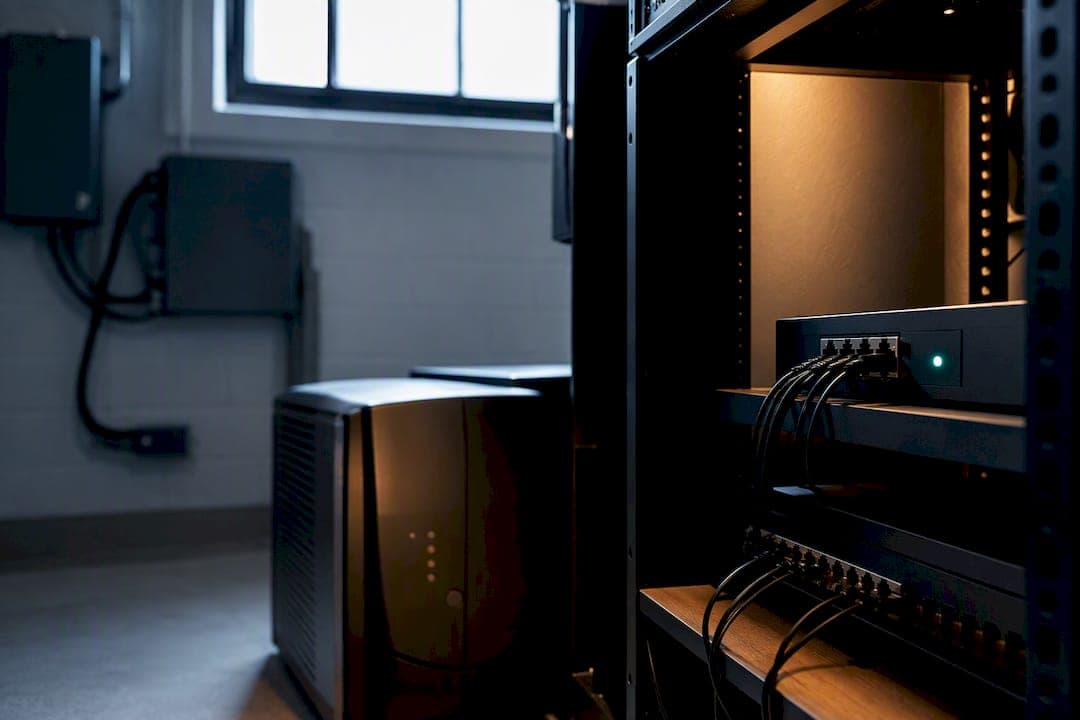
Business continuity phones stay operational through outages because of a layered design combining several elements, such as a geo-redundant platform, hardened edge equipment like dual-WAN and UPS, explicit rerouting rules, and regular testing. Businessvoip builds and tests these layers for Ontario businesses that cannot afford to miss a call.
TL;DR:
- Geo-redundant platforms with multiple points of presence are essential to ensure call survival during data center outages.
- Rerouting rules should be explicitly documented per phone number, with thresholds and roles assigned for failover activation and management.
- Regular testing of failover paths, especially after network or platform updates, is crucial to detect configuration drift and maintain reliability.
- Backup components like dual-WAN, cellular failover, and UPS units must be load-tested and properly configured to handle your actual call volume.
- Security practices, including encryption and strict access controls, must extend to backup paths to prevent increased attack surfaces during failover.
Table of Contents
- How Does Phone Continuity Actually Work?
- What Components Belong in Every Continuity Plan?
- How Do You Design and Document Failover Rules?
- How Often Should You Test Your Failover System?
- Does Failover Break Your Emergency Calling?
- What's a Practical Continuity Checklist You Can Use Today?
- How Should Your Phone System Connect to CRM and Helpdesk Tools?
- What Security Risks Come With Failover and Backup Systems?
- How Do You Train Staff for a Phone Outage?
- What Should You Budget for Business Continuity Phones?
- What On-Site Installers See That Remote Providers Miss
- Get an On-Site Continuity Review from BusinessVoip.ca
- Where to Learn More About Phone System Resilience
- Sources
How Does Phone Continuity Actually Work?
Call survivability means a phone call keeps flowing even when one link in the chain breaks. It relies on failover (automatically shifting traffic to a working path), geo-redundancy (running the platform in more than one physical location), and edge redundancy (backup connectivity and power at your office).
Phone systems fail for predictable reasons: an internet circuit goes down, a breaker trips and kills local power, a provider's data center has a bad day, a single piece of on-site hardware dies, or someone fat-fingers a configuration change during a routine update. A layered approach combining a geo-redundant provider, automatic rerouting, and edge redundancy like dual-WAN and backup power is the accepted practice for VoIP business continuity, precisely because no single fix covers every failure mode.
Picture a January ice storm knocking out power to an office in Cambridge. With a UPS on the switch and router, cellular failover kicking in when the fiber line drops, and a pre-set rule sending the main line to staff mobile apps, customers never hear a busy signal. That is what layered continuity looks like in practice.
What Components Belong in Every Continuity Plan?
A continuity plan is only as strong as its weakest layer. Here is the checklist worth demanding from any provider, or building yourself if you're managing the system in-house.
- Geo-redundant platform architecture. Providers that run call processing across multiple geographically separated points of presence keep an account online even if one data center goes dark. Ask specifically how many PoPs your provider operates and where.
- Rerouting destinations. Calls need somewhere to go: mobile apps or softphones, ring groups spanning multiple staff, an auto-attendant with a "we're experiencing an outage" message, or voicemail-to-email as a last resort.
- Edge redundancy. Dual-WAN or SD-WAN routers, cellular failover for the last-mile connection, and UPS units for switches and PoE-powered phones so a power blip doesn't take down the LAN before the carrier issue even matters.
- Monitoring basics. SIP OPTIONS pings, registration checks against your provider, and alerting that actually reaches someone's phone (not just an inbox nobody checks at 2 a.m.).
Pro Tip: Set explicit rerouting rules per phone number instead of relying on a global default. Documenting exactly where each number goes during an outage, rather than assuming a blanket behavior, prevents ugly surprises when the system fails back to normal.
How Do You Design and Document Failover Rules?
Building failover behavior is a sequencing problem, not a technical mystery. Follow this order and write it down as you go:
- Inventory every critical number and extension. Main line, sales, support, after-hours emergency line. Decide the failover destination for each one individually.
- Set detection thresholds. Decide how long a circuit must be down before failover triggers, and whether that trigger is automatic or requires a human to flip a switch.
- Size the backup link. A cellular failover connection needs enough bandwidth for your concurrent call volume. A five-person office running three simultaneous calls needs far less than a twenty-seat call center.
- Assign roles. Name who triggers failover, who monitors it while active, and who manages failback with a documented change-control step so nobody reverts settings by accident.
- Test the documented flow. Two examples worth building into your runbook:
- A fiber outage detected by the router triggers automatic reroute of the main number to a ring group of three mobile apps within 60 seconds.
- A provider-side PoP outage (rare, but real) shifts calls to a secondary geo-redundant node, with the auto-attendant switching to a status message until service resumes.
Multi-site operations add another wrinkle worth planning around, since ring groups spanning locations change how failover destinations get chosen.
How Often Should You Test Your Failover System?
Untested failover is a guess dressed up as a plan. Test regularly, including after any change to your network, provider account, or phone configuration. Regular testing catches configuration drift before an actual outage does.
Run these test cases every cycle:
- Inbound calls to your main number, confirming they land on the correct reroute destination.
- Outbound emergency calls, tested from every failover path, not just the primary line.
- Mid-call behavior when a circuit drops, to see whether active calls survive or get dropped.
- Mobile app delivery, confirming push notifications and call delivery actually reach staff phones.
Between tests, monitor continuously: SIP OPTIONS messages, registration pings to confirm devices are reachable, and account-level health checks from your provider's dashboard. Set alert thresholds tight enough to catch a problem in minutes, not hours. Log every test result and fix any gap immediately. Government reviews of communications continuity planning consistently point back to the same conclusion: documented, scheduled testing is what separates a plan that works from one that just looks good on paper.
Pro Tip: Test right after your provider pushes a firmware or platform update, not just on your regular quarterly schedule. Updates are the single most common trigger for silent failover breakage.
Does Failover Break Your Emergency Calling?
Dispatchable location is the address emergency services see when you call 911. Failover can change that address without anyone noticing. When a call reroutes to a mobile app or a different physical location, the location dispatch receives may no longer match where the caller actually is.
Verify with your provider exactly how each failover destination presents location data, and get it in writing. Add a live E911 test call (using your provider's test line, not an actual 911 call) to every quarterly test cycle. Skipping this step is the single most dangerous gap in an otherwise solid continuity plan.
What's a Practical Continuity Checklist You Can Use Today?
Run through this list before you consider your phone system outage-ready:
- Geo-redundancy confirmed with your provider, including the number of PoPs and their locations.
- Per-number reroute rules documented and reviewed, not left to default assumptions.
- Dual-WAN or cellular backup installed and load-tested at your expected call volume.
- UPS in place for switches, routers, and PoE-powered phones, with a battery runtime you've actually verified
- E911 location behavior tested and documented for every failover path.
- Monitoring and alerting active, with a real person confirmed to receive alerts.
- Quarterly test scheduled on a calendar, not just planned "someday."
Pass or fail is simple: if a test case doesn't route where it's documented to route, that's a fail, and it goes to the top of the remediation list before the next quarter's test.
How Should Your Phone System Connect to CRM and Helpdesk Tools?
A phone system that operates in isolation from your other business software creates blind spots exactly when you need visibility most. Integration with your CRM or helpdesk platform means incoming calls can trigger a screen pop with caller history, and outbound calls log automatically against the right customer record, even during a failover event.
The catch: integrations built on the assumption calls always originate from the same physical extension can break silently when calls reroute to a mobile app or a different ring group. Before an outage happens, confirm your CRM integration still logs and identifies calls correctly when they're routed through your backup path, not just your primary one. Voicemail-to-email is a smaller but genuinely useful piece here too, since a missed call during a chaotic failover period still lands as a searchable transcript in a helpdesk ticket or shared inbox rather than disappearing into a voicemail box nobody checks.
Ask your provider directly whether call logs, click-to-dial, and screen-pop features stay functional across every rerouting destination on your list, not just the primary line. If the answer is vague, that's a gap worth closing before you need it, not after.
What Security Risks Come With Failover and Backup Systems?
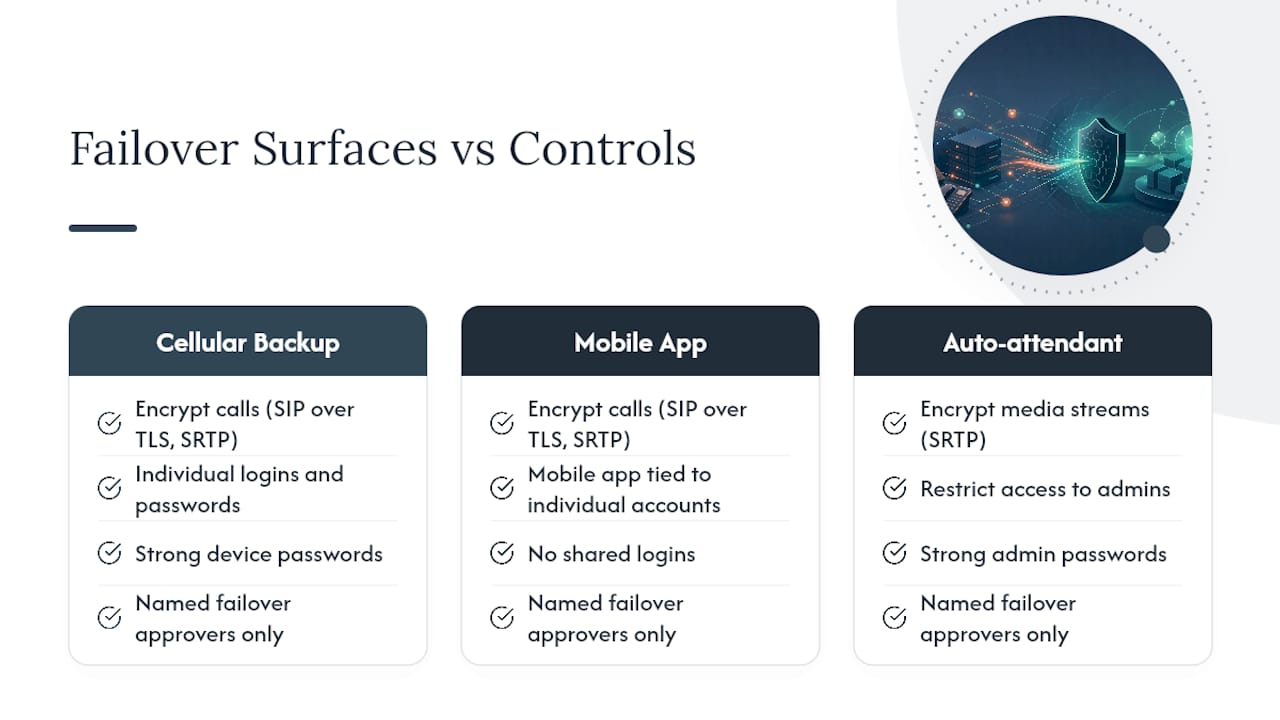
Failover paths are frequently the least-secured part of a phone system, because they get configured once and forgotten. A cellular backup connection, a mobile app extension, or a rarely-used auto-attendant message are all attack surfaces that deserve the same scrutiny as your primary line.
A few practical measures matter here. Encrypt call traffic (SIP over TLS, media over SRTP) across every path, including backup circuits, not just the primary connection. Apply the same access controls to backup destinations that you apply to your main system: strong device passwords, no shared logins, and mobile app access tied to individual staff accounts rather than a generic office credential. Review who can trigger manual failover and make sure that permission sits with a short, named list of people, not "anyone with admin access."
Toll fraud risk actually rises during an active failover event, since attention is elsewhere and monitoring may lapse. Keep automated usage alerts running even while you're focused on restoring the primary path. And if you're coordinating recovery efforts over a side channel like Slack while phones are down, treat that channel with the same access discipline; a continuity event is a bad time to also have a security incident.
How Do You Train Staff for a Phone Outage?
The best-configured failover system is useless if your staff doesn't know how to use it under pressure. Training needs to cover two things: what changes on their phone or app during an outage, and who they contact if something doesn't work as expected.
Keep it simple and written down. A one-page reference, not a manual, telling staff: "If the desk phone shows no dial tone, open the mobile app. If calls aren't coming through on the app after five minutes, call [name] at [number]." Run this scenario once a year as a genuine drill, not just an email announcement, so people have actually used the failover path before they need it during a real event.
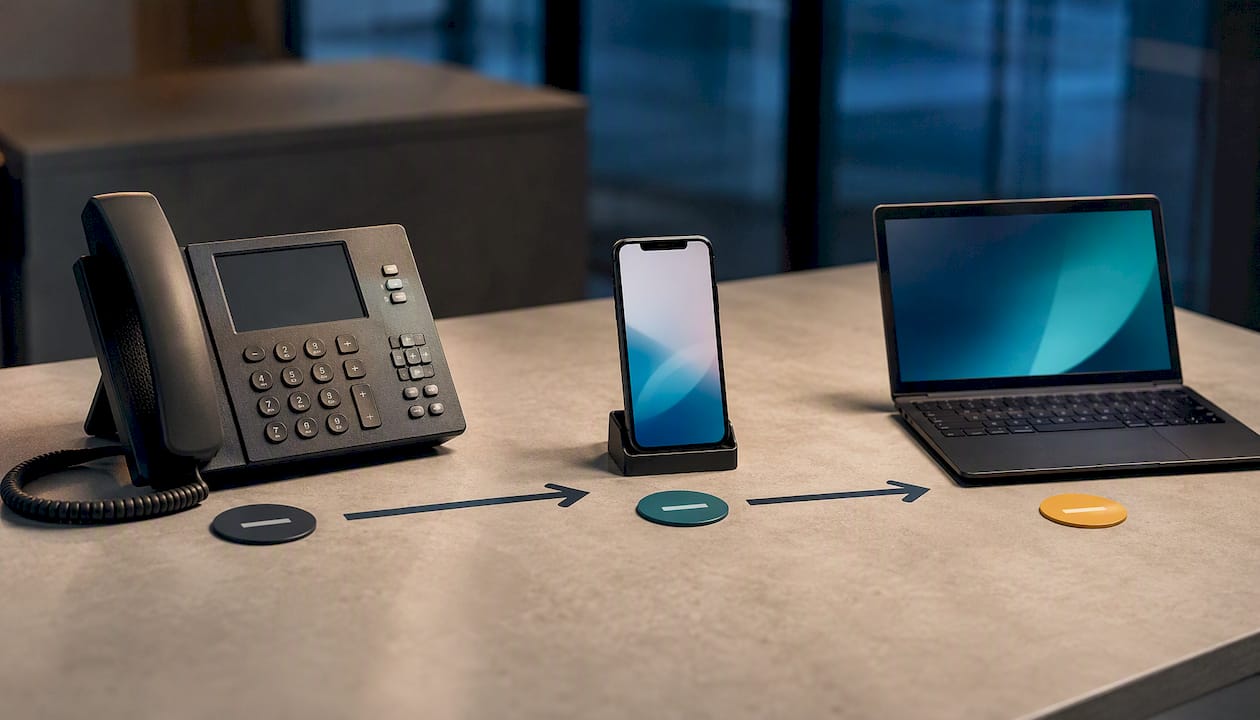
Communication planning extends beyond staff to customers and benefits from a reliable AI phone system that supports seamless collaboration and alternate communication channels during outages. Decide in advance what your auto-attendant message says during an outage and who has authority to update it. A generic "please hold" message during a multi-hour outage reads very differently than one acknowledging the issue and pointing customers to an alternate contact method. Small businesses that plan for disruption ahead of time consistently recover faster and retain more customer trust than those improvising in the moment.
What Should You Budget for Business Continuity Phones?
Continuity costs break into three buckets: platform, edge hardware, and testing time. Getting the ratio wrong is the most common budgeting mistake.
A geo-redundant hosted platform typically costs little to nothing extra over a standard cloud phone plan since redundancy is built into the provider's architecture rather than sold as an add-on. The real spending happens at the edge: a business-grade UPS for your network closet, a cellular failover router or SD-WAN device, and possibly a secondary internet circuit if your primary is unreliable. These are one-time or modest recurring costs, not a major new monthly line item.
The budget line most businesses skip is testing time, and it's the one that matters most. Quarterly test cycles take staff hours, whether that's your own IT team or a contracted provider running the checks. Underfunding this is how continuity plans quietly rot: the hardware sits there working fine in theory while nobody has confirmed it actually functions in months. Fixed monthly pricing with no annual increases, which is how Businessvoip structures its contracts, at least removes the platform-cost variable from the equation, leaving edge hardware and testing as the only real budget decisions to make.
What On-Site Installers See That Remote Providers Miss
Most continuity failures trace back to something boring: a UPS that was never load-tested, a rerouting rule that got set once in 2023 and never revisited, or a mobile app nobody actually opened until the day it mattered. On-site work surfaces these gaps because someone is physically standing in the network closet checking what's actually plugged in, not just what a dashboard reports.
Two habits prevent most emergency scrambles. First, label every failover destination with a name and a phone number, not just a generic "backup line," so whoever is on-site during an outage isn't guessing. Second, schedule the failback step deliberately; systems left in "temporary" failover mode for weeks because nobody scheduled the return to normal is a more common problem than the outage itself.
— James
Get an On-Site Continuity Review from BusinessVoip.ca
Businessvoip is the practical alternative to buying a box of phones and hoping the failover settings are right. Every system gets designed, programmed, cabled, and installed on-site by a local Ontario team, backed by carrier-grade infrastructure already carrying tens of thousands of business calls a day, fixed pricing with no annual increases, and a lifetime warranty on rented phones.

A continuity review with our team covers a full site audit, documented per-number rerouting rules, a quarterly test plan built specifically for your call volume, and concrete UPS and edge-hardware recommendations sized to your office. If you operate across multiple locations, we also handle multi-site and remote office integration so ring groups and failover rules work the same way at every site. Tech companies and ISPs with especially tight uptime requirements can start with our dedicated continuity planning for tech and ISP environments. Book a continuity review and get your failover plan documented, tested, and working before you need it.
Where to Learn More About Phone System Resilience
- Viirtue's failover design guide covers the technical layers behind call survivability in more depth.
- Yeastar's disaster recovery documentation explains geo-redundant PoP architecture.
- Shared Services Canada's evaluation of mobile and fixed-line services shows how a government body approaches continuity auditing.
- Businessvoip's phone system design page details the on-site installation process referenced throughout.
Sources
- VoIP Business Continuity and Call Survivability: Failover Design for Outages - Viirtue
- Disaster Recovery And Geo-Redundancy — Yeastar
- Evaluation: Mobile devices and fixed lines (Shared Services Canada)