
A cloud-based business phone system is a VoIP-powered platform that routes your calls and messages over the internet, replacing traditional copper phone lines with software and internet-connected devices. For small business owners and office managers across Ontario, this shift means lower hardware costs, built-in flexibility for remote teams, and features that once required enterprise budgets. Businessvoip has served Ontario businesses since 2005, providing fully installed VoIP systems backed by carrier-grade infrastructure. Whether you run a single office in Hamilton or manage staff across multiple sites, understanding how these systems work gives you a real advantage when choosing the right solution.
How do cloud-based business phone systems work?
Cloud phone systems use VoIP technology to convert your voice into digital data packets and send them over the internet. The destination receives those packets and reassembles them into audio in real time. This is fundamentally different from traditional on-premises PBX systems, which route calls through physical switching hardware and copper telephone lines.
The hardware side is minimal. You can use IP desk phones, which look like standard office phones but connect through your network, or softphone apps installed on laptops and smartphones. Softphone apps on mobile devices let your staff take business calls from anywhere without carrying extra equipment. That flexibility is the single biggest operational change for most small businesses making the switch.

Call quality depends directly on your internet connection. Specifically, it depends on three factors: bandwidth, latency, and packet loss. A connection with high latency causes noticeable delays in conversation. Packet loss creates choppy audio. Most business-grade internet connections in Ontario handle VoIP well, but your router configuration matters just as much as your internet speed.
Pro Tip: Enable Quality of Service (QoS) settings on your router to prioritize voice traffic over other data. This prevents video streaming or large file downloads from degrading your call quality during business hours.
- IP desk phones: Physical handsets that connect via ethernet and work like traditional phones
- Softphone apps: Software clients on computers or smartphones that handle calls through your internet connection
- Cloud PBX: The virtual phone exchange hosted by your provider, managing call routing, extensions, and voicemail without on-site hardware
- QoS: Router-level settings that give voice traffic priority over other internet traffic
What features should you look for in a cloud phone system?
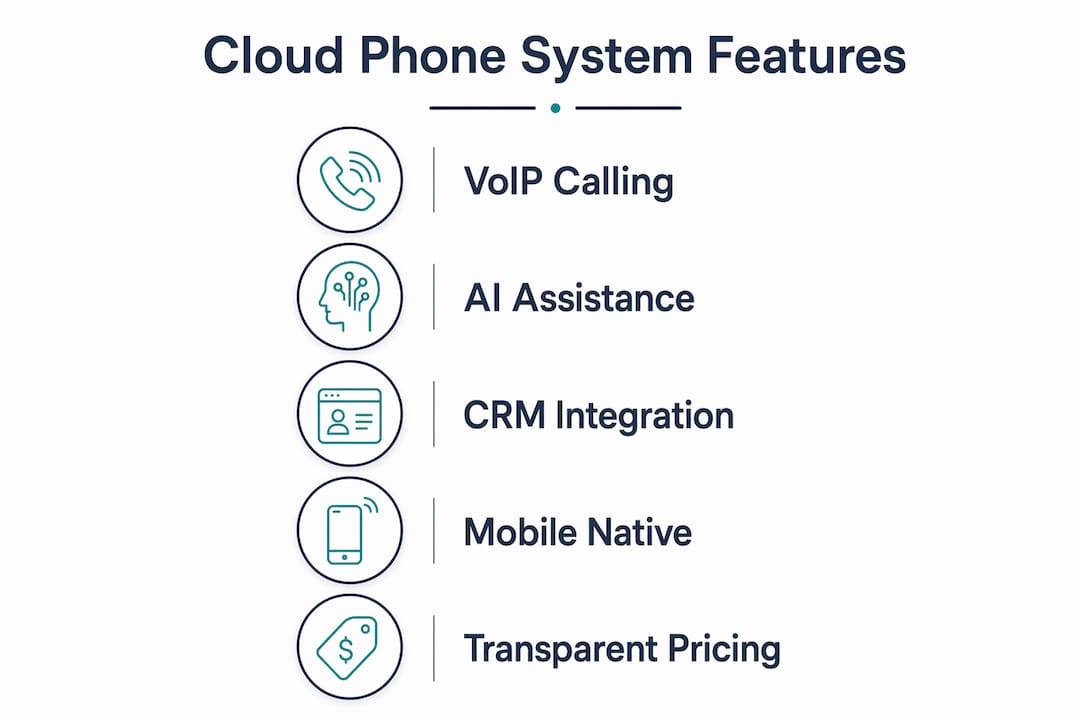
Core calling features form the foundation of any VoIP business phone solution. Every credible provider includes unlimited domestic calling, voicemail with email delivery, hold music, and call transfer. These are table stakes. The real differentiators show up in the advanced feature set.
AI-powered features now appear in many cloud phone platforms, including call routing, live transcription, and virtual receptionists. These tools reduce the time staff spend on repetitive call-handling tasks. A virtual receptionist, for example, answers calls, reads a menu to callers, and routes them to the right extension without human intervention. For a small office with limited front-desk staff, that capability changes how the whole team operates.
CRM and business software integrations are worth prioritizing from the start. When your phone system connects to your customer database, incoming calls can automatically display the caller's history on screen. Your staff spends less time asking for account numbers and more time solving problems. Popular integrations include connections to platforms like Salesforce, HubSpot, and Microsoft 365.
Pro Tip: Before signing any contract, ask the provider for a list of their native integrations. A phone system that requires custom API work to connect with your CRM will cost you time and money you did not budget for.
Mobile-native design is non-negotiable for teams with remote workers or field staff. The best cloud phone services treat the smartphone app as a first-class product, not an afterthought. Your staff should be able to transfer calls, access the company directory, and check voicemail from their phone just as easily as from a desk.
| Feature category | What to look for |
|---|---|
| Core calling | Unlimited domestic calls, voicemail to email, call transfer |
| Auto attendant | Multi-level menus, schedule-based routing, holiday greetings |
| AI tools | Call transcription, virtual receptionist, smart call routing |
| Integrations | CRM sync, Microsoft 365, Google Workspace |
| Mobile app | Full-featured iOS and Android apps with call transfer and directory |
| Pricing structure | Per-user monthly pricing with no long-term seat minimums |
Transparent pricing matters more than most buyers realize. Most cloud phone providers charge $15–$60 per user monthly, with small businesses typically landing in the $25–$35 range for plans that include unlimited domestic calls and voicemail management. Watch for providers that lock you into annual price increases or charge separately for features that should be standard.
What are the common pitfalls when switching to a cloud phone system?
Network dependency is the most underestimated challenge. Relying on existing Wi-Fi without upgrading infrastructure is a leading cause of poor call quality after switching to VoIP. A consumer-grade router that works fine for browsing will struggle when five staff members are on calls simultaneously. Upgrading to a business-grade router with QoS support is not optional. It is the foundation the system runs on.
Prioritizing voice traffic via QoS settings on your router prevents audio jitter and latency from disrupting calls. Jitter is the irregular arrival of data packets, which causes choppy or robotic-sounding audio. Latency is the delay between speaking and being heard. Both are network problems, not phone system problems, and both are solvable with the right configuration.
Here are the most common mistakes Ontario businesses make during the transition:
- Skipping a network assessment. Test your internet speed and latency before the system goes live. A minimum of 100 kbps per concurrent call is a widely cited baseline, but business-grade connections should far exceed that.
- Underestimating staff training time. Switching from a physical PBX to a software-first system requires a mindset shift. Plan for at least one full training session before go-live.
- Ignoring number porting timelines. Porting existing business numbers is a standard, managed process, but it takes time. Start the porting request early to avoid any gap in service.
- Assuming IT complexity. Many business owners believe VoIP requires dedicated IT support. Modern cloud phone systems are designed to be app-based and manageable without an IT team.
- Choosing the cheapest plan without reading the feature list. Entry-level plans often exclude auto attendants, call recording, or integrations that your workflow depends on.
Pro Tip: Run a parallel test period where your old system and new VoIP system operate simultaneously for one to two weeks. This gives staff time to adapt and lets you catch configuration issues before fully cutting over.
How do you choose the right system for multi-site and remote offices?
Multi-site businesses have specific needs that a single-office setup does not. Your phone system needs to connect locations as if they share one office, with internal extensions, shared call queues, and centralized management. Businessvoip specializes in exactly this setup, supporting Ontario businesses with multi-site and remote office deployments, including clients with remote offices in the US and UK.
Start by mapping your must-have features against your actual workflow. A staffing agency with dispatchers across three Ontario locations needs shared call queues and real-time presence indicators. A financial planning firm needs call recording and CRM integration. A moving company needs mobile apps that work reliably on the road. The feature list that matters is the one that fits your specific operation.
Free trials offered by providers let you test usability, feature depth, and support responsiveness before committing. Use the trial period to simulate your busiest call volume and test the mobile app on the devices your staff actually carry. Support responsiveness during the trial period is a reliable indicator of what you will get after signing.
- Assess your call volume by location. Know how many concurrent calls each site handles at peak times before sizing your plan.
- Test the admin portal. Multi-site management requires a clear, accessible dashboard. If the admin interface is confusing during a trial, it will be frustrating when you need to make changes fast.
- Mix plans across teams. Many providers allow different plan tiers for different users. Field staff may only need a mobile app plan, while office managers need the full desktop and integration suite.
- Confirm number porting support. Each location may have existing numbers that need to carry over. Verify the provider handles this process end to end.
- Ask about on-site installation. Providers that ship equipment and leave setup to you create real risk. Businessvoip's local Ontario team designs, programs, cables, and installs the system on-site, so every phone works from day one.
Key Takeaways
Cloud-based business phone systems deliver the most value when the network infrastructure, feature selection, and deployment process are treated as equally important as the software itself.
| Point | Details |
|---|---|
| VoIP routes calls over the internet | Cloud phone systems replace copper lines with internet data transmission, reducing hardware costs. |
| Network quality determines call quality | Upgrade to a business-grade router with QoS settings before going live on any VoIP system. |
| AI and CRM features drive real efficiency | Auto attendants, call transcription, and CRM sync reduce manual call-handling across your team. |
| Multi-site needs specialized setup | Businesses with multiple locations need shared extensions, call queues, and centralized management. |
| On-site installation reduces risk | Providers that install and configure the system in person eliminate the most common go-live failures. |
What I have learned from watching businesses switch to cloud phones
The biggest mistake I see Ontario small businesses make is treating a phone system switch as a software purchase. They sign up, receive a login, and expect everything to work. It rarely does without proper network preparation and staff training.
The businesses that get the most out of their VoIP systems are the ones that invest in the network first. A $200 business-grade router with QoS configured properly will do more for call quality than any feature upgrade. That is not a glamorous recommendation, but it is the one that prevents the most complaints six months after go-live.
AI features like virtual receptionists and call transcription are genuinely useful, not just marketing. A small office that used to have one person answering phones can now route calls intelligently without that person being tied to a desk. That is a real productivity gain, not a theoretical one.
My honest advice: do not underestimate the value of a provider that shows up in person. Software-only deployments work for tech-savvy teams. For most Ontario small businesses, having a local team design, cable, and configure the system on-site is the difference between a system that works and one that causes problems for months.
— James
Businessvoip's phone systems for Ontario businesses
Ontario small businesses with multiple locations or remote staff need more than a login and a box of phones. Businessvoip designs, installs, and supports VoIP phone systems on-site across Ontario, with fixed pricing and no annual increases.

Whether you manage a staffing agency with dispatchers across multiple sites or a growing office that needs a system that actually works from day one, Businessvoip's local team handles the full setup. Rented phones come with a lifetime warranty, and carrier-grade infrastructure handles tens of thousands of business calls daily. Use the phone system designer on the Businessvoip website to build a configuration matched to your team size, locations, and workflow.
FAQ
What is a cloud-based business phone system?
A cloud-based business phone system is a VoIP platform that routes calls and messages over the internet instead of traditional phone lines. It replaces on-premises PBX hardware with software managed by a provider's servers.
How much does a cloud phone system cost for a small business?
Most providers charge $15–$60 per user monthly, with small businesses typically spending $25–$35 per user for plans that include unlimited domestic calls and voicemail management.
Do I need special hardware to use a VoIP phone system?
You can use IP desk phones, softphone apps on computers, or smartphone apps. Many businesses run entirely on mobile and desktop apps without purchasing any dedicated phone hardware.
Can I keep my existing business phone numbers when switching?
Yes. Number porting is a standard, managed process that transfers your existing numbers to the new system. Starting the porting request early prevents any gap in service during the transition.
How does a cloud phone system support multiple office locations?
Cloud phone systems connect multiple sites through shared extensions, call queues, and a centralized admin portal. Businessvoip supports multi-site deployments across Ontario, including remote offices in other provinces and countries.