
A voice over IP phone for business is a communication device that uses internet protocols to transmit voice calls, replacing traditional copper phone lines with your existing internet connection. The industry standard term is VoIP (Voice over Internet Protocol), and the underlying technology runs on the SIP (Session Initiation Protocol) standard used by virtually every modern business phone system. By 2026, 96% of North American organizations rely on cloud-based or mobile PBX systems rather than traditional phone infrastructure. That shift is not a trend. It is the new baseline for any Ontario business that wants reliable, affordable, and feature-rich communications.
What is a voice over IP phone for business?
A VoIP phone for business converts your voice into digital data packets and sends them over the internet, the same way email travels. The result is a phone call that costs a fraction of a traditional landline, with features that a legacy system cannot match. VoIP system pricing ranges from around $10 to over $60 per user per month depending on features and user count. That range means a five-person Ontario startup and a 50-person multi-site operation can both find a plan that fits their budget.
The core advantage is not just cost. VoIP phones support multiple voice codecs including G.711, G.722, and OPUS, which deliver HD audio quality that traditional landlines cannot produce. Clearer audio reduces miscommunication and makes every customer call more professional. Add features like call analytics, auto-attendants, call queues, and CRM integration, and you have a phone system that actively supports your business operations rather than just connecting calls.

What are the main types of VoIP phones available to small businesses?
Understanding your options before you buy saves money and prevents mismatches between hardware and how your team actually works.
IP desk phones
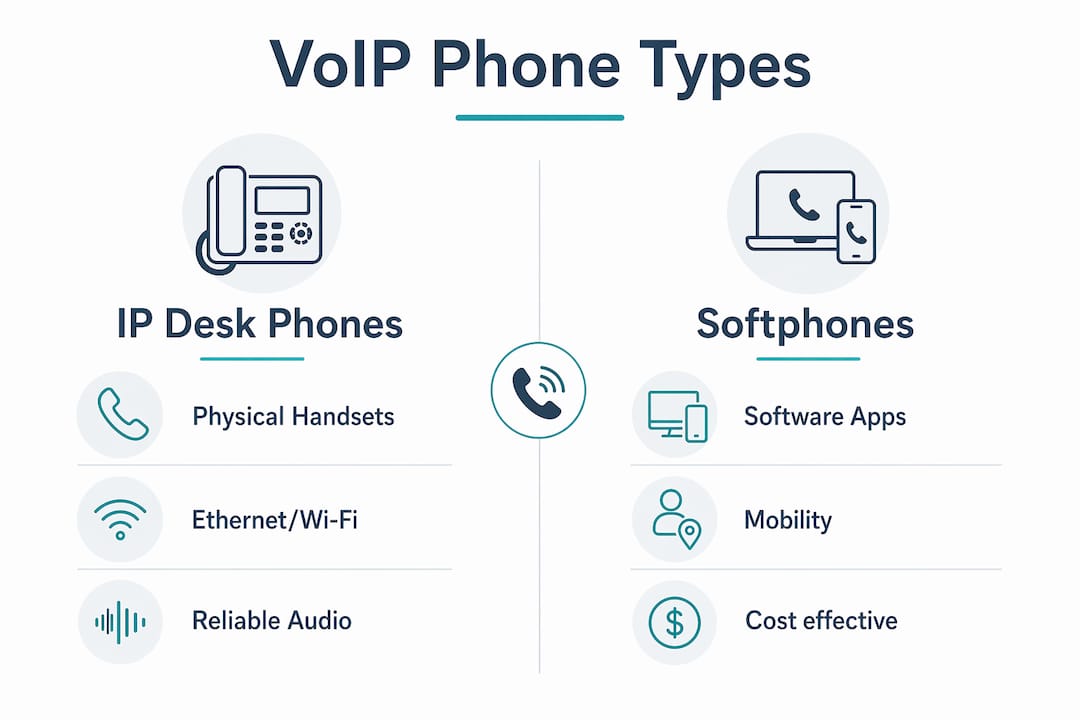
IP desk phones are physical handsets that connect directly to your network via an Ethernet cable or Wi-Fi. They look like traditional office phones but run entirely on internet protocols. Entry-level models handle two to four lines and suit reception or support staff. Mid-range phones offer color screens, six to twelve lines, and programmable keys for busy desks. Executive models like the Yealink SIP-T88V Pro run Android 13, feature a 7-inch touchscreen, Wi-Fi 6, and Bluetooth, and support third-party apps and video conferencing.
Softphones
Softphone apps transform computers, tablets, and mobile devices into full business phone systems. Remote workers and field staff get complete access to calls and PBX features without carrying a desk phone. Softphones are ideal for Ontario businesses with hybrid or fully remote teams.
Cloud-hosted vs. on-premise systems
- Cloud-hosted VoIP: The PBX runs on servers managed by your provider. No on-site hardware beyond the phones themselves. Updates happen automatically. This suits most small businesses.
- On-premise PBX: The PBX server sits in your office. You control everything but also maintain everything. Better for businesses with strict data-residency requirements.
- Virtual phone systems: A lighter option that routes calls to existing mobile numbers. Useful for solo operators or very small teams, but limited in features compared to a full cloud PBX.
- Hybrid systems: Combine on-premise control with cloud flexibility. Common in multi-site businesses that need centralized management across locations.
The right deployment model depends on your team size, IT capacity, and how many locations you need to connect.
How to choose the best VoIP phone for your business needs
Selecting the right hardware is where most small businesses make avoidable mistakes. The decision affects daily usability, IT workload, and long-term system stability.
-
Choose supported phones. Supported VoIP phones from brands like Yealink, Fanvil, and Poly have provisioning templates built into the phone system platform. That means plug-and-play setup with no manual configuration per device. Unsupported phones require manual SIP credential entry on every handset, which multiplies IT labor and error risk.
-
Match the phone to the role. A receptionist handling 40 calls a day needs a 12-line color-screen phone with a headset port. A warehouse supervisor checking voicemail twice a day needs a basic two-line model. Buying executive phones for every desk wastes budget.
-
Decide on wired vs. wireless. Wired phones like the Yealink T46U excel in fixed desk environments with existing Ethernet cabling. The Yealink T54W adds built-in Wi-Fi and Bluetooth for offices that lack structured cabling or need wireless headset support. Assess your office infrastructure before ordering hardware.
-
Check headset compatibility. Most mid-range and executive phones support EHS (Electronic Hook Switch) adapters for wireless headsets. Confirm compatibility with your preferred headset brand before purchasing.
-
Plan for lines and programmable keys. A busy sales desk benefits from BLF (Busy Lamp Field) keys that show which colleagues are on a call. Receptionists need speed-dial keys for every department. Count the actual keys your team will use, not just the lines.
Pro Tip: Ask your VoIP provider for a list of "supported" or "certified" phones before you buy any hardware. Buying off that list guarantees automated provisioning and eliminates the most common setup headaches.
What are best practices for deploying VoIP phones across multiple sites?
Multi-site deployment is where VoIP either proves its value or creates ongoing frustration. The difference comes down to architecture decisions made before a single phone is plugged in.
Why a Session Border Controller changes everything
A Session Border Controller (SBC) creates an encrypted tunnel between a remote office and the central PBX server. Phones at the remote site behave exactly as if they are on the local office network. NAT traversal issues, which are the most common cause of one-way audio and dropped registrations on remote phones, disappear entirely. Without an SBC, remote phones rely on STUN (Session Traversal Utilities for NAT), which is less reliable and more prone to failure when network conditions change.
Firmware consistency matters more than most businesses realize
New phones often ship with outdated firmware that is incompatible with current provisioning templates. A phone that will not provision correctly is almost always a firmware problem, not a network problem. Always upgrade firmware from provider-approved files before deploying any new handset.
Remote provisioning workflow
- Confirm the SBC is active and the remote site's network routes traffic through it correctly.
- Upgrade all new phones to the approved firmware version before shipping them to the remote location.
- Use the phone system's auto-provisioning URL so the phone pulls its configuration automatically on first boot.
- Test each phone with a live call before the remote office goes live.
- Document the MAC address of every phone against its assigned extension for fast replacement if hardware fails.
| Deployment step | Common pitfall | Fix |
|---|---|---|
| Firmware upgrade | Skipping upgrade on new phones | Always flash firmware before provisioning |
| SBC setup | Using STUN instead of SBC | Deploy SBC at each remote site |
| Auto-provisioning | Wrong provisioning URL entered | Copy URL directly from phone system admin panel |
| Network routing | Firewall blocking SIP ports | Open required SIP and RTP ports on remote router |
Pro Tip: Ship pre-provisioned phones to remote offices whenever possible. A phone that arrives already configured means zero IT involvement at the remote end. Businessvoip does this as standard practice for multi-site clients.
How can small businesses get more value from their VoIP system?
The phone hardware is only part of the picture. The features built into a modern VoIP platform are where small businesses consistently leave value on the table.
- Auto-attendant: Routes callers to the right department without a live receptionist. A well-configured auto-attendant reduces missed calls and projects a professional image even for a five-person team.
- Call queues: Hold callers in line during busy periods instead of sending them to voicemail. Queue music and position announcements reduce hang-ups.
- Call analytics: Track call volume, wait times, and missed calls by extension. That data tells you whether you are understaffed at peak hours or whether a specific team member needs coaching.
- CRM and collaboration integration: Advanced VoIP platforms integrate with CRM tools, team chat, and AI features. A call from a known customer can automatically pull up their account record before you answer.
- Regular firmware and system updates: Schedule quarterly firmware checks for all phones. Outdated firmware is the leading cause of audio quality degradation over time.
- Scalability planning: Add extensions, lines, or entire new sites without replacing hardware. Cloud PBX systems scale by adding licenses, not by buying new servers.
The businesses that get the most from VoIP treat it as a communications platform, not just a phone system. That mindset shift changes how you configure, maintain, and grow the system.
Key Takeaways
A VoIP phone system built on supported hardware, an SBC for remote sites, and cloud PBX infrastructure gives Ontario small businesses reliable, affordable communications that scale with growth.
| Point | Details |
|---|---|
| Use supported phones | Supported hardware from Yealink, Fanvil, or Poly enables automated provisioning and cuts IT setup time. |
| Deploy an SBC for remote sites | An SBC eliminates NAT issues and delivers plug-and-play reliability across multiple locations. |
| Match hardware to the role | Entry-level, mid-range, and executive phones serve different users; buying the wrong tier wastes budget. |
| Update firmware before deployment | New phones often ship with old firmware; always upgrade before provisioning to avoid setup failures. |
| Use platform features actively | Auto-attendants, call queues, and analytics turn a phone system into a business productivity tool. |
What I have learned from watching businesses get VoIP wrong
Most small businesses in Ontario treat the phone system as a commodity purchase. They pick the cheapest plan, order whatever phones come in the box, and wonder why calls drop or remote offices cannot register. The hardware decision is where the real cost hides.
The single most consistent mistake I see is buying unsupported phones to save $30 per handset. That saving evaporates the first time IT spends three hours manually configuring 15 phones, or the first time a firmware mismatch breaks provisioning after a system update. Supported phones from Yealink, Fanvil, or Poly cost a little more upfront and save significant time over the life of the system.
The second mistake is skipping the SBC for remote offices. Businesses with a second location in Kitchener or a remote worker in Barrie often try to make STUN work because it is free and already built into the phone system. It works until it does not, usually during a busy period. An SBC is not optional for a multi-site setup that needs to be reliable. It is the difference between a system that works and one that requires weekly troubleshooting.
My honest recommendation for any Ontario business with more than one location: get a custom phone system design done before you buy a single phone. The architecture decisions made at the planning stage determine whether the system runs smoothly for five years or becomes a recurring problem.
— James
Businessvoip serves Ontario businesses with multi-site VoIP that actually works
Ontario businesses with multiple locations or remote offices need more than a shipped box of phones. Businessvoip designs, programs, cables, and installs VoIP phone systems on-site across the province, with carrier-grade infrastructure that handles tens of thousands of business calls every day.

Fixed pricing means your monthly cost does not increase year over year, and rented phones carry a lifetime warranty. Whether you run a single office near Hamilton or manage multi-site VoIP operations across Ontario, Businessvoip builds the system to work from day one. Use the phone system designer to get a custom configuration built around your team size, locations, and call volume.
FAQ
What is a VoIP phone and how does it work?
A VoIP phone converts voice into digital data and transmits it over the internet using the SIP protocol, replacing traditional copper phone lines. Calls cost less and carry more features than analog systems.
What is the difference between a softphone and an IP desk phone?
A softphone is an app that runs on a computer or mobile device and provides full PBX features without physical hardware. An IP desk phone is a dedicated handset that connects to your network via Ethernet or Wi-Fi.
Why do supported VoIP phones matter for small businesses?
Supported phones have pre-built provisioning templates that allow plug-and-play setup, eliminating manual configuration and reducing IT labor significantly.
What is an SBC and do I need one for remote offices?
A Session Border Controller creates an encrypted tunnel between a remote site and your central phone system, eliminating NAT issues and enabling reliable plug-and-play provisioning for phones at any location.
How much does a business VoIP system cost in Ontario?
VoIP service plans range from around $10 to over $60 per user per month. Hardware, installation, and support costs vary; Businessvoip offers fixed pricing with no annual increases and a lifetime warranty on rented phones.