
Business phone lines are the dedicated communication channels businesses use to handle voice calls, manage customer inquiries, and connect teams across locations. For Ontario small businesses, choosing the right telephone line setup affects everything from daily call handling to disaster recovery during a power outage. The industry has shifted sharply toward cloud-based VoIP systems, which convert voice to digital packets over the internet and deliver features that traditional copper wire lines simply cannot match. Understanding the differences between system types, key features, and real costs puts you in a much stronger position before you sign any contract.
What are the types of business phone lines?
Three main categories cover the market: traditional landlines, VoIP systems, and virtual phone systems. Each suits a different business profile.
Traditional landlines (PSTN)
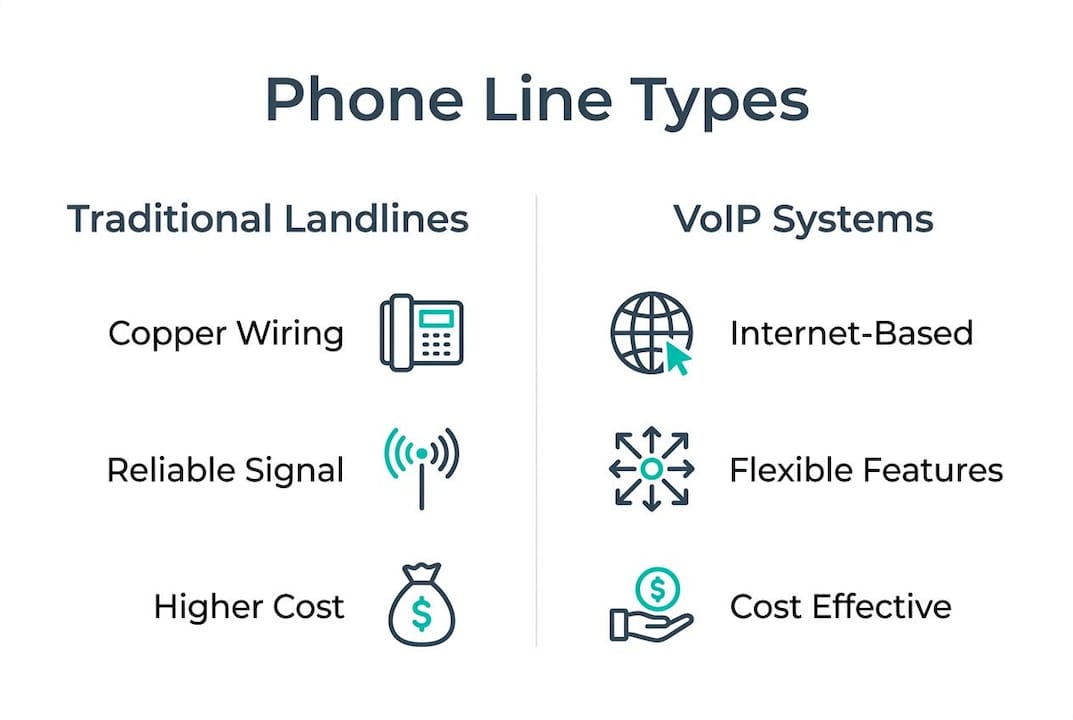
Traditional landlines transmit calls over the Public Switched Telephone Network using copper wiring. They support basic call features like hold and transfer, but they offer no built-in mobility, no app access, and no easy path to video or messaging. For Ontario businesses in areas with unreliable internet, a PSTN line can still serve as a reliable backup. That said, most carriers are actively retiring copper infrastructure, so a landline-only setup is a shrinking option.
VoIP business phone systems
VoIP is now the standard for small business telephony. The technology converts voice into digital data and sends it over your internet connection, which means your phone system lives in software rather than in wiring. The practical result is that your team can answer office calls from a desk phone, a laptop, or a mobile app. Cloud-based VoIP systems also route calls through mobile apps during office outages, giving you built-in disaster recovery that a copper line cannot provide.

Virtual phone systems
Virtual phone systems forward calls to existing cell phones or landlines without requiring dedicated hardware or a full PBX setup. They cost less than a full VoIP deployment and work well for sole proprietors or startups that need a professional second line fast. The trade-off is limited call management. You get basic call routing but not the call queues, conferencing, or CRM integrations that growing businesses need.
Cloud-based vs. on-premises systems
On-premises phone systems store all hardware and software at your office. You own the equipment, but you also own every repair bill and every upgrade cost. Cloud-based systems move that infrastructure off-site. Your provider manages the servers, the software updates, and the carrier connections. For most Ontario small businesses, the cloud model reduces upfront cost and shifts maintenance responsibility to the provider.
| System type | Best for | Key limitation |
|---|---|---|
| Traditional landline (PSTN) | Backup lines, low-internet areas | No mobility, aging infrastructure |
| Cloud VoIP | Most small and mid-size businesses | Requires reliable internet |
| Virtual phone system | Startups, sole proprietors | Limited call management features |
| On-premises PBX | Large offices with dedicated IT staff | High upfront and maintenance cost |
What features should small businesses look for?
The right features depend on how your team handles calls, but several capabilities separate a functional system from one that actively helps your business.
Call management tools form the foundation. Call forwarding, call queues, auto-attendants, and call recording let you handle volume professionally without hiring a receptionist for every line. A call queue alone can prevent a customer from hanging up during a busy period.
Collaboration features matter more than most small business owners expect. Unified communications platforms bundle voice, video, and chat in one application. That means your team can switch from a phone call to a video meeting without changing apps or losing context.
Mobility and remote access are now baseline requirements. The key driver for switching from analog to cloud phone lines is geographic flexibility. Employees can take their office numbers anywhere via a mobile app, which matters for Ontario businesses with field staff, remote workers, or multiple locations.
Integration with business tools like CRM platforms, help desk software, and scheduling systems turns your phone system into a data source. When a call logs automatically in your CRM, your team spends less time on manual entry and more time on the customer.
Uptime and disaster recovery deserve serious attention. Cloud systems route calls through broadband or 4G/5G connections, so staff can answer from alternate locations during a power or broadband outage at the office. A traditional landline offers no equivalent fallback.
Pro Tip: Before committing to any provider, call their support line at different times of day. The speed of that answer tells you exactly what you will get when something breaks at 9:00 AM on a Monday.
Scalability rounds out the list. A system that requires a technician visit to add one new user will slow you down as you grow. Cloud systems typically add users through an admin portal in minutes.
How much do business phone lines cost?
Cost varies significantly by technology type, number of users, and the features you need. The numbers below reflect real market ranges, not promotional estimates.
VoIP pricing averages $15–$45 per user per month for basic plans, with add-ons pushing costs higher. Traditional landlines typically run $50–$100 or more per line each month. That gap widens when you factor in the hardware, installation, and maintenance costs that landlines carry.
| Cost factor | Traditional landline | Cloud VoIP |
|---|---|---|
| Monthly per line/user | $50–$100+ | $15–$45 |
| Hardware | Owned, high upfront cost | Rented or low-cost IP phones |
| Installation | Requires technician | Plug-and-play or app-based |
| Maintenance | Owner's responsibility | Provider's responsibility |
| Scalability cost | High (new lines, wiring) | Low (add users in portal) |
One-time fees for on-premises PBX systems can run into the thousands of dollars before you make a single call. Cloud systems shift that cost to a predictable monthly subscription, which makes budgeting straightforward. Some providers, including Businessvoip, offer fixed pricing with no annual increases, which removes the common frustration of rate hikes after year one.
Pro Tip: Ask any provider for an all-in quote that includes hardware, installation, and support. The monthly per-user rate rarely tells the full story.
Support and maintenance costs are easy to overlook. If your provider charges extra for technical support calls or on-site visits, those fees add up quickly. A provider with a local Ontario team that handles installation and ongoing support in one package removes that variable entirely.
How should small businesses set up and maintain their phone lines?
A well-deployed phone system requires less ongoing maintenance than most business owners expect, provided the initial setup is done correctly.
-
Assess your internet connection first. Cloud VoIP quality depends on bandwidth and latency. Run a speed test and confirm your connection meets the provider's minimum requirements before ordering hardware. Most Ontario business-grade internet connections handle VoIP without issue, but rural locations may need a dedicated line.
-
Choose pre-configured hardware. Modern cloud phone hardware arrives pre-configured for plug-and-play setup. Phones auto-install when plugged in, and mobile apps install instantly. This approach cuts deployment time and reduces the chance of configuration errors.
-
Test your support provider before you need them. Testing how quickly providers answer support calls is the most reliable way to gauge their responsiveness. A provider that takes 45 minutes to answer a test call will take longer when you have a real outage.
-
Set up mobile app access for every user. Cloud systems let staff answer office calls from their phones. Activating this feature from day one means your team is already familiar with it before an outage forces them to use it.
-
Schedule a quarterly system review. Check call logs, review voicemail settings, and confirm that call forwarding rules still match your current team structure. Staff changes often leave old routing rules in place, which sends calls to people who no longer handle them.
-
Work with a managed service provider for complex setups. Multi-site Ontario businesses, offices with remote staff in other provinces or countries, and companies with high call volume benefit from a provider that designs, programs, and installs the system on-site. Businessvoip, for example, handles cabling, programming, and installation for businesses across Ontario, so every phone works correctly from the first day.
Key takeaways
Cloud-based VoIP is the most cost-effective and flexible choice for Ontario small businesses replacing or upgrading their business telephone lines.
| Point | Details |
|---|---|
| VoIP beats landlines on cost | VoIP runs $15–$45 per user per month versus $50–$100+ for traditional lines. |
| Cloud systems provide disaster recovery | Calls route through mobile apps during office outages, keeping your team reachable. |
| Features drive real business value | Call queues, CRM integration, and unified communications reduce manual work and missed calls. |
| Support quality is a buying criterion | Test provider response times before signing; slow support means longer downtime. |
| Fixed pricing protects your budget | Providers with no annual rate increases make long-term cost planning reliable. |
What I've learned after years of watching businesses choose phone systems
The most common mistake I see Ontario small businesses make is treating their phone system as a utility purchase rather than a communication infrastructure decision. They pick the lowest monthly rate, skip the support evaluation, and then spend the next two years frustrated by dropped calls, confusing admin portals, and support teams that respond by email three days later.
The shift to cloud telephony is real and largely positive. The geographic flexibility of cloud VoIP is genuinely useful. I have watched businesses keep operating through ice storms and power outages because their calls simply rerouted to staff phones at home. That is not a marketing claim. It is a practical outcome of how the technology works.
What I push back on is the idea that any cloud system is automatically better than what came before. A poorly configured VoIP system with no local support is worse than a well-maintained on-premises setup. The technology matters less than the implementation and the people behind it. A provider that designs, programs, and installs your system on-site, then answers the phone when something goes wrong, is worth more than a slightly lower per-user rate from a provider you can only reach by chat.
For Ontario businesses specifically, I would prioritize providers with a local presence. When a phone goes down at 8:45 AM before a busy day, you want someone who can drive to your office, not someone who will schedule a callback.
— James
Businessvoip makes business phone lines work from day one
Ontario small businesses that want a phone system that actually works on day one have a clear option in Businessvoip. The local Ontario team designs, programs, cables, and installs every system on-site, covering businesses within roughly 150 km of Ancaster and larger projects across the province. Fixed pricing means no annual rate increases, and rented phones carry a lifetime warranty.

Businessvoip has supported Ontario businesses since 2005, including multi-site and remote office setups across Canada, the US, and the UK. If you are ready to stop guessing about what your business needs, the Phone System Designer tool walks you through the process and connects you with the Businessvoip team for a tailored recommendation.
FAQ
What is the difference between VoIP and a traditional business landline?
A traditional landline transmits calls over copper wiring through the PSTN, while VoIP converts voice into digital data and sends it over the internet. VoIP costs less, supports more features, and works from any location with a reliable internet connection.
How much does a business phone line cost per month in Ontario?
VoIP plans typically run $15–$45 per user per month, while traditional landlines cost $50–$100 or more per line. Total cost depends on the number of users, features included, and whether hardware and installation are bundled.
Can my team use business phone lines while working remotely?
Yes. Cloud-based VoIP systems let staff answer and make calls from their office number using a mobile app or laptop, regardless of location. This also provides a backup during office outages.
What is a virtual phone system and who should use it?
A virtual phone system forwards calls to existing cell phones or landlines without dedicated hardware. It suits startups and sole proprietors who need a professional business number quickly, but it lacks the call management features that growing teams require.
How do I choose a reliable business phone line provider in Ontario?
Test the provider's support line before signing any contract. Prioritize providers with local installation teams, fixed pricing, and clear uptime guarantees. A provider that handles design, programming, and on-site installation removes the most common source of post-setup problems.