
Call reporting tells you who called, how long they waited, whether the call turned into revenue, and where your staffing or marketing is leaking money. If phone calls drive leads, orders, or bookings for your business, you need it. Before shopping for new software, check whether your current phone system can already export call detail records and support recordings with role-based access — that alone might answer half your questions.
TL;DR:
- Most small businesses should focus on phone-system reporting that tracks operational metrics like call handling, answer times, and missed calls before investing in attribution tools.
- Verify vendor support for number porting, CRM and ad platform integration, raw data exports, and consent controls before signing a contract to avoid costly workarounds later.
- Key metrics such as missed-call rate, answer speed, and call outcomes need regular review with specific actions, like staffing adjustments or campaign reallocation, based on trend analysis.
- Proper call reporting requires a fully installed system with accurate setup, including network checks, staff training, and clear policies on data retention and access controls from day one.
- Compliance with privacy laws involves establishing documented call recording policies, obtaining caller consent, limiting data retention, and pairing policies with correct storage and access controls.
Table of Contents
- When Call Reporting Is the Right Investment for Your Business
- Key Call Reporting Features Small Businesses Should Prioritize
- The Essential Metrics and Reports to Track
- Privacy, Consent, and Compliance for Call Recording
- How to Implement Call Reporting in Your Existing Phone System
- Turning Reports Into Action: Operational and Marketing Use Cases
- BusinessVoip.ca Perspective: Onsite Phone Systems and Call Reporting in Practice
- Editorial Take: Why Most Call Reporting Advice Skips the Hard Part
- How BusinessVoip.ca Gets Small Businesses to Reliable Call Reporting
- Sources
- FAQ
When Call Reporting Is the Right Investment for Your Business
Not every small business needs the same kind of call reporting, and buying the wrong type wastes money. There are two distinct categories, and confusing them is the single most common mistake owners make when they start shopping.
Phone-system reporting tells you how your team handles the calls that come in: coverage gaps, hold times, which extension picked up, how many calls got abandoned in the queue. This is the reporting most small businesses actually need first, because it answers operational questions like "why do we keep missing calls on Monday mornings?"
Call-tracking and attribution is a different animal. It tells you which marketing channel, ad, or keyword generated a specific call, usually through dedicated tracking numbers or dynamic number insertion on your website. You need this layer only if you're spending real money on paid ads, SEO, or directory listings and want to know which one is actually producing calls that convert. Choosing phone-system reporting when your real problem is routing, or attribution software when your real problem is coverage, is how businesses end up paying for two tools and still missing the answer they wanted, according to Nimbata's breakdown of call tracking.
A few signals tell you it's time to act:
- Your paid ad spend keeps climbing but nobody can say which campaign actually drives calls.
- Missed calls spike at predictable times and nobody has quantified how many, or how often they get recovered.
- You run more than one location and outcomes look inconsistent between them, with no data to explain why.
- You have no way to audit what happened on a call after a customer complains about it.
Once you know which question you're actually trying to answer, map it to a specific feature request instead of a vague "we need better reporting" conversation with your vendor. "We need to know missed-call rate by hour" gets you a heatmap. "We need to know which Google ad drove this call" gets you dynamic number insertion. Being specific saves you a demo cycle.
Before signing anything, run through a short buyer checklist:
- Does the provider support Canadian phone numbers, and can they port your existing numbers without downtime?
- What does the integration list look like, specifically with your CRM and ad platforms?
- What export formats are available, and can you get a CSV of raw call data, not just a dashboard screenshot?
- Who controls recording consent settings, and can you turn them off for specific lines or hours?
Get those four answers before you look at a single price sheet. A cheap platform that can't port your number or export clean data will cost you more in workarounds than the fee you saved.
Key Call Reporting Features Small Businesses Should Prioritize
Feature lists from vendors tend to blur together. What actually matters is whether a feature answers a question you have right now, not whether it sounds impressive on a sales call.
Core reporting features
Start with the basics that every serious platform should offer:
- Dashboards that show call volume, answer rates, and trends over a chosen date range, not just today's snapshot.
- Scheduled reports delivered to your inbox weekly or monthly, so you're not logging in to check manually.
- Call logs and call detail records (CDRs) with timestamps, duration, source number, and disposition.
- Searchable recordings and transcripts, so you can pull up a specific call by keyword instead of scrubbing through audio.
- Tags and outcome labels that let staff mark a call as "booked," "quoted," or "spam" right after hanging up.
Operational features
If your problem is coverage or team performance, look past the dashboard basics toward:
- Queue and IVR analytics showing how long callers wait before reaching a person and where they hang up.
- Agent or extension-level metrics, so you can see which team member handles the most calls and how quickly.
- Heatmaps and day-hour breakdowns that reveal your actual busy periods, which are almost never what you assume. Dashboards commonly support time-range comparisons, heatmaps, filters, and CSV or chart exports, according to Quo's analytics platform overview. Those exports are what let you actually match staffing to real demand instead of guesswork.
- Real-time alerts that flag a spike in missed calls while it's happening, not three days later in a monthly report.
Attribution features (only if marketing insight is the goal)
If you're running paid campaigns and need to know which one is working, look for dynamic number insertion, number pools, and visitor-level attribution that connects a call back to the specific ad or session that generated it, along with integrations that push that data into your CRM or ad platform, as described in CallGrid's call tracking feature summary. Skip this tier entirely if your calls come mostly from repeat customers, referrals, or a listed business number. It's overhead you don't need.
Governance features
These get overlooked until something goes wrong: recording access controls, role-based permissions, retention policy settings, exportability, and audit logs showing who accessed which recording and when. A platform with excellent dashboards but no access controls is a liability waiting to surface during a dispute or a privacy complaint.
Pro Tip: Don't take a vendor's feature checklist at face value. Ask for a live report generated from your own sample call flow, including a transferred call, an abandoned call, and one from a mobile app, before you sign anything. Testing real call types during a demo reveals integration gaps that a features list will never show you, based on guidance from Quo's own testing recommendations.
The Essential Metrics and Reports to Track
Numbers without context lead to bad decisions. Here's what each core metric actually tells you and the mistake owners commonly make interpreting it.
-
Call volume. The raw count of inbound and outbound calls over a period. Useful as a baseline, but meaningless on its own. Volume tells you nothing about quality or outcome, only pressure on your phone lines.
-
Missed-call rate. The percentage of inbound calls that went unanswered. This is the metric most owners react to fastest, and the one most likely to be misread.
-
Answer speed, or average speed of answer (ASA). How long callers wait before someone picks up. Anything consistently over 30 to 40 seconds tends to push callers toward hanging up or trying a competitor.
-
Average handle time (AHT). How long a typical call takes from pickup to hangup, including hold and transfer. Rising AHT can mean better service, thorough problem solving, or it can mean your staff is struggling with a new process. You need to sample actual calls to know which.
-
Wrap-up time. The gap between calls while staff finish notes or CRM entries. Too short usually means details are being skipped; too long means your workflow is clunky.
-
Connection rate. For outbound calling, the share of dials that actually reach a live person versus voicemail or a dead line.
-
Conversion or outcome rate. The share of calls tagged as a booking, sale, or qualified lead. This is the metric that ties phone activity to revenue, and it only works if your staff actually tags outcomes consistently.
The biggest mistake owners make is treating "missed" and "lost" as the same thing. A call missed on the first ring can still be recovered through a callback, a voicemail-to-email alert, or an overflow route to another extension. If your dashboard doesn't separate raw missed calls from recovered ones, you'll overstate how badly you're actually doing, according to Quo's small business guidance. Configure your reporting to show callback outcomes as their own line item, not buried inside a generic "missed" bucket.
A missed call isn't automatically a lost customer. It's a data point that only means something once you know whether a callback workflow caught it.
Set up your reporting cadence around three tiers: daily alerts for sudden missed-call spikes so you can react the same day, weekly heatmaps to catch pattern shifts before they become habits, and monthly outcome reports that connect calls to actual revenue so you can defend or cut marketing spend with real numbers.
When a metric moves, act on it with a specific response, not a general worry. If missed calls spike every day around lunch, that's a staffing gap, not a phone system failure. Move someone to cover the window or turn on overflow routing. If one ad campaign is generating calls but almost none convert, that's a targeting problem, not a sales training problem. Reassign that budget before you spend another month on it.
Privacy, Consent, and Compliance for Call Recording
Recording calls without a documented policy is one of the fastest ways for a small business to end up in a privacy complaint. Under the Personal Information Protection and Electronic Documents Act, call recordings and the caller information tied to them count as personal information. Organizations are expected to notify callers that a call may be recorded, explain why, get meaningful consent, protect the recordings with reasonable safeguards, and limit how long they keep them, according to the Office of the Privacy Commissioner of Canada's guidance on recording and surveillance. A recorded greeting that says "this call may be monitored" is a start, but it doesn't replace a written retention policy or documented purpose behind why you're recording in the first place.
If your business does outbound calling for sales or marketing, a separate set of rules applies. The CRTC requires compliance with the National Do Not Call List, internal do-not-call procedures, and disclosure requirements for telemarketing calls. Starting June 25, 2026, voice service providers will also be required to participate in call traceback after receiving a traceback request, part of a broader push against nuisance and fraudulent calling, according to the CRTC's telemarketing obligations page.
Turning these rules into practice is simpler than it sounds:
- Script a clear announcement at the start of any recorded call, stating the purpose plainly rather than a generic legal disclaimer.
- Offer callers who object an alternative, such as a non-recorded line or a written follow-up, rather than forcing consent as a condition of service.
- Set a retention schedule for recordings that matches your actual business need, not an indefinite "keep everything" default.
- Log who accesses recordings and when, especially if more than one person on your team has admin rights.
Privacy compliance works best when it's designed into your call reporting system from day one, not bolted on after a complaint. Businessvoip's guide to Canada's call recording rules walks through consent wording and retention specifics in more detail, and pairing that with proper storage and access controls for recordings closes most of the gap. Write your recording policy down, train your staff on the exact wording to use, and when a situation feels ambiguous, get a legal opinion rather than guessing.
How to Implement Call Reporting in Your Existing Phone System
Rolling out call reporting is a sequence, not a single purchase. Rushing the order of operations is how businesses end up with a dashboard full of data nobody trusts.
Before you buy anything, confirm four things with any vendor: Canadian number availability and porting support, a real integration list covering your CRM and ad platforms, the actual pricing model (per call, per minute, per number, or a flat platform fee), and who controls consent and retention settings. Getting these answers in writing before you sign avoids the most common source of buyer's remorse.
Implementation steps typically run in this order:
- Enable call logging and recording on your existing lines, confirming which extensions and numbers are included.
- Set up your core dashboards and schedule automated exports so reports land in the right inboxes without manual pulling.
- Assign roles and permissions, deciding who can listen to recordings versus who only sees summary numbers.
- Configure your retention policy inside the platform itself, not just in a written document nobody checks.
- Confirm your network can handle the added call volume and recording load without degrading call quality, which is worth checking against general VoIP network requirements if you're on a shared internet connection.
Test before you trust it. Run a short protocol covering the call types that actually happen in your business: a transferred call, an abandoned call that hangs up in queue, an after-hours call routed to voicemail, a call placed from a mobile app, and a call to a number you recently ported. Then check how each one shows up in your dashboard and in a raw export, not just the summary view. Requesting a live 48 to 72 hour export of real calls during vendor evaluation surfaces labeling and routing issues that a canned demo will never show you, a step worth taking seriously before committing to a contract.
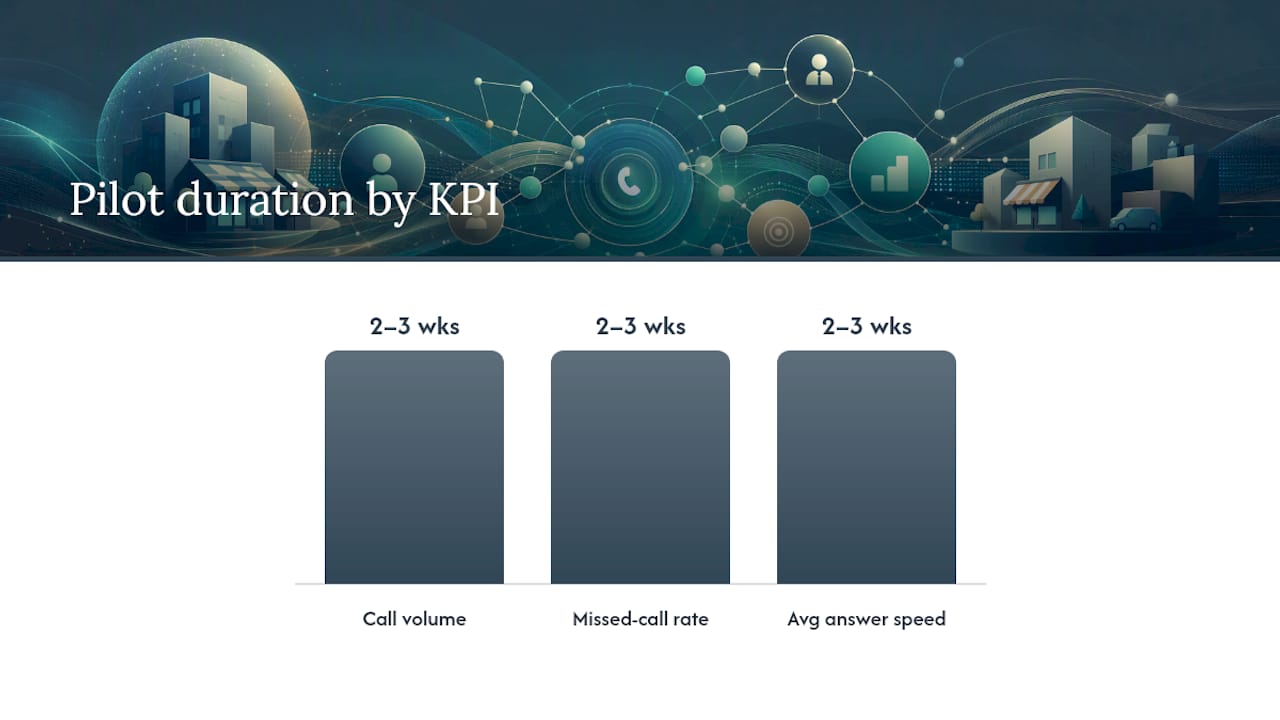
Pilot KPIs worth tracking from day one of a rollout: baseline call volume, missed-call rate, and average answer speed. Run the pilot for at least two to three full weeks, long enough to capture a normal weekly cycle including your busiest and slowest days, before drawing conclusions. A three-day sample will mislead you if one of those days happened to be unusually quiet.
Pro Tip: If call quality drops as soon as recording and reporting go live, don't assume the software is broken. Check your network's Mean Opinion Score first, since added call load can expose bandwidth limits that had nothing to do with the reporting platform itself, as explained in this practical guide to interpreting MOS scores.
Turning Reports Into Action: Operational and Marketing Use Cases
Reports that sit unread in an inbox are a wasted subscription. The value shows up only when a number moving triggers a specific decision.
On the operational side, heatmaps showing your true busy hours should directly drive your staffing schedule, not the schedule you assumed was right when you hired. If missed calls cluster every day between noon and 1 p.m., that's a lunch coverage gap, and the fix is either staggering breaks or turning on overflow routing to a backup line. Callback workflows recover a meaningful share of missed calls automatically, but only if someone reviews the recovery report weekly to confirm the workflow is actually working, not just installed. Pulling three recorded calls a week and reviewing them with your team is a faster way to fix a weak script than any training manual.
On the marketing side, tagging calls by source and pushing outcomes back into your ad platform lets you see which campaign generates calls that turn into paying customers, not just calls that ring the phone. Connecting call source, handling, and outcome into one view is what separates useful attribution from a vanity metric, a point echoed in Invoca's analysis of call tracking data. Once you have that view, pause the channels generating high call volume with low conversion, and shift that budget toward whatever channel is quietly converting well without much spend behind it yet. Marketing teams that connect call data to revenue outcomes see meaningfully better return on ad spend than those tracking clicks alone, according to analysis on marketing analytics and ROI.
To measure impact honestly, assign a rough dollar value to each call outcome type (a booked job, a quote, a support call that prevented a cancellation), then track cost per converting call across your channels and report it monthly. Here's what you can realistically do in one week:
- Schedule your first automated weekly report so it lands without you asking for it.
- Turn on a callback workflow for missed calls if you don't already have one.
- Pull three recorded calls and use them as a short training session with your team.
None of these require new software if your current system already supports basic reporting. They just require someone to actually look at the numbers and act.
BusinessVoip.ca Perspective: Onsite Phone Systems and Call Reporting in Practice
Most call reporting problems aren't software problems. They're configuration problems, where a phone system was shipped to a business and never properly set up to capture clean data in the first place. When Businessvoip designs and installs a system on-site, including cabling, programming, and a full network check, the reporting layer works correctly from the first call instead of needing weeks of troubleshooting after the fact.
That on-site process matters more for reporting accuracy than most buyers realize. A network check before installation catches bandwidth issues that would otherwise show up later as dropped calls or gaps in your call logs. Proper programming during setup means extensions, queues, and after-hours routing are labeled correctly from day one, so your dashboards reflect reality instead of a tangle of mislabeled lines.
Businessvoip's installations include several pieces that directly support reliable reporting and compliance: number porting handled by the same team doing the install, staff training so your team understands how to tag calls and use recording features correctly, retention and access controls built into the setup, voicemail-to-email so missed calls generate an immediate record, and recording options configured to match your actual policy rather than a generic default, according to their Ontario business phone systems page.
Businessvoip has operated in Ontario since 2005 and every rented phone carries a lifetime warranty. If you're evaluating a system with reporting in mind, bring three things to a demo or site visit: a sample of your actual call flow (including transfers and after-hours routing), a list of the integrations you need, and your retention policy requirements. That's what turns a generic sales conversation into a system that's actually built around how your business handles calls.
Editorial Take: Why Most Call Reporting Advice Skips the Hard Part
Most guides to call reporting read like feature brochures: here's a dashboard, here's a heatmap, buy the platform with the most checkboxes. That framing misses what actually determines whether reporting helps a small business or just adds another login nobody uses.
The real work is testing before you buy and designing compliance in from the start, not layering it on after a complaint lands. A platform that looks flawless in a sales demo can fall apart the moment you run a transferred call or a ported number through it, which is why insisting on a live test with your own call flow matters more than comparing spec sheets. Compliance deserves the same seriousness. Recording calls without a documented retention policy isn't a minor oversight, it's a liability sitting quietly until someone asks about it.
If you take one thing from this: prioritize the boring parts. Test with real calls, write your retention policy down, and only add attribution features once you've confirmed your basic coverage reporting is solid. Everything else is decoration.
— James
How BusinessVoip.ca Gets Small Businesses to Reliable Call Reporting
Buying call reporting software solves only half the problem if the phone system underneath it is a self-install box you're still fighting with weeks later. Businessvoip is built around the other half: a fully installed, fully supported VoIP phone system for Ontario businesses, where a local team designs, programs, cables, and installs everything on-site so reporting works correctly from the first call instead of after a month of troubleshooting.

During setup, Businessvoip handles the parts that usually go wrong when businesses try to configure reporting themselves: system design and programming, cabling, number porting so you keep the number your customers already know, staff training so your team actually uses the tagging and recording features correctly, and a lifetime warranty on rented phones so hardware failures don't turn into data gaps in your reports. Pricing is fixed, with no surprise annual increases layered on top.
If you want to see how this looks for your own call volume, request a live demo or site visit through Businessvoip's Ontario business phone systems page, and bring a sample of your actual call flow along with the integrations you need connected. Running multiple locations or remote offices? The multi-site and remote office phone system page covers how that setup works across sites.
Sources
- Nimbata — call tracking overview
- Office of the Privacy Commissioner of Canada — guidance on recording and surveillance
- CRTC — telemarketing obligations
FAQ
What Does Call Reporting Actually Do for a Small Business?
Call reporting tracks call volume, missed calls, answer speed, and outcomes so you can see where staffing or marketing is failing. It turns guesswork about phone performance into numbers you can act on, whether that means adjusting a schedule or shifting ad spend toward the channel that actually converts.
What Is the 80/20 Rule in a Call Center?
In call center staffing, the 80/20 rule commonly refers to a service-level target: answering 80% of calls within 20 seconds. It's a benchmark for answer speed, not a fixed legal standard, and many small businesses set their own target based on customer expectations rather than following it strictly.
How Do I Write a Useful Call Report?
A useful call report focuses on a handful of metrics tied to a decision: missed-call rate, answer speed, and outcome or conversion rate, broken down by day and hour where relevant. Skip vanity numbers like raw call count alone, and always separate recovered missed calls from calls that were never followed up on.
What Is the Best Call Reporting Setup for a Small Business?
The best setup depends on whether your problem is coverage or marketing attribution. For most small businesses, a fully installed phone system with reporting built in, like the systems Businessvoip installs on-site for Ontario businesses, solves coverage and staffing questions without the added complexity of a separate attribution platform.
Can I Legally Record Phone Calls With Customers?
Yes, but under PIPEDA you need to notify the caller, explain the purpose, and get meaningful consent before recording, according to the Office of the Privacy Commissioner's guidance. You also need to limit how long you keep recordings and offer an alternative to callers who object.