
"Good afternoon, thanks for calling Harborview Dental, this is Maria, how can I help you today?" That's it. Company name, your name, a genuine offer to help, said with a two-beat pause after each piece. It works because the first three seconds of a call decide whether the caller relaxes or braces, and this structure hits every note a caller subconsciously checks for. Below you'll find the full script library, the etiquette rules behind it, and a training plan to make it stick.
TL;DR:
- Answer calls within three rings to prevent callers from assuming the office is closed or understaffed, and clearly state the company and your name during greeting.
- Incorporate micro-pauses of a quarter to half a second after greeting elements to improve clarity and prevent message blurring.
- Take detailed notes during calls and repeat key information, while asking clarifying questions, to ensure accurate message passing and reduce mistakes.
- Use straightforward scripts for common scenarios, including holding, transferring, and message-taking, and deploy decision trees for escalation to maintain consistency.
- Train staff with a structured six-week plan focusing on delivery, tone, note-taking, and handling high volume to ingrain effective phone etiquette practices.
Table of Contents
- What Phone Etiquette Rules Actually Make Receptionist Scripts Work?
- Ready-to-Copy Scripts for Every Common Call
- Adapting Scripts for Medical, Dental, and Service Businesses
- How to Build a Call Script and Decision Tree for Your Team
- A Six-Week Plan to Train Your Team on These Scripts
- Phone Features That Make These Scripts Enforceable
- What Years of Phone-System Installs Taught Us About Scripts
- Getting Your Scripts to Actually Work on Your Phone System
- Sources
What Phone Etiquette Rules Actually Make Receptionist Scripts Work?
A script is only as good as the delivery behind it. Most receptionist training focuses on what to say and skips the mechanics of how to say it, which is exactly where calls go sideways.
Start with timing. Industry guides consistently recommend answering within three rings, stating both the company name and your own name in the greeting. Wait longer than that and callers assume the office is understaffed or closed, even when it isn't.
Pacing and tone matter more than most managers realize. Voices that sound rushed read as unhelpful, even when the receptionist is being perfectly efficient. Smiling while you talk isn't a soft-skills cliché. It physically changes the shape of your vocal tract and softens your tone in a way callers can hear, even over a mediocre connection.
The micro-pause technique is the detail almost nobody trains for. A quarter-second to half-second pause after the company name, and another after your own name, keeps the greeting from blurring into a single unintelligible phrase. Try saying your greeting with zero pauses, then again with two deliberate breaths built in. The difference is obvious the moment you hear it back.
Beyond the greeting, four habits separate a competent receptionist from a great one:
- Take notes during the call instead of relying on memory, then repeat key details back to the caller.
- Ask clarifying questions rather than guessing at what the caller means.
- Get explicit permission before placing anyone on hold, and give a realistic time estimate.
- Check back in if a hold runs past two minutes, per standard hold-handling guidance.
Every message taken should capture six things: full name, callback number, date and time of the call, a specific subject line (not "wants a callback"), urgency level, and the best time to reach them back.
Pro Tip: Record yourself delivering your standard greeting on your phone, then play it back at half volume from across the room. If you can't make out your own name clearly, your caller can't either.

Ready-to-Copy Scripts for Every Common Call
These scripts are meant to be copied, edited with your own placeholders, and taped next to the phone until they're memorized. Swap in real names and details where you see brackets.
1. Greeting scripts (pick the tone that fits your business)
- Formal: "Good morning, thank you for calling [Company Name], this is [Your Name]. How may I direct your call?"
- Friendly: "Hi there, thanks for calling [Company Name], this is [Your Name] — how can I help you today?"
- High-volume or urgent-care setting: "[Company Name], this is [Your Name], go ahead."
2. Hold script
"Would you mind holding for about thirty seconds while I check on that for you?" Wait for a yes. If the wait stretches past two minutes, come back with: "Thanks for your patience. I just need another minute, or I can take your number and call you right back, whichever you'd prefer."
3. Warm transfer
"Let me connect you with [Name] in [Department], one moment please." Then, before releasing the call: "Hi [Name], I have [Caller] on the line, they're calling about [reason], can you take this?" Only release the call once the colleague confirms. If nobody picks up within a few rings, fall back to: "It looks like [Name] isn't available right now. Can I take a message, or would you like their voicemail?"
4. Message-taking script
"I'll make sure [Name] gets this. Can I get your full name and the best number to reach you? ... And what's this regarding, so I can flag it correctly? ... Got it. I'll note this as [urgency level] and pass it along today."
A completed example: Name: Diane Okafor. Number: 416-555-0148. Date/time: Tuesday 2:15 PM. Subject: Invoice discrepancy on order #4471. Urgency: Same-day callback requested. Best time: After 4 PM.
5. After-hours and voicemail
"You've reached [Company Name]. Our office hours are [days/times]. Please leave your name, number, and a brief message, and we'll return your call the next business day." For deeper voicemail variations by scenario, these voicemail greeting scripts cover more ground.
6. Difficult callers and objections
For a frustrated caller: "I hear you, and I want to get this sorted out. Let me pull up your file." For a price objection: "That's a fair question. Let me connect you with billing so they can walk through the details with you." Never argue the point yourself. Redirect to the person who owns the answer.
Adapting Scripts for Medical, Dental, and Service Businesses
For appointment-driven businesses like medical and dental offices, always offer two concrete time slots instead of asking "when works for you?" Open-ended questions stall the call. "I have Tuesday at 10 AM or Thursday at 2 PM, which works better?" moves callers toward booking immediately.
Privacy matters more in healthcare settings. Confirm identifying or medical details only when there's a real reason to, and never repeat sensitive information out loud in a waiting room within earshot of other patients. When insurance or pricing comes up, don't try to answer it yourself unless you're trained to: "I want to make sure you get accurate numbers, let me transfer you to billing," keeps you out of guesswork territory.
- Medical/dental: two-slot booking language, protected-info discretion, quick transfer to billing for cost questions.
- Trades and home services: confirm address and access details early, since dispatch is the end goal of most calls.
- Property management: separate emergency maintenance calls from routine ones immediately, since urgency drives the whole flow.
How to Build a Call Script and Decision Tree for Your Team
Start by listing your actual call volume, not a guess. Pull a week of call logs or just ask your team what the five most common reasons people call are.
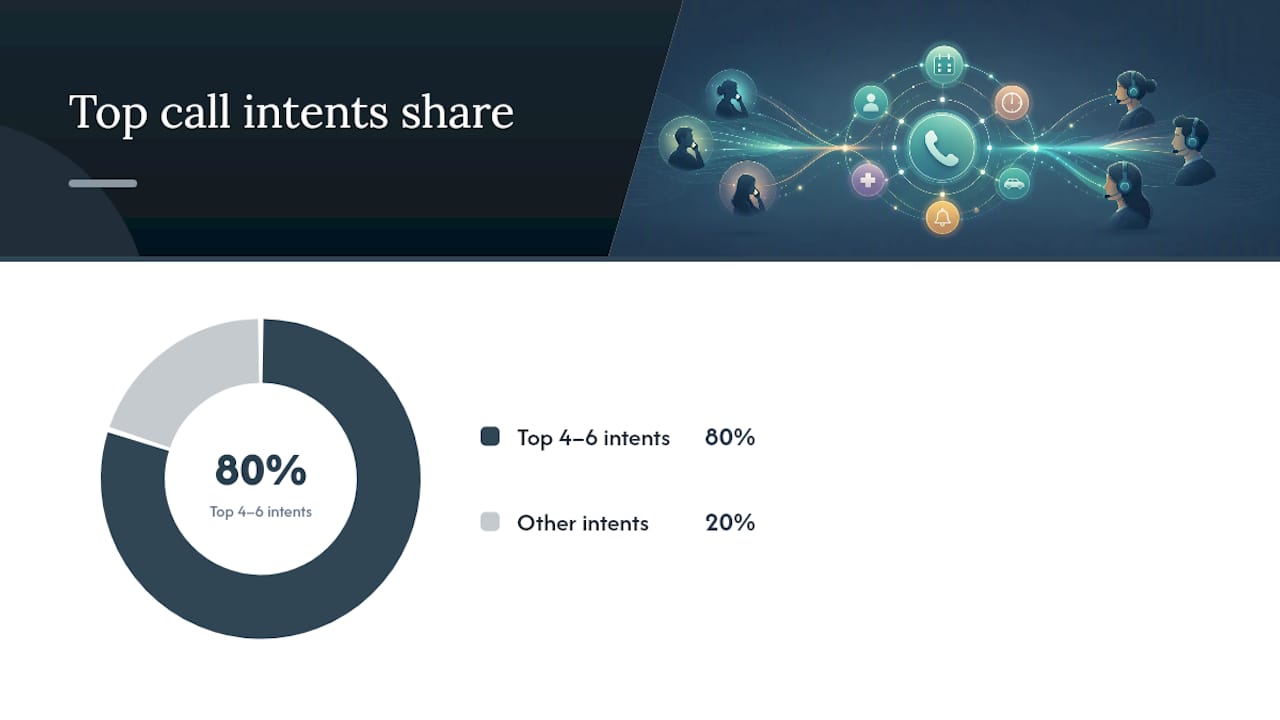
- Inventory top call intents. Most offices find four to six categories cover 80% of incoming calls: booking, billing, general inquiries, complaints, vendor calls, and internal transfers.
- Write short templates with placeholder fields. Use brackets like [CallerName], [AppointmentDate], and [Department] so the script stays a fill-in-the-blank tool rather than a memorized speech.
- Build simple if/then rules for escalation. If the caller asks about billing, transfer to accounts. If the person they need is unavailable, take a message with urgency flagged. If the caller is upset, follow the de-escalation script before anything else.
- Assign an owner. One person, usually the office manager, should hold the master script document and update it quarterly or whenever a process changes.
- Decide where canned responses end and judgment begins. High-volume, predictable questions (hours, location, pricing tiers) deserve a fixed answer. Anything involving a complaint or a unique situation needs a human decision, not a script recited word for word.
Formal scripting frameworks built around decision trees consistently reduce caller friction because the receptionist never has to improvise the structure, only the details.
Pro Tip: Print your decision tree as a single page, laminate it, and keep it at every phone station. If it doesn't fit on one page, it's too complicated to use during a live call.
A Six-Week Plan to Train Your Team on These Scripts
Scripts fail without practice, and practice fails without a schedule. A staged six-week plan turns scripts from a reference document into muscle memory.
| Week | Focus | Practice Activity |
|---|---|---|
| 1 | Greeting delivery and micro-pauses | Record and replay greetings, compare against the script |
| 2 | Active listening and note-taking | Paired role-play with mock callers |
| 3 | Hold and transfer protocol | Live call shadowing with immediate feedback |
| 4 | Message-taking accuracy | Timed message drills, checked against the six-point checklist |
| 5 | Multi-line and high-volume handling | Simulated busy-period call bursts |
| 6 | Full integration and QA scoring | Recorded calls scored against the full rubric |
Score every reviewed call on greeting clarity, hold and transfer adherence, message completeness, and overall tone, each on a 0 to 5 scale. Track answer time, abandoned-call rate, and percentage of calls needing escalation weekly. Structured practice with a measurable rubric consistently outperforms ad hoc coaching, largely because it gives receptionists a concrete target instead of vague "be more professional" feedback. Recording and replaying real calls, as phone etiquette research supports, catches tone and pacing issues that live coaching alone tends to miss.
Phone Features That Make These Scripts Enforceable
The best script in the world falls apart if the phone system drops transfers or loses voicemails. A few features remove that friction entirely.
- Auto attendants handle simple routing scripts so receptionists aren't fielding every "what department do I need" call manually.
- Voicemail-to-email turns missed calls into a written record, which helps QA reviews catch message-taking gaps.
- Mobile apps and remote extensions let receptionists in distributed offices follow the same script regardless of physical location, a point covered in more depth in this remote extensions setup guide.
- After-hours virtual receptionist services, like these overflow answering options, act as a backstop during volume spikes rather than a replacement for trained staff.
Teams that want to run structured mock calls before going live can also lean on AI-driven mock call practice to rehearse scripts against simulated callers before test day.
What Years of Phone-System Installs Taught Us About Scripts
The mistake we see most during installs isn't a bad script, it's no script at all, paired with a phone system that makes transfers a coin flip. A managed rollout fixes the technical half; the scripts above fix the human half.
— James
Getting Your Scripts to Actually Work on Your Phone System
A script only performs as well as the system carrying it. If your current setup drops warm transfers, buries voicemails in a queue nobody checks, or leaves remote staff without a working extension, even a perfect script can't save the call. Businessvoip designs and installs on-site VoIP systems for Ontario businesses, so the routing, voicemail-to-email, and mobile app pieces that support these scripts actually work together instead of fighting each other.

That means fewer dropped transfers, message-taking that lands in an inbox instead of a sticky note, and staff training that sticks because the hardware doesn't fight the script. Multi-site teams and remote offices get the same consistency across every location, covered in more detail on the multi-site and remote office solutions page. If your team is ready to pair these scripts with a system built to support them, start with a custom phone system design and get a plan built around how your office actually answers the phone.
Sources
- Why the best speakers pause | Toronto Speech Therapy
- Putting callers on hold | On Hold Consulting
- The most important phone skills for receptionists | Receptionist Institute