
For many organizations, a VoIP-based or cloud PBX phone system is often considered the better choice because it can deliver flexibility, lower ongoing costs, and support for remote work. Keep an on-premise PBX only when you have specialized hardware, need absolute on-site control, or recently sunk capital into a system that still meets your uptime and emergency-calling needs.
TL;DR:
- Cloud or hosted PBX systems are generally more cost-effective, scalable, and better support remote work compared to on-premise systems.
- On-premise PBX may be justified only for businesses with specialized hardware, strict local control needs, or recent capital investments.
- Reliable VoIP requires sufficient bandwidth, network resilience like secondary internet, and encryption protocols for security and call privacy.
- Emergency call capabilities differ: fixed VoIP offers full location data, while nomadic VoIP relies on manual updates, affecting safety compliance.
- On-site installation and support reduce migration risks, especially for complex multi-site setups, and should include clear SLAs, security, and failover options.
Table of Contents
- What a PBX Is and the Types Businesses Encounter
- What VoIP Means and the Delivery Options Businesses Use
- Key Differences at a Glance: The Decision Criteria That Matter
- Deployment, Cost Drivers, and Realistic Timelines
- Reliability, Security, and Emergency Calling: What to Verify
- How to Choose: Vendor Questions, Red Flags, and a Procurement Checklist
- Publisher Perspective: Why Local Installation Reduces Migration Risk
- BusinessVoip.ca: Local Installs and Support for Hands-On Migration
- FAQ
- Sources
What a PBX Is and the Types Businesses Encounter
A PBX, or private branch exchange, is the switching system that routes calls within an office and out to the public phone network. The term covers several distinct setups, and the differences matter when you are budgeting or planning an upgrade.
- On-premise PBX: physical hardware installed and maintained at your location, using traditional phone lines or digital trunks.
- IP PBX: on-site hardware that routes calls over your data network using internet protocol instead of analog lines.
- Hosted or cloud PBX: the switching equipment lives offsite with a provider, and your phones connect over the internet.
- Hybrid PBX: a mix of on-premise hardware and cloud-based features, often used during a phased migration.
An on-premise system still makes sense for businesses with specialized telephony interfaces, strict regulatory requirements that mandate local control, or hardware that was recently purchased and still performs reliably. The tradeoff is operational: you own the server room space, the power and cooling, the on-site support contract, and every firmware patch and lifecycle upgrade from now on.
What VoIP Means and the Delivery Options Businesses Use
VoIP, or Voice over Internet Protocol, is simply the transport method: voice converted into data packets and sent over an internet connection instead of a phone line. A cloud PBX is a complete hosted phone system built on top of VoIP; a basic VoIP line, by contrast, just replaces a dial tone without the call-routing features of a PBX.
- Fixed VoIP ties a phone number to a specific physical address, similar to a traditional line, which matters for how emergency calls are located.
- Nomadic VoIP travels with the user across locations and devices, trading that flexibility for weaker automatic location detection.
- SIP trunking connects an existing on-premise or cloud call controller to the public phone network over IP, which suits businesses migrating legacy equipment rather than starting fresh.
Choosing between a full hosted PBX and SIP trunking usually comes down to whether you are replacing an entire system or extending one you already trust.
Key Differences at a Glance: The Decision Criteria That Matter
Once you understand the categories, the real decision comes down to a handful of practical criteria.
- Cost structure: on-premise PBX requires upfront capital for hardware and cabling, while VoIP and cloud PBX shift spending to a predictable monthly subscription with lower total cost of ownership over time.
- Scalability: adding a user to a cloud system is often a license change; adding one to an on-premise PBX can mean new ports, cards, or an entire cabinet upgrade.
- Remote and hybrid work support: VoIP and cloud PBX extend the office line to any laptop, mobile app, or home office; a traditional PBX generally cannot.
- Features and integrations: cloud systems typically bundle CRM integration, call reporting, mobile apps, and flexible call routing that older PBX hardware was never built to support.
- Management responsibility: on-premise systems put patching, maintenance, and troubleshooting on your IT staff; hosted systems shift most of that to the provider, which matters if you do not have dedicated telecom expertise in-house.
- Service continuity: a cloud system with proper failover can reroute calls automatically during an outage, while a single-site PBX depends entirely on local power and line availability unless you have built in redundancy.
None of these favor one model in every case. A business with five employees in one office has very different scalability needs than one opening a second location next year, and the right system is the one that matches your actual growth plan, not the one with the most features on paper.
Deployment, Cost Drivers, and Realistic Timelines
Budgeting for a phone system means accounting for more than the monthly fee on a sales sheet.
- Handsets: bought outright or rented, which affects upfront cost and who handles warranty repairs.
- Carrier and trunk fees: ongoing charges for SIP trunks or hosted lines.
- Porting fees: costs to move existing numbers to a new provider.
- Cabling and installation: often the largest variable cost, especially in older buildings.
- Network upgrades, licenses, training, and support: recurring or one-time costs that rarely appear in an initial quote.
A small office with a handful of lines can often go live in a few weeks, mid-size deployments with multiple departments or call flows typically take several weeks, and multi-site rollouts with number porting across locations may require several months.
Pro Tip: Ask for a written cost breakdown that separates one-time installation fees from recurring charges, since hidden costs like failover internet and network quality testing often surface only after the contract is signed.

Reliability, Security, and Emergency Calling: What to Verify
A VoIP system is only as reliable as the network underneath it. Concurrent calls need sufficient bandwidth, and quality-of-service (QoS) settings plus VLAN segmentation keep voice traffic from competing with file transfers and video calls.

Guidance from Innovation, Science and Economic Development Canada recommends that businesses design for internet access resilience, including a secondary ISP or mobile failover connection, so voice and other online services stay available during an outage.
Security controls worth confirming with any provider:
- Encrypted signaling (TLS) and encrypted media (SRTP) rather than plain, unauthenticated SIP.
- Firewall rules and VLAN separation between voice and data traffic.
- Device hardening and a documented patching schedule.
RFC 8862 documents these best practices for protecting SIP traffic against eavesdropping and impersonation, and they apply whether you choose a hosted or on-premise VoIP deployment.
For emergency calling, CRTC guidance explains that fixed VoIP can support Enhanced 9-1-1 with full address information, while nomadic VoIP typically provides Basic 9-1-1 and relies on the subscriber to keep location records current. Confirm which type your provider offers and whether critical lines have battery and internet failover for outages.
How to Choose: Vendor Questions, Red Flags, and a Procurement Checklist
Before signing anything, run prospective vendors through a short set of questions.
- What is the service level agreement, and what happens if it is missed?
- Do you support fixed or nomadic E9-1-1, and how is ALI/ANI location data updated?
- How do you handle number porting, and what is the typical timeline?
- What failover options exist if our internet connection drops?
- What security practices protect our calls and device configurations?
- Who provides on-site installation and ongoing local support?
Pro Tip: Treat vague answers to the E9-1-1 question as a red flag. A provider that cannot clearly explain emergency-calling handling likely has not tested it.
Trust signals worth asking for include documented SLAs, published security practices, fixed pricing options, and confirmed on-site installation capability rather than a shipped box of equipment.
Publisher Perspective: Why Local Installation Reduces Migration Risk
Most VoIP migrations fail not because the technology is weak but because nobody configures it correctly on-site. A provider that designs, programs, cables, and installs the system in person, rather than shipping hardware and a support line, removes the step where most projects stall.
— James
BusinessVoip.ca: Local Installs and Support for Hands-On Migration
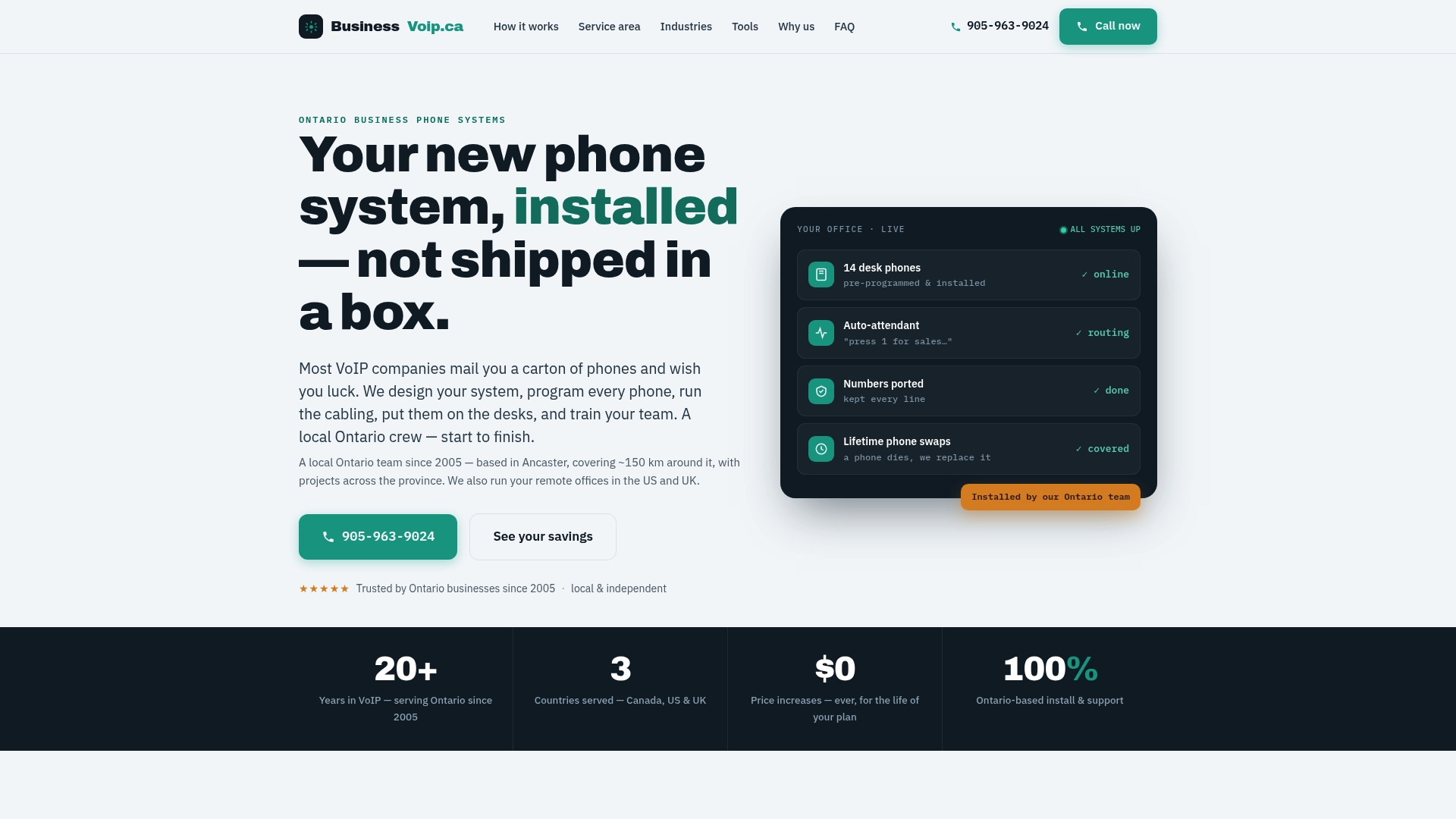
If the checklist above raised more questions than you have answers for, that is exactly the gap a fully installed system is meant to close. Our Ontario team designs, programs, cables, and installs your business phone system on-site, so every phone works from day one instead of arriving as a box you have to figure out yourself.
- Fixed pricing that helps manage your budget over time.
- Phone rentals include a warranty, reducing recurring hardware-replacement costs.
- Support and training delivered in person rather than remotely.
For businesses spread across multiple locations or managing remote offices, our multi-site and remote office solutions handle the porting and call-routing complexity that a single-site install does not need to deal with. If you are ready to see what a fully installed system looks like for your office, reach out through Businessvoip to check availability in your area.
FAQ
What does VoIP telephony mean?
VoIP telephony means voice calls are converted into data packets and carried over an internet connection instead of traditional copper phone lines. It covers everything from a basic internet phone line to a full hosted PBX system.
What is PBX in telecommunications?
A PBX, or private branch exchange, is the switching system that routes calls within a business and connects them to the outside phone network. It can be physical on-site hardware, an IP-based system, or a cloud-hosted version managed by a provider.
Do I need a landline if I have VoIP?
No, VoIP is designed to replace a traditional landline for most businesses rather than supplement it. The one consideration is emergency calling: fixed VoIP generally supports full E9-1-1 location data, while nomadic VoIP relies more on manually updated address records.
What are the disadvantages of using a VoIP phone?
VoIP call quality depends on your internet connection, so a weak or congested network can cause dropped calls or audio issues. Building in internet access resilience, such as a secondary connection, addresses most of this risk, and businesses should also confirm call recording compliance if they plan to record calls.
How long does it take to switch from PBX to VoIP?
A small office can typically complete a switch in one to three weeks, while multi-site businesses with number porting across locations may need sixteen weeks or more. Planning a staged migration with pilot sites first helps avoid downtime during the transition.
Sources
- 9-1-1 Services for Traditional Wireline, VoIP and Wireless Phone Services | CRTC
- Guidelines for Evaluating Internet Access Resilience (ISED)
- RFC 8862: SIP Best-practice Recommendations Against Network Dangers to privacy (SIPBRANDY)