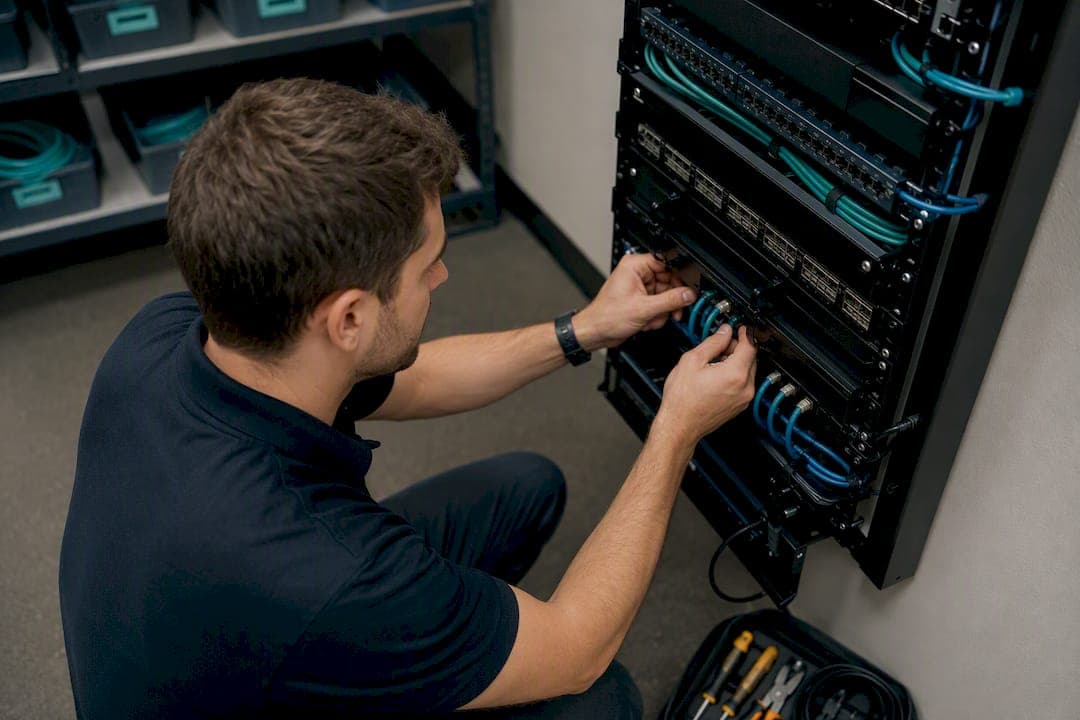
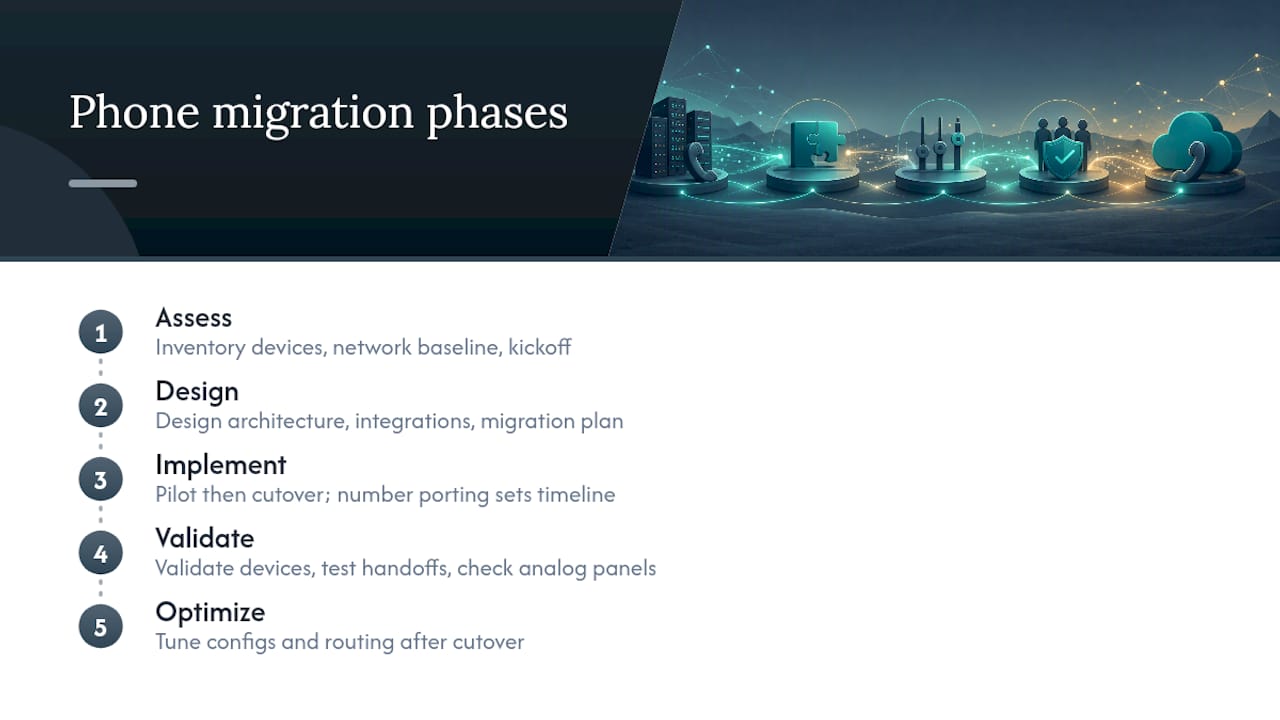
The right phone system migration plan follows five phases in order: assess, design, implement (pilot and cutover), validate, and optimize. Skip a phase or run them out of order and you end up with the two most common failures in this project type: a cutover weekend that turns into a cutover week or a new system that works fine except for the one analog fire panel nobody inventoried.
Start today with three things. First, build an inventory of every phone, line, and integration touching your current system. Second, run a network baseline test to see if your bandwidth and firewall can handle voice traffic. Third, get IT, finance, and department leads in a room for a 30-minute kickoff.
Here's the pacing reality most teams miss: number porting usually determines your timeline, not the technology. Clean paperwork enables local numbers to be ported in a typical timeframe of several business days. Messy paperwork can add weeks.
Key Takeaways
A phone system migration succeeds when the five phases (assess, design, pilot, cutover, validate) run in order, with number porting managed as the pacing item from day one.
| Point | Details |
|---|---|
| Inventory before you price | Map every phone, line, and integration before scoping budget or timeline. |
| Fix the network first | Misconfigured QoS and firewall settings cause most post-migration call quality problems. |
| File porting paperwork immediately | A clean LOA/CSR match ports local numbers in about 5 to 7 business days. |
| Keep legacy systems live briefly | A 48 to 72 hour overlap after cutover catches problems before they become outages. |
| Consider a fully managed install | Businessvoip designs, cables, programs, and ports numbers on-site for Ontario businesses. |
Table of Contents
- What Does a Phone System Migration Plan Actually Involve?
- How Do You Assess Readiness Before a Phone System Upgrade?
- What Technical Decisions Shape the Design Phase?
- How Should You Plan the Pilot and Cutover?
- How Do You Validate the New System Before Full Rollout?
- What Happens in the First 30 Days After Cutover?
- What Are the Biggest Risks in a PBX-to-VoIP Migration?
- Printable Migration Checklist by Phase
- How BusinessVoip.ca Runs a Migration From Design to Go-Live
- How BusinessVoip.ca Reduces the Risk in Your Migration Plan
- Sources
What Does a Phone System Migration Plan Actually Involve?
A phone system migration plan is the roadmap for moving from your current voice infrastructure, whether that's an aging on-premise PBX, a patchwork of analog lines, or an outdated hosted service, to a new target system. Most businesses are heading toward one of three end states.
- Full cloud/UCaaS replacement: retires on-site hardware entirely and moves call handling to a hosted platform, which tends to suit companies prioritizing mobility and remote staff.
- Hybrid deployment: keeps some on-premise equipment (often for compliance or legacy integrations) while shifting most traffic to cloud trunks, a common middle ground for regulated industries.
- On-premise PBX refresh: replaces aging hardware with newer on-site equipment, still relevant for sites with unreliable internet or strict data-residency rules.
Each path supports different business goals. Cloud migrations tend to win on mobility and lower upfront capital cost. Hybrid setups protect resilience for mission-critical lines. A straight PBX refresh buys time without solving the underlying flexibility gap, which is why most Ontario SMBs evaluating cloud phone systems eventually land on cloud or hybrid anyway.
How Do You Assess Readiness Before a Phone System Upgrade?
This phase produces the artifacts that let you actually price and schedule the project, rather than guess. Skipping it is the single biggest reason migrations run over budget.
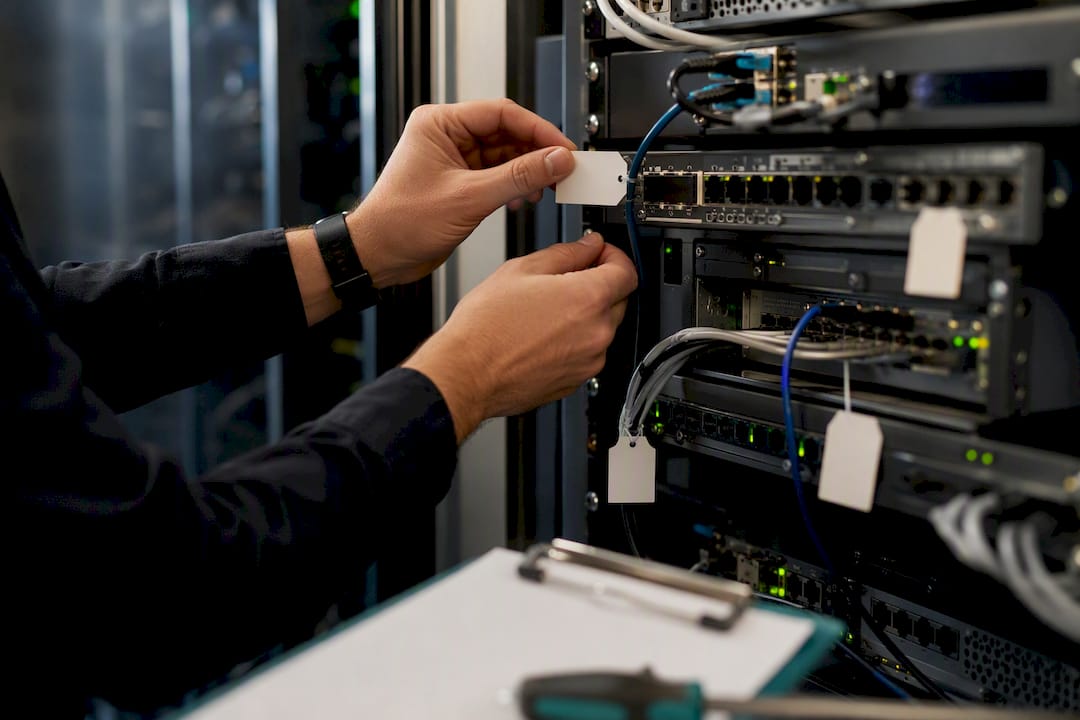
Inventory everything with a dependency. Every phone, PBX feature, SIP trunk, analog line, contact center queue, and CRM or helpdesk integration needs a line item. A simple tracking table works better than a mental list, especially once you get past 20 extensions.
| Field | Why it matters |
|---|---|
| Current DID / extension | Confirms nothing gets lost during number mapping |
| Routing rules | Reveals hidden logic (holiday hours, overflow, ring groups) that breaks silently if undocumented |
| Owner / department | Identifies who signs off on testing that line |
| Device type | Flags analog, digital, or IP so you know what needs replacing vs. reprogramming |
| Dependency | Catches integrations like fax-to-email, alarm lines, or CRM click-to-dial |
Test your network before you commit to a date. Bandwidth headroom, concurrent call capacity, QoS configuration, and firewall or SIP ALG settings are the usual suspects behind post-migration call quality complaints. Vistanet's pre-go-live checklist puts network assessment first for a reason: misconfigured QoS and firewall settings cause more post-cutover quality issues than any other single factor. Microsoft's Teams QoS guidance is a solid technical reference for how DSCP markings and traffic prioritization actually work if your IT team needs the specifics.
Pull the right people in early:
- IT or your outsourced provider (network and security sign-off)
- Facilities (cabling access, wiring closets, physical install windows)
- Finance (budget approval, contract terms, overlap costs)
- Compliance or legal (data residency, call recording rules)
- Department champions (feature requirements, pilot volunteers)
- Your current and incoming carriers (porting coordination)
Budget for overlap. Running old and new systems in parallel for even a week costs more than a same-day cutover, but it's cheap insurance against the alternative. Gartner's UCaaS planning guidance stresses that migrations succeed or fail on organizational readiness as much as technical execution, which is exactly why this phase deserves more time than most project plans give it.
What Technical Decisions Shape the Design Phase?
Once the assessment phase confirms what you have, the design phase decides what you're building and locks in the details that prevent cutover-day surprises.
Numbering and porting prep comes first because it's the pacing item. File your Letter of Authorization (LOA) and confirm your Customer Service Record (CSR) matches exactly. A single mismatched address or account name resets the port clock, sometimes by weeks. Stage test numbers early so your team can validate call flows without touching live traffic.
Connectivity architecture is your next decision: direct SIP trunks, SIP over TLS for encrypted signaling, or a carrier-managed solution with built-in survivability if your internet drops. Sites with unreliable connections need a survivability plan, not just a fast connection.
Security controls belong in this phase, not bolted on afterward:
- Encrypt signaling and media (TLS/SRTP) rather than relying on default carrier settings
- Set role-based access controls for admin portals and call recording archives
- Enroll new endpoints in centralized device management before they ship to users
- Turn on call and login monitoring from day one, not after an incident
For integrations, map every connection between your phone system and the tools that depend on it.
| Field | Purpose |
|---|---|
| System name | CRM, helpdesk, or scheduling tool being connected |
| API/auth method | Confirms compatibility before build day |
| Data flow direction | Clarifies whether call logs push out or contact data pulls in |
| Owner | Who validates the integration works post-cutover |
| Test case | The specific scenario that proves it's working |
Pro Tip: Decide your softphone-versus-desk-phone mix before you order hardware, not after. Sales and support teams often do better with softphones for mobility, while reception and warehouse staff usually need a physical handset with programmable line keys.
How Should You Plan the Pilot and Cutover?
Run a pilot before you touch the whole company. A group of 10 to 15 users across two or three departments, running for one to two weeks, surfaces most configuration problems without putting the entire business at risk. Define success criteria before you start: call quality scores, feature parity confirmation, and zero missed inbound calls during business hours.
Three cutover approaches, each with real tradeoffs:
- Parallel run: old and new systems both active, calls gradually shifted over. Safest option, but costs more and requires more coordination.
- Weekend cutover: hard switch during low-traffic hours. Fast, but leaves less room to catch issues before Monday morning.
- Phased by department: move one team at a time. Limits blast radius but stretches the project timeline.
Dialvice's 30-day migration framework recommends keeping the legacy system live for 48 to 72 hours after cutover as a safety net, which is good practice regardless of which cutover style you choose.
Set your rollback criteria before cutover day, not during it. Define the specific failure conditions (dropped call rate above a threshold, a critical integration failing, E911 not routing correctly) and name one person with authority to trigger the rollback. Indecision at 8 a.m. on cutover day is worse than a wrong call made fast.
Pro Tip: Send a short internal notice 48 hours before cutover and a one-line customer-facing message on the day itself if your main line will see any disruption. Silence creates more support tickets than the outage does.
How Do You Validate the New System Before Full Rollout?
Testing happens in two tracks that run at the same time: user acceptance and technical QA.
For user acceptance, walk through real scenarios, not just dial tone checks:
- Inbound and outbound calls across every location
- Call transfer, hold, and conference functions
- Voicemail delivery and voicemail-to-email
- IVR menu routing to the correct department
- Emergency call routing (this one gets skipped more than any other, and it shouldn't)
Training works best as train-the-trainer. Give department champions a one-page cheat sheet and a direct support contact for the first week, rather than a long manual nobody reads.
On the technical side, record these during validation:
- Call quality score (MOS or R-factor)
- Dropped call rate
- Integration sync success rate (CRM logging, click-to-dial)
- Average time to answer through the new IVR
What Happens in the First 30 Days After Cutover?
The days right after cutover decide whether the migration sticks or generates a support backlog. Confirm porting completed for every number, decommission old lines on a schedule (don't rush this if you're keeping a POTS fallback for alarm systems), and reassign any numbers that changed during the move. Verify E911 routes correctly from every physical location, not just headquarters.
Track these metrics through the first month:
- Call success rate and dropped call percentage
- MOS/R-factor trends across peak hours
- Network latency and jitter on voice VLANs
- Integration error rates (CRM sync failures, missed webhook events)
Set a 30-day SLA checkpoint with your provider covering uptime, response time on tickets, and call quality thresholds. Around week three or four, run a feature adoption audit. Many teams pay for call queues, auto-attendant scripting, or mobile app access and never turn them on, which quietly erodes the return on the whole project.
What Are the Biggest Risks in a PBX-to-VoIP Migration?
Every migration carries a handful of predictable risks. Naming them early is how you avoid them.
| Risk | Mitigation |
|---|---|
| Network congestion or poor QoS | Run a bandwidth and concurrent-call test before cutover; configure QoS ahead of go-live |
| Porting delays from LOA/CSR mismatches | Submit paperwork on day one; verify CSR details character-for-character |
| E911 misconfiguration at branch sites | Test emergency routing from every physical address before cutover |
| Analog device incompatibility (fax, alarms) | Keep a POTS line active for life-safety devices until fully validated |
| Low user adoption of new features | Run department-level training within the first week, not just a single company-wide session |
Pro Tip: Fire panels, elevator phones, and alarm lines almost never migrate cleanly to VoIP. Leave them on a dedicated analog line or a POTS fallback rather than forcing them through the new system on day one. FirstNet's resilience guidance is worth a look if any of your sites carry public-safety or mission-critical voice requirements.
Printable Migration Checklist by Phase
Hand this to your internal team or your vendor at kickoff. Add an owner and target date to each line.
Assess: inventory complete, network baseline tested, stakeholder list confirmed Design: numbering plan finalized, LOA/CSR filed, security controls documented, integration map built Implement: pilot group selected, cutover method chosen, rollback owner named Validate: UAT test cases passed, training delivered, QA metrics logged Optimize: 30-day SLA review scheduled, feature adoption audit complete
Day-of-cutover essentials:
- Confirm porting status with the carrier before 9 a.m.
- Verify E911 routing at every site
- Test inbound calls to main lines before opening for business
First 72 hours: check voicemail delivery, confirm CRM integration sync, and watch dropped-call rates hourly rather than daily.
How BusinessVoip.ca Runs a Migration From Design to Go-Live
Most of the risk in this checklist comes down to execution, not planning. Businessvoip handles migrations on-site: designing the system, running the cabling, programming every extension, and coordinating number porting directly with carriers so the timeline stays predictable.
- On-site design, cabling, and programming rather than a box of phones shipped with a manual
- Direct porting coordination to avoid the LOA/CSR mismatches that stall most projects
- Staff training included as part of the rollout, not billed separately
- Lifetime warranty on rented phones, with fixed pricing that doesn't climb year over year
Project scopes range from single-office refreshes to multi-site and remote office deployments that need consistent call routing across locations, including remote teams in the US and UK.
A phone system migration succeeds or fails on the details nobody puts in the sales deck: whether the cabling was done right the first time, whether the porting paperwork matched exactly, and whether someone was on-site when the first call came through.
Businessvoip has handled these details for Ontario businesses since 2005, running on carrier-grade infrastructure that carries tens of thousands of business calls daily.
What on-site teams learn that checklists don't capture
A mismatched CSR delayed one office's port by nearly three weeks because the billing name on file didn't match the LOA by one character. It's the kind of failure a checklist catches on paper but rarely gets emphasized enough in practice.
Pro Tip: Train your receptionist and one backup person first, before anyone else. They handle the highest call volume and catch configuration gaps within the first hour that nobody else notices.
How BusinessVoip.ca Reduces the Risk in Your Migration Plan
Every risk covered above, network misconfiguration, porting delays, analog device failures, thin user adoption, comes down to one thing: whether someone experienced is physically on-site handling the details instead of shipping you a box of phones and a support line.

That's the gap Businessvoip closes. Their local Ontario team designs the system, runs the cabling, programs every extension, and coordinates porting directly with your carrier, so you're not the one troubleshooting a firewall setting at 7 a.m. on cutover day. Rented phones carry a lifetime warranty, pricing stays fixed with no annual creep, and support continues well past the 30/60/90-day mark that most providers treat as the finish line. For tech companies weighing a UCaaS move, the tech and ISP-focused deployment page walks through how that design process fits companies with heavier integration needs. If your team is spread across a few locations, the multi-site and remote office page covers how routing and QoS get handled across sites.
The next step is a design consultation, not a sales call. Book a phone system design session and walk through your inventory, your timeline, and your porting requirements with someone who will be on-site for the install.