Five things stop most business VoIP attacks: multi-factor authentication on every admin portal, TLS for call signaling, SRTP for the audio itself, VLAN segmentation to keep voice traffic off the general network, and dialing restrictions that cap what a compromised line can actually dial. Add real-time monitoring and a named incident owner with a written response plan, and you've closed the gaps that cause almost every toll-fraud and eavesdropping case we see.
TL;DR:
- Enabling multi-factor authentication on all admin accounts and changing default passwords significantly reduces the risk of VoIP breaches.
- Confirming TLS and SRTP are active on all trunks and devices ensures call signaling and audio are encrypted, protecting against eavesdropping and man-in-the-middle attacks.
- Segmenting voice traffic to its own VLAN and deploying session border controllers help contain attacks and filter malicious SIP activity more effectively.
- Monitoring call patterns, logging, and having a rapid incident response plan are crucial to detect and limit toll fraud and call hijacking incidents.
- Securing endpoints and remote workers with managed firmware, VPNs, and strict app policies prevents exploitation through softphones or mobile apps used outside the office.
Table of Contents
- Why VoIP Security Matters for Businesses
- Common VoIP Threats to Watch For
- Top VoIP Security Best Practices to Implement First
- Encryption and Protocol Controls: TLS, SRTP, and Your Options
- Network Controls: VLANs, QoS, SBCs, and Firewall Rules
- Access Control: Admin Roles, MFA, and Dialing Restrictions
- Monitoring, Logging, and Incident Response for VoIP
- Protecting Endpoints and Remote Workers
- Security Checklist for Evaluating VoIP Vendors and Contracts
- Why Our Experience Matters
- Author's Perspective: Where SMBs Should Actually Spend First
- How Businessvoip Secures and Manages Your On-Site VoIP System
- Sources
- FAQ
Why VoIP Security Matters for Businesses
VoIP fraud isn't theoretical. Toll fraud, where attackers hijack your system to route international or premium-rate calls through it, can generate invoices in the thousands within a single weekend, often discovered only when the bill arrives. Eavesdropping on unencrypted calls exposes customer payment details, legal conversations, or trade secrets, and a compromised VoIP server can become a launch point into the rest of your network.
The stakes compound for regulated industries. A healthcare practice or financial firm that leaks call content faces compliance exposure on top of the fraud itself.
- Unexpected invoices from international or premium-number calls you never made
- Customer or partner data exposed through intercepted calls
- A phone system used as a foothold to reach servers, payment systems, or client records
- Compliance violations tied to industries that must protect the confidentiality of stored or transmitted client information
Common VoIP Threats to Watch For
Every VoIP breach traces back to one of a handful of attack patterns. Knowing which one you're defending against tells you which control actually matters.
- Toll fraud and account takeover. Attackers get into an admin console, SIP credentials, or a poorly protected voicemail box, then route expensive calls through your system, often overnight or on holidays when nobody's watching.
- Eavesdropping. Unencrypted SIP signaling and RTP media traveling over shared office networks or exposed internet-facing segments can be captured with freely available packet-sniffing tools.
- Vishing and social engineering. Attackers impersonate employees or IT staff to trick a help desk into resetting credentials, forwarding calls, or approving a number port.
- Caller ID spoofing and robocalls. Spoofed numbers make phishing calls look internal, tricking staff into sharing credentials or wiring funds.
- Denial of service and QoS attacks. Flooding a SIP trunk or router with junk traffic degrades or knocks out calls, sometimes as a distraction while a separate attack runs elsewhere on the network.
Top VoIP Security Best Practices to Implement First
Not every control belongs on day one. Here's the order that actually reduces risk fastest, based on where breaches most often start.
Immediate (this week):
- Enforce MFA on every admin and web portal account tied to your phone system
- Change all default passwords and usernames on phones, gateways, and the PBX itself
- Confirm with your provider whether TLS and SRTP are active on your current plan, not just available as an upsell
Short-term (this month):
- Set dialing restrictions by extension, department, and time of day
- Lock down voicemail with PIN complexity rules and disable remote voicemail access you don't use
- Inventory every phone and gateway's firmware version and patch level
- Turn on call detail record (CDR) monitoring so unusual call patterns get flagged automatically
Ongoing:
- Put phones and gateways on a documented patching schedule
- Segment voice traffic onto its own VLAN
- Deploy a session border controller if you run your own PBX rather than a fully hosted system
- Feed VoIP logs into whatever SIEM or alerting tool your IT team already watches
- Train staff to verify call-forwarding, number-porting, and credential-reset requests through a callback to a known number, not the caller's own line
Pro Tip: Admin portals for VoIP systems control routing, voicemail, and billing all at once. Treat that login with the same seriousness as a cloud administrator account. Attackers who get past a weak password there don't need to touch your phones at all.
Encryption and Protocol Controls: TLS, SRTP, and Your Options
TLS encrypts the signaling that sets up and tears down calls. SRTP (or its variant, DTLS-SRTP) encrypts the actual audio stream. You need both. TLS alone protects the handshake but leaves the conversation itself exposed, which is the more damaging gap for most businesses.
Most business deployments use hop-by-hop encryption, where the provider or gateway decrypts and re-encrypts traffic at each network boundary, rather than true end-to-end encryption between two phones. That's a reasonable trade-off for most SMBs, since true end-to-end setups add complexity that few hosted PBX platforms support cleanly.
- Confirm TLS covers SIP signaling on every trunk, not just your primary line
- Confirm SRTP is enabled by default, not buried in a premium tier
- Ask whether encryption is applied at the endpoint or the gateway, since encrypting at the gateway preserves performance on lower-powered desk phones
- Expect some latency trade-off with encryption enabled, and test call quality after turning it on rather than assuming it
The IETF's RFC 8862 and related SIP, SRTP, and TLS specifications define exactly what "secure" should mean here, which gives you concrete language to use when a vendor's answer feels vague. For technical teams handling configuration directly, see this SIP TLS and SRTP setup guide.
Network Controls: VLANs, QoS, SBCs, and Firewall Rules
Voice traffic belongs on its own VLAN, separated from general office data. That single change limits how far an attacker who compromises a laptop or IoT device can reach toward your phone system, and it lets you apply DSCP or 802.1p QoS markings so call quality doesn't degrade under load. A practical VoIP VLAN setup guide walks through the configuration step by step.
If you run your own PBX rather than a fully hosted platform, a session border controller becomes close to mandatory. An SBC filters malicious SIP patterns, handles NAT traversal, and hides your internal network topology from anyone probing your SIP trunk from outside.
- Generic network firewalls miss VoIP-specific attack patterns; you need VoIP-aware firewalls or ALGs tuned for SIP traffic
- IDS/IPS rules should be tuned specifically for SIP flood and registration-abuse signatures, not left on generic defaults
- Bandwidth planning matters as much as security here; see this QoS setup breakdown for the math behind reserving enough throughput per call
Access Control: Admin Roles, MFA, and Dialing Restrictions
Weak admin credentials without MFA are the single most common root cause of VoIP breaches, since one login controls routing, voicemail, and billing all at once. Every account with that level of access needs multi-factor authentication and a strong, rotated password, no exceptions.
- Separate billing permissions from call-routing permissions so no single compromised login controls both
- Assign least-privilege roles so front-desk staff can't touch trunk configuration or international dialing settings
- Use device certificates or MAC-address-plus-PIN provisioning for new phones rather than open enrollment
- Set spend caps and time-of-day dialing blocks, especially for international and premium-rate numbers
The Canadian Centre for Cyber Security's advisory specifically recommends restricting call types by device and user as a direct toll-fraud defense.
Monitoring, Logging, and Incident Response for VoIP
Fraud detection speed determines how much a toll-fraud incident actually costs you. Watching the right signals catches an attack in hours instead of at the end of the billing cycle.
- Watch CDRs for sudden spikes in international or premium-rate calls, especially outside business hours
- Track failed authentication attempts against your admin portal and SIP trunk
- Feed alerts into whatever SIEM or dashboard your team already monitors
- If fraud is suspected, lock admin access immediately, rotate every credential tied to the system, and pull CDRs before anything is overwritten
- Notify your finance team and your provider's fraud desk the same day, then run a short post-incident review to close whatever gap let it happen
Pro Tip: Ask your provider upfront what their fraud detection SLA actually is. Response times vary widely between providers, and that gap is where most of the financial damage happens.
Protecting Endpoints and Remote Workers
Softphones and mobile apps extend your attack surface into home networks and public Wi-Fi, where you have zero control over the underlying infrastructure. Provisioning has to be locked down before a device ever gets handed to a remote employee.
- Provision softphones with signed firmware and managed app policies rather than open self-install
- Require a VPN or encrypted tunnel for any remote softphone use where the provider can't guarantee SRTP end to end
- Enforce automatic updates on mobile VoIP apps and desk phone firmware
- Tell staff plainly to avoid public Wi-Fi for calls carrying sensitive information, or to use a trusted personal hotspot instead
Security Checklist for Evaluating VoIP Vendors and Contracts
Get these answers in writing before you sign anything, not verbally during a sales call.
- Is TLS for signaling and SRTP for media included on every plan tier, or only the premium one?
- Is MFA enforceable on all admin accounts, and is there a written, verifiable process for call-forwarding and number-porting changes?
- What's the fraud detection SLA, and who's liable for fraudulent charges racked up before it's caught?
- Can you export CDRs and call recordings independently for your own review, without going through a support ticket?
Why Our Experience Matters
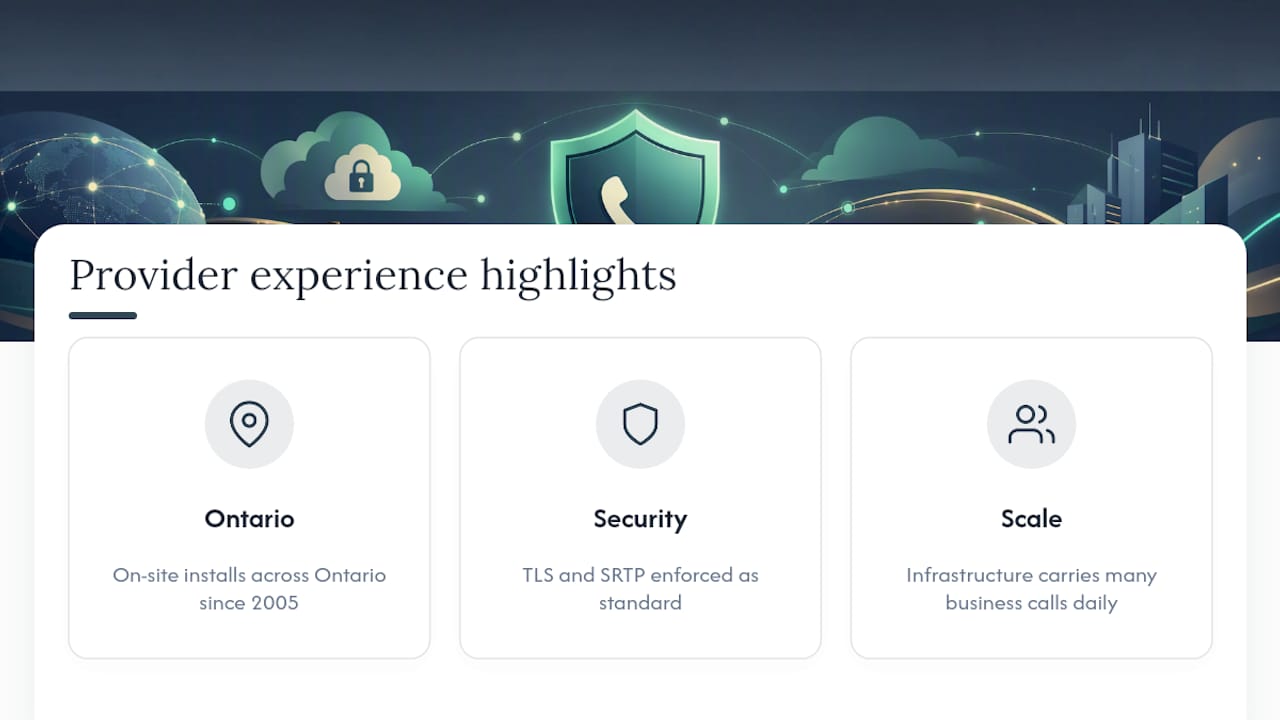
A certain VoIP provider has designed, cabled, and installed VoIP systems on-site across Ontario since 2005, enforcing TLS and SRTP as standard rather than a paid add-on, on infrastructure that carries many business calls daily.
Author's Perspective: Where SMBs Should Actually Spend First
Fix MFA and encryption before anything else, then monitoring, then procurement questions. Gateway-level encryption is a fine compromise when full end-to-end isn't practical.
— James
How Businessvoip Secures and Manages Your On-Site VoIP System
Most VoIP security advice assumes you have an IT team big enough to configure SBCs, tune firewall rules, and audit firmware on your own. Businessvoip is built for the businesses that don't. Every system is designed, cabled, and installed on-site by a local Ontario team, with TLS and SRTP enforced as standard, not an upsell buried in a premium plan.

Provisioning is locked down from day one, phones carry a lifetime warranty when rented, and pricing is fixed so there's no annual increase to negotiate around. For businesses running multiple locations or a remote office, that same setup extends cleanly across sites without leaving weaker links at the edges. If you manage a multi-site or remote office operation, ask about a security audit of your current setup or a fully installed system built with these controls in place from the start.
Sources
- Cyber Centre advisory referencing Cisco security guidance
- NIST Special Publication SP 800-58: VoIP Security Guidance
- VoIP Security: The Complete Guide To Protect Your Voice in 2026
FAQ
Which VoIP Provider Is Best for Business Security?
The best providers enforce TLS and SRTP by default, offer enforceable MFA on admin portals, and publish a clear fraud liability policy rather than leaving it to fine print.
Which VoIP Service Is the Most Secure?
No single service is universally "most secure"; security depends on whether TLS, SRTP, MFA, and dialing restrictions are actually enabled on your specific plan, not just available somewhere in the provider's lineup.
How Secure Is a VoIP Phone?
A VoIP phone is only as secure as its configuration. Encrypted signaling and media, strong admin credentials, and network segmentation make it comparable to a well-secured data device; leaving defaults in place makes it an easy target.
Is a VoIP Phone Good for Business?
Yes, VoIP is a practical and cost-effective choice for business communication, and it can be made highly secure when TLS, SRTP, MFA, and monitoring are all in place from the start.