
A PBX phone system is defined as a private telephone switching system that a business operates internally to manage calls between employees and route external calls through shared lines. PBX stands for Private Branch Exchange. The system connects every desk phone, conference room, and remote worker under one centralized call management platform, rather than giving each employee a separate external phone line. For Ontario business owners evaluating communication infrastructure, understanding the PBX definition is the first step toward building a phone setup that actually scales.
What is a PBX phone system and how does it work?
A PBX system works by acting as a private telephone exchange inside your business. When an employee dials an extension, the PBX routes that call internally without touching the public telephone network. When a customer calls in from outside, the PBX receives the call on a shared external line and routes it to the right department or person.
Traditional PBX systems relied on physical hardware installed on-site, using circuit-switched connections to the Public Switched Telephone Network (PSTN). Modern systems use a different approach. An IP PBX uses Internet Protocol to switch calls, allowing voice, data, and video to travel over packet-switched networks instead of dedicated copper lines. That shift matters because it dramatically reduces the cost of long-distance and multi-site calls.

One distinction worth understanding: VoIP is the transport layer for calls over the internet, while the PBX is the application layer that manages call control, extensions, and enterprise features. A business can technically make VoIP calls without a PBX, but without the PBX, you lose centralized management, call routing logic, and the features that make a phone system feel professional.
Core call handling functions in a PBX include:
- Call transfer: Move a live call from one extension to another without disconnecting the caller.
- Hold and park: Place a caller on hold or park the call so any extension can pick it up.
- Voicemail: Store messages per extension or per department, with delivery to email inboxes.
- Auto attendant: Answer calls automatically and present a menu so callers reach the right team.
- Call queues and hunt groups: Distribute incoming calls across a group of extensions in a defined order.
Pro Tip: When evaluating a PBX system, ask the vendor to walk you through a live call flow from the moment a customer dials your main number. If they cannot demonstrate it clearly, the configuration is probably not ready.
What are the core features and benefits of a PBX system?
The real value of a PBX system is not just that it connects phones. It is that it gives your business control over every call that enters or leaves the organization.
Auto attendant is one of the most impactful features. Auto attendant menus allow callers to navigate by name or extension, with routing rules for business hours, after-hours, and holidays. A well-configured auto attendant removes the need for a full-time receptionist to answer every call. It also creates a consistent caller experience regardless of how busy your team is.
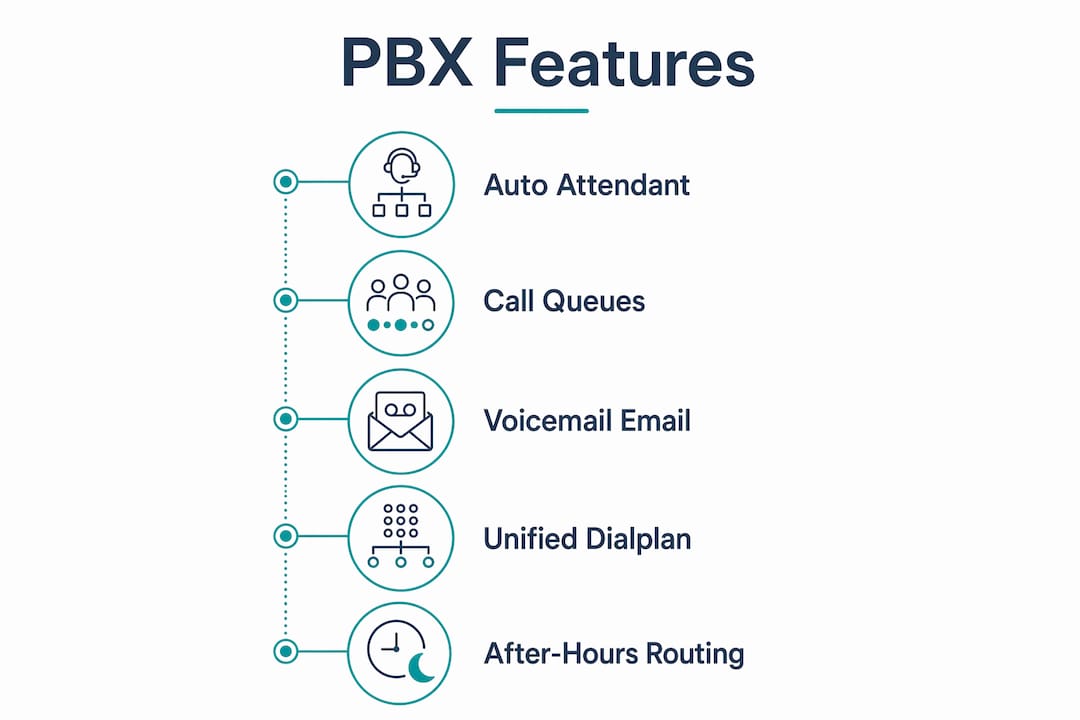
Voicemail to email integration means missed calls never fall through the cracks. The system converts voicemail recordings to audio files and sends them directly to the responsible employee's inbox. For a property manager handling maintenance requests across multiple buildings, this feature alone pays for itself.
Hunt groups and call queues are critical for any business that receives high call volume. A hunt group rings a list of extensions in sequence until someone answers. A call queue holds callers in line with on-hold music or messages while agents become available. Both features prevent callers from hitting a busy signal.
The table below summarizes the key features and their direct business impact:
| Feature | Business impact |
|---|---|
| Auto attendant | Routes calls without a live receptionist, 24/7 |
| Call queues | Reduces missed calls during peak hours |
| Voicemail to email | Speeds up response time for missed calls |
| Extension dialing | Eliminates the cost of internal calls |
| Unified dial plan | Connects multiple offices under one numbering system |
For multi-site operations, the unified dial plan is the feature that changes everything. Employees in your Hamilton office can dial a three-digit extension to reach a colleague in your Ottawa location, exactly as if they were in the same building.
Pro Tip: Set up a separate after-hours routing path from day one. Many businesses configure their main menu but forget to define what happens when a caller reaches a dead end after hours. That gap costs you calls.
What are the different types of PBX systems?
The PBX system definition has expanded significantly over the past two decades. What started as a single hardware category now covers three distinct deployment models, each suited to different business sizes and infrastructure realities.
Traditional on-premises PBX
A traditional PBX is a physical hardware system installed in your building, typically in a server room or communications closet. It connects to the PSTN through analog or digital telephone lines. The business owns the equipment outright and manages it internally or through a service contract. This model works well for large organizations with dedicated IT staff and stable, predictable call volumes. The downside is that hardware upgrades are expensive and adding capacity requires physical changes to the system.
IP PBX
An IP PBX switches calls using Internet Protocol, connecting VoIP users and traditional telephone users on the same platform. The hardware still lives on-site, but calls travel over your data network rather than dedicated phone lines. This model offers more flexibility than traditional PBX and lower per-call costs, especially for businesses with remote workers or multiple locations. Configuration changes happen through software, not physical rewiring.
Cloud PBX (hosted PBX)
A cloud PBX moves the switching hardware off-site entirely. The provider hosts the system in a data center, and your phones connect to it over the internet. Your business pays a monthly fee rather than a capital expense for hardware. This model suits growing businesses that need to add extensions quickly or support staff working from home. The trade-off is that call quality depends on your internet connection, and you have less direct control over the underlying system.
The right choice depends on three factors: your current infrastructure, your growth plans, and how much control you want over the system. Ontario businesses with multiple offices and remote workers generally benefit most from IP PBX or cloud PBX deployments, where call routing policies) extend consistently across every location.
How does a PBX system support multi-site and remote office communications?
Multi-site communication is where PBX systems prove their worth most clearly. Without a shared PBX, each office operates its own phone system, employees cannot dial each other by extension, and call routing between locations requires external calls that cost money and create friction.
A PBX system built for multi-site connectivity solves this by extending a single dial plan across every physical location. An employee in your Mississauga office dials the same three-digit extension to reach someone in your Kitchener branch as they would to reach someone sitting two desks away. The PBX handles the routing transparently.
Key capabilities that make multi-site PBX work:
- Centralized call routing: One set of routing rules applies across all locations, so callers always reach the right team regardless of which office they are connected to.
- Shared external lines: All offices share a pool of external lines through the PBX, reducing the total number of lines you need to pay for.
- Remote extension support: Employees working from home or a client site connect to the PBX over the internet and appear as a standard extension to everyone else.
- Consistent auto attendant: Callers hear the same professional menu whether they reach your main number or a location-specific number.
- Centralized voicemail management: IT or office managers can update voicemail greetings, routing rules, and extension assignments from one interface.
For Ontario businesses with offices spread across the province, or with remote staff working from the US or UK, this kind of unified communication infrastructure is not a luxury. It is the baseline for operating professionally at scale. Businessvoip has supported exactly this type of setup for clients since 2005, including multi-site deployments that extend to international remote offices.
Key Takeaways
A PBX phone system is the central call management layer that connects internal extensions, routes external calls, and gives businesses control over every communication touchpoint across one or multiple locations.
| Point | Details |
|---|---|
| PBX definition | A private telephone switching system that manages internal and external calls centrally. |
| IP PBX advantage | Uses Internet Protocol to reduce call costs and support remote or multi-site teams. |
| Auto attendant value | Routes calls without a receptionist and handles after-hours calls automatically. |
| Multi-site dial plan | A unified numbering system lets staff across locations dial each other by extension. |
| Deployment choice | Traditional, IP, and cloud PBX each suit different business sizes and infrastructure needs. |
What I have learned from watching businesses get PBX wrong
Most business owners ask the wrong first question. They ask, "What does a PBX cost?" before they ask, "What do we need it to do?" The cost question matters, but it is the second question. The first question is about call flow.
I have seen businesses invest in capable systems and then configure them poorly. The result is a phone system where callers get stuck in menus with no exit, or where after-hours calls simply ring forever. Poor call flow design is not a technology problem. It is a configuration problem, and it happens when the person setting up the system does not think through every path a caller might take.
The second mistake I see regularly is buying for today instead of for 18 months from now. A business with 12 employees today might have 30 in two years. If the PBX cannot add extensions without a hardware upgrade, that growth becomes expensive and disruptive. Cloud and IP PBX systems handle this better than traditional hardware, but only if the underlying infrastructure, meaning your internet connection and network, is solid enough to support the load.
My honest recommendation: before you sign anything, map out your call flow on paper. Draw every path a caller can take from the moment they dial your number. If any path leads to a dead end or an unanswered ring, fix the design before you fix the technology. The best PBX in the world cannot save a bad call flow.
— James
How Businessvoip designs PBX systems that actually work
Ontario businesses that contact Businessvoip do not get a box of phones shipped to their door. The local team designs, programs, cables, and installs the system on-site, so every extension works from day one. That includes multi-site and remote office setups where a unified dial plan needs to work across two offices in Ontario and a remote team in another country.

Businessvoip has been building and supporting business phone systems across Ontario since 2005. Fixed pricing means no annual increases, and rented phones carry a lifetime warranty. If you want a system designed around your actual call flow rather than a generic template, the phone system designer tool on the Businessvoip website is the right starting point. It takes about five minutes and gives the team enough information to build a system that fits your business from the first day it goes live.
FAQ
What does PBX stand for?
PBX stands for Private Branch Exchange. It is a private telephone switching system that a business operates internally to manage calls between employees and route external calls through shared lines.
What is the difference between VoIP and PBX?
VoIP is the transport method that carries voice calls over the internet, while a PBX is the system that manages call routing, extensions, and features. A business can use VoIP without a PBX, but the PBX is what delivers centralized call control and enterprise features.
What types of PBX systems are available?
The three main types are traditional on-premises PBX, IP PBX, and cloud PBX. Traditional systems use physical hardware and circuit-switched lines; IP PBX uses Internet Protocol for call switching; cloud PBX hosts the switching hardware off-site and connects phones over the internet.
Can a PBX system support multiple office locations?
Yes. IP and cloud PBX systems extend a unified dial plan and centralized call routing across multiple physical locations, allowing employees at different offices to dial each other by extension as if they were in the same building.
What is an auto attendant in a PBX system?
An auto attendant is a feature that answers incoming calls automatically and presents a menu so callers can reach the right department or person without speaking to a receptionist. It can be configured for business hours, after-hours, and holidays.