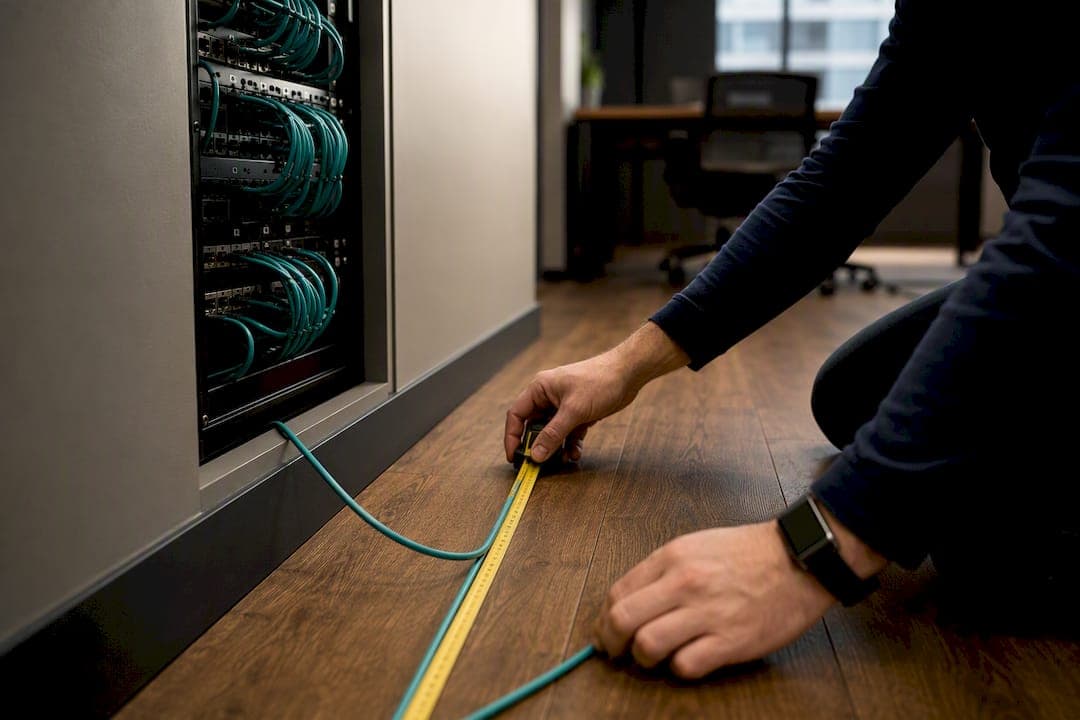
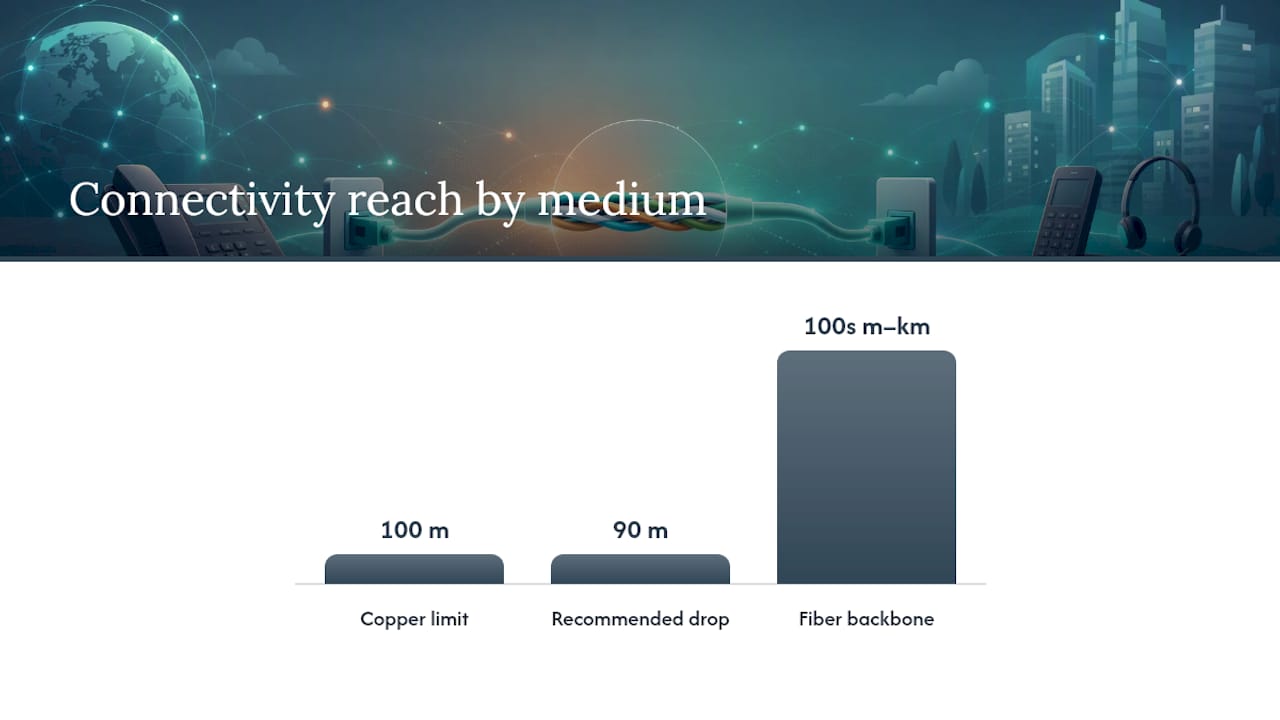
The practical maximum for a single copper Ethernet run to a VoIP phone is 100 meters, set by IEEE 802.3 and split by TIA-568 into 90 meters of permanent horizontal cabling plus up to 10 meters of patch cords at each end. That number is the ceiling, not the whole story.
Two exceptions matter more than the spec sheet:
- PoE power delivery can make a cable run unreliable well before 100 meters, especially for high-power devices on thinner-gauge cable.
- Analog and RJ11 devices don't follow Ethernet math at all. Their distance limits depend on loop resistance and ringer equivalence number (REN), and can run from a couple hundred feet to nearly 1,000 meters depending on the gear.
Before you sign off on any run, test PoE voltage under real load, verify the permanent-link length separately from patch cords, and plan a fiber uplink if a closet-to-desk distance is going to blow past 100 meters.
Key Takeaways
Reliable VoIP cabling depends on staying inside the 100-meter Ethernet limit, testing PoE under real load, and choosing cable gauge and category to match power and future bandwidth needs.
| Point | Details |
|---|---|
| Know the hard ceiling | IEEE 802.3 sets 100 meters total; TIA-568 splits that into 90 m permanent cabling plus 10 m of patching. |
| PoE fails before signaling does | Voltage drop and cable resistance often limit usable distance before the 100-meter mark, especially for high-power devices. |
| Choose cable for headroom | Cat6 is the sensible minimum for new installs; Cat6a adds margin for 10-gigabit and higher PoE classes. |
| Analog devices play by different rules | REN and loop resistance, not Ethernet standards, govern maximum distance for FXS and RJ11 ports. |
| Certify before go-live | Test permanent-link length, patch cord totals, and PoE voltage under load before switching phones to production. |
| Businessvoip installs and certifies on-site | Fixed-price, fully installed VoIP systems with load-tested PoE budgets and lifetime warranty on rented phones. |
Table of Contents
- Why the VoIP Cable Length Limit Exists
- How Far Can PoE Actually Reach on a VoIP Phone?
- Which Cable Should You Run: Cat5e, Cat6, or Cat6a?
- How Do You Extend VoIP Beyond the 100-Meter Copper Limit?
- Do Analog and RJ11 Phones Follow the Same Distance Rules?
- VoIP Cable Installation Checklist Before Go-Live
- Field Perspective: What Actually Breaks VoIP Cabling in the Field
- Get an On-Site Cabling Assessment for Your VoIP Rollout
- Sources
Why the VoIP Cable Length Limit Exists
The 100-meter figure isn't arbitrary. It comes from IEEE 802.3's Ethernet over fiber and copper specification, which defines the maximum distance twisted-pair copper can carry a clean signal before timing and attenuation start corrupting data. TIA-568 translates that hard limit into a real-world installation rule: 90 meters of permanent horizontal cable running through walls and ceilings, plus up to 10 meters total for patch cords connecting the wall jack to the phone and the patch panel to the switch.
Push past 100 meters and you don't get a graceful slowdown. You get:
- Rising near-end and far-end crosstalk (NEXT/FEXT) that corrupts the signal
- Timing errors as the electrical pulse degrades over distance
- Intermittent link drops that show up as garbled calls or dropped registrations, not obvious cable failures
The 90/10 split isn't optional padding. Installers who run 95 meters of permanent cable and then add an 8-meter patch cord at the switch end are already over spec, even though the total sits under 105 meters in a way that feels close enough. It isn't.
When you're documenting a build, cite IEEE 802.3 for the hard distance ceiling and TIA-568 for how to allocate it. Both show up in compliance audits, and inspectors know the difference between "under 100 meters" and "installed to spec."
How Far Can PoE Actually Reach on a VoIP Phone?
Ethernet signaling tops out at 100 meters, but Power over Ethernet often gives up first. Voltage drop and cable resistance reduce usable PoE distance well before you hit the signaling wall, particularly on higher PoE classes pulling more current.
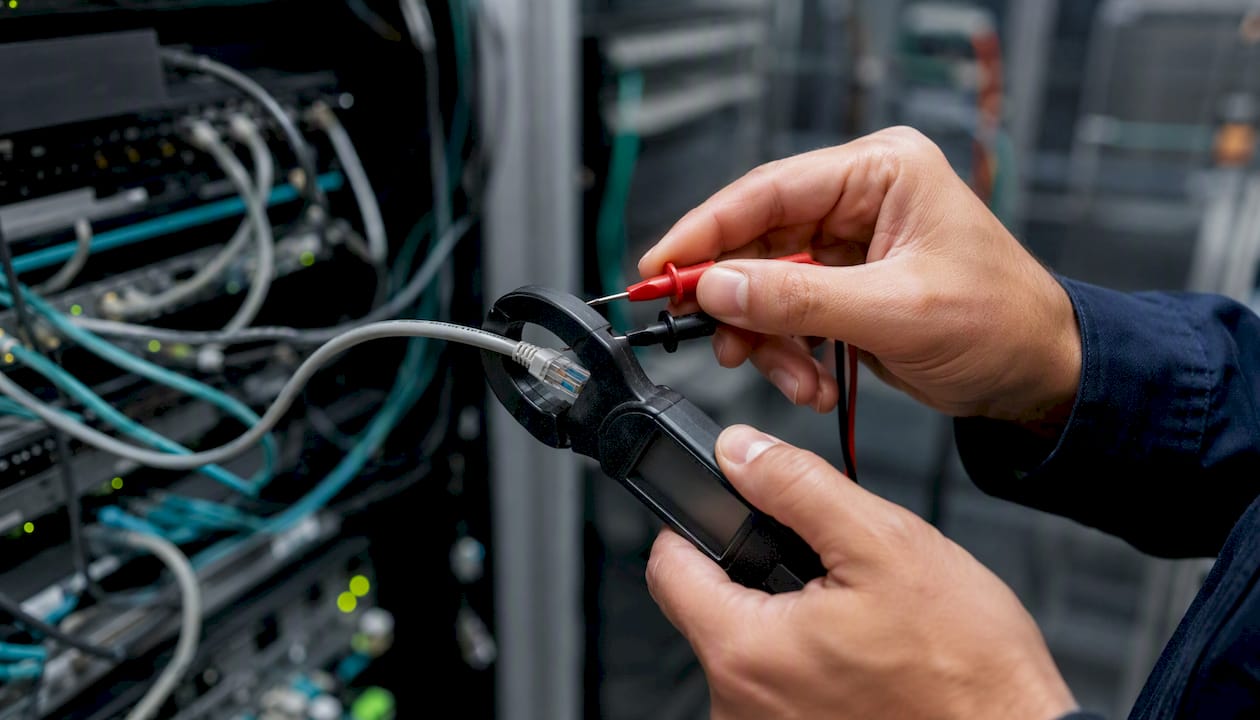
Here's the plain-language version: PoE pushes DC power down the same copper pairs carrying data. Every meter of cable adds resistance, and resistance eats voltage. A basic desk phone drawing 3-5 watts under 802.3af rarely notices this over a full 90-meter run. A PoE++ device under 802.3bt, pulling 60-90 watts for something like a powered speakerphone or a video endpoint, can see meaningful voltage sag well before the cable physically ends.
Cable gauge changes the math directly. Standard Cat5e and Cat6 patch cable runs 24 AWG; better-quality Cat6 and Cat6a often use 23 AWG, which carries less resistance per meter and gives PoE more headroom on long runs.
| PoE Class | Typical Use | Practical Distance Guidance |
|---|---|---|
| 802.3af (Class 1-3) | Standard desk VoIP phones | Reliable to ~90 m on 24 AWG |
| 802.3at (PoE+) | Phones with color displays, Wi-Fi APs | Reliable to 90 meters; prefer 23 AWG for longer runs |
| 802.3bt (PoE++) | Video phones, powered speakers, cameras | Shorten runs or use 23 AWG Cat6/Cat6a |
Pro Tip: Don't trust link lights. Measure actual voltage at the phone under normal call load with a PoE tester. A connection that negotiates fine at idle can sag once the phone's screen, ringer, and codec all draw power simultaneously.
Voltage drop and pair resistance, not signaling distance, are usually what actually fails first in longer PoE runs.
Which Cable Should You Run: Cat5e, Cat6, or Cat6a?
For pure VoIP, Cat5e technically meets the baseline requirement out to 100 meters at gigabit speeds. That doesn't make it the right choice for a new install.
- Cat5e: Fine for basic phones on isolated voice VLANs, but thin margins for PoE++ and no path to 10-gigabit speeds if the closet ever needs it.
- Cat6: Supports gigabit to the full 100 meters and 10-gigabit at shorter distances, with better shielding against crosstalk. This is the sensible minimum for any new office build today.
- Cat6a: Full 10-gigabit performance to 100 meters, heavier shielding, and the most headroom for future PoE classes. Worth the extra cost near equipment racks, industrial spaces, or anywhere electrical interference is a concern.
If you're weighing shielded versus unshielded twisted pair, shielded cable (STP) resists interference better in runs near fluorescent ballasts, elevator motors, or heavy electrical conduit, but it needs proper grounding to actually help, not just added cost. Unshielded (UTP) is fine for the overwhelming majority of office environments.
For a full breakdown of where Cat6 pulls ahead of Cat5e in real deployments, see this comparison of Cat6 vs Cat5e cabling for home and small-office networks.
How Do You Extend VoIP Beyond the 100-Meter Copper Limit?
Once a run needs to cross more than 100 meters, copper stops being the answer. Fiber becomes the backbone.
- Run fiber between IDFs, keep copper short at the desk. Enterprise design places intermediate distribution frames so no single copper drop exceeds 90 meters, then connects those closets with fiber. Fiber extends connectivity from hundreds of meters to several kilometers depending on the transceiver and fiber type, which solves the distance problem permanently rather than patching around it.
- Use a switch to reset the run. Every switch port is a fresh 100-meter budget. Adding a switch at the halfway point of a long hallway is often cheaper than trenching fiber for a single building.
- Deploy a PoE extender or midspan injector when you need power and data past 100 meters but a full switch isn't justified. These devices repeat the signal and re-inject power, though they add a point of failure and eat into your total PoE budget.
Pro Tip: If you're adding a midspan injector, check your switch's total PoE power budget first. Adding extenders without recalculating available wattage is a common way office buildouts run out of power mid-project.
For guidance on choosing fiber over cable for a building's core connection, see this fiber vs. cable internet buyer's guide.
Do Analog and RJ11 Phones Follow the Same Distance Rules?
No, and this trips up more installers than it should. Analog telephone adapters (ATAs) and FXS ports don't care about Ethernet's 100-meter ceiling because they're not carrying Ethernet signals. They carry analog loop current, and distance is governed by loop resistance and REN, not IEEE 802.3.
Vendor specs for analog voice gateways show wide swings depending on ringer load. Some tables show a 5-REN device limited to roughly 200 feet, while a 1-REN device on the same port can reach past 3,000 feet under ideal wire gauge and low interference.
- Never assume Ethernet's 90/10 rule applies to legacy analog extensions
- Always check the specific ATA or FXS gateway's manufacturer distance table
- If analog devices sit far from the gateway, a local gateway or migration to IP handsets usually beats fighting loop resistance
VoIP Cable Installation Checklist Before Go-Live
Run this before flipping phones to production:
- Measure the permanent link and confirm it's at or under 90 meters, separate from patch cords.
- Check total patch cord length at both ends; keep the combined total under 10 meters.
- Certify every cable run with a Fluke or equivalent Tier 2 tester rather than trusting a simple continuity check.
- Measure PoE voltage at the phone under load, not just at idle.
- Test pair resistance on runs near the 90-meter mark, especially on older or reused cable.
- Inspect terminations and bundle heat. Tightly bundled PoE cables generate heat that increases resistance and can shorten usable distance.
If a run fails certification, the fix is almost always re-terminating the ends or shortening the patch cords before you assume the whole cable needs replacing.
Pro Tip: Log every certified run's test results, not just pass/fail. When a phone acts up six months later, having the original certification numbers on file saves a full retest.
Field Perspective: What Actually Breaks VoIP Cabling in the Field
Standards tell you the ceiling. Ontario job sites tell you what actually fails, and it's rarely the 100-meter limit itself.
The recurring culprits Businessvoip sees across installs:
- Under-rated patch cords bought in bulk from a generic supplier, often thinner gauge than the horizontal run they connect to
- Mixed AWG runs where 24 AWG patch cable gets spliced onto 23 AWG bulk cable, creating a resistance mismatch that shows up as PoE instability
- Poor terminations on RJ45 jacks that pass a basic continuity test but fail under sustained PoE load
- Undersized PoE budgets where a switch's total wattage gets oversubscribed after adding a few extra handsets or a paging device
Ontario offices that skip cable certification almost always end up with a callback within the first year. It's cheaper to certify every permanent link on day one than to chase an intermittent PoE fault through drywall six months later.
Businessvoip's approach on every install: prefer Cat6 for new builds, place distribution closets to minimize horizontal run length, load-test PoE budgets against actual device counts, and certify every permanent link before phones go live. Businessvoip's carrier-grade infrastructure carries tens of thousands of business calls daily, and none of that reliability means anything if the last 90 meters of copper to the desk phone is undersized.
One rule that cuts service calls
When in doubt, run Cat6 and move the closet closer. A stalled PoE handset that turned out to be a 95-meter run with a spliced patch cord taught this lesson once; recertifying and shortening the run fixed it in twenty minutes and eliminated three prior truck rolls.
Get an On-Site Cabling Assessment for Your VoIP Rollout
Reading distance charts only gets you so far. What actually prevents dropped calls and dead PoE ports is someone walking your building, measuring the real runs, and certifying them before phones go live. Businessvoip is the alternative to guessing at cable specs from a spec sheet: an Ontario-based team that designs, programs, cables, and installs your entire phone system on-site, so every phone works from day one instead of after weeks of troubleshooting.

That means load-tested PoE budgets instead of hoping a switch has enough headroom, certified permanent links instead of assumptions, and rented phones backed by a lifetime warranty. Fixed pricing means the quote you get is the quote you pay, with no annual increases buried in year two. Businessvoip serves businesses within about 150 km of Ancaster directly, with larger projects handled province-wide, including multi-site operations and remote offices.
If you're planning a new office build, an expansion, or you're troubleshooting a system with unreliable cabling, request a phone system design and cabling quote and get a site survey that tells you exactly where your runs stand before you commit to hardware.
Sources
- Power over Ethernet Cable Length: How Far Can You Really Go? — Reolink blog
- VoIP Cables: Types & How to Choose — GetVoIP
- Semiconductor
- VG224 max cable length — Cisco Community