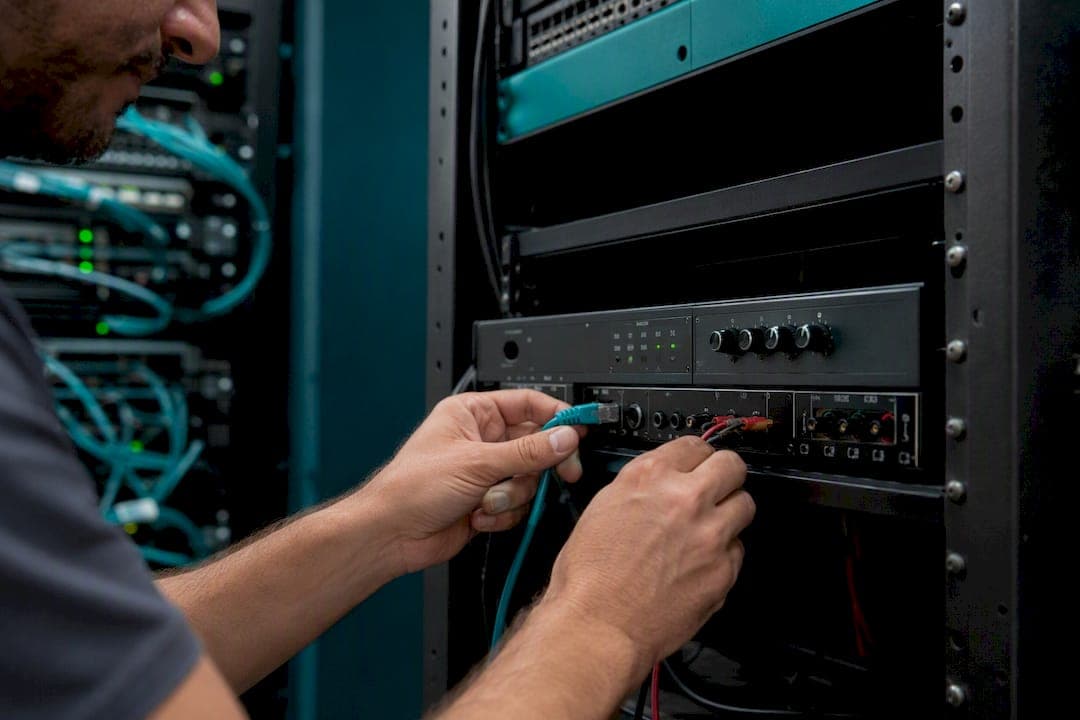
Yes, you can run overhead paging over VoIP, and it's genuinely easier than most facility managers expect. Three approaches work: a SIP paging adapter bridged to your existing amplifier, native IP speakers replacing everything, or a hybrid mix of both. Here's the quick breakdown:
- SIP paging adapter to legacy amp: Fits sites with working analog amplifiers and speakers already in the ceiling. Trade-off: you keep old wiring but gain fewer advanced zone features.
- Native IP speakers: Fits new construction or full retrofits where you want per-speaker control. Trade-off: higher upfront cost and more cabling work.
- Hybrid: Fits multi-building or phased rollouts. Trade-off: more moving parts to manage, but no forced rip-and-replace.
The next move is a network readiness check covering PoE capacity, VLAN segmentation, IGMP snooping, and QoS. If you'd rather skip the guesswork, request a site survey.
Key Takeaways
Overhead paging over VoIP succeeds when the network is validated first (VLAN, QoS, IGMP, PoE budget) and the deployment method matches existing amplifier hardware.
| Point | Details |
|---|---|
| Pick your architecture first | Match adapter, native IP speaker, or hybrid to your existing amp and cabling situation. |
| Validate the network before hardware | Confirm VLAN separation, QoS tagging, and IGMP snooping to avoid the most common rollout failures. |
| Budget PoE with headroom | Calculate total device draw against switch PoE class before mounting speakers or adapters. |
| Test one zone first | Run a proof-of-concept page after hours to catch impedance or latency issues early. |
| Consider a managed install | Businessvoip designs, cables, and tests full paging deployments on-site with fixed pricing and a lifetime phone warranty. |
Vendor docs and network guides worth bookmarking
- Algo 8301 adapter datasheet for multicast and scheduler setup.
- CyberData 011233 product page for security and provisioning options.
- Viking PA-IP datasheet for priority and timeout configuration.
- Bogen IP paging systems overview for endpoint compatibility basics.
- Warehouse paging best practices for noisy-environment speaker selection.
Table of Contents
- How Does Overhead Paging Work Over VoIP?
- Which Deployment Option Fits Your Building?
- What Network Setup Does VoIP Paging Require?
- How Do You Set Up Paging Zones and Priorities?
- How Do You Connect Legacy Amplifiers to VoIP?
- What Does a VoIP Paging Retrofit Cost and Take?
- Should You Hire a Professional VoIP Paging Installer?
- How Businessvoip Handles VoIP Paging Installs
- Frequently Asked Questions
- Sources
How Does Overhead Paging Work Over VoIP?
A page starts as a SIP call. When someone dials a paging extension or presses a page button on a desk phone, the phone system sends a SIP INVITE to either a paging adapter, an IP speaker, or a multicast address. The adapter or speaker answers automatically, no ringing required, and audio streams over RTP until the caller hangs up. From there, a paging adapter converts that stream to line-level output feeding your existing amplifier and horns.
The two transport methods differ in scale and network load:
- SIP (unicast) paging: Each endpoint gets its own call leg. Simple to set up, works well for a handful of zones, but call-processing load and bandwidth climb as endpoint count grows.
- Multicast paging: One stream reaches many endpoints simultaneously. Scales to dozens of zones with minimal server load, but requires switches configured for IGMP snooping to avoid flooding every port on the network.
Codec choice matters more than people assume. G.711 is the standard voice codec and works everywhere, but G.722 wideband audio roughly doubles the frequency range, which noticeably improves intelligibility over noisy warehouse floors or high-ceiling gymnasiums.
Which Deployment Option Fits Your Building?
Three architectures cover almost every commercial paging scenario, and the right pick depends heavily on what's already bolted to your walls.
SIP paging adapters bridge a VoIP phone system to legacy amplifiers without touching the speaker wiring. VoIP paging gateways let announcements from desk phones or SIP devices play through existing amplifiers or IP speakers without major rewiring, which makes this the fastest path for buildings with functional analog systems already installed.
Native IP speakers put a network jack and a small amplifier in every speaker. No central amp rack, no speaker-level wiring runs, and each unit gets its own IP address for individual control. The cost is cabling: every speaker location needs Ethernet, which is expensive in a finished building but cheap in new construction.
Hybrid setups mix both. Keep the working amplifier in one wing, add IP speakers in a new addition, and unify them under one SIP paging plan.
- If your amplifier and horns work fine and you just want VoIP control: choose an adapter.
- If you're gutting the ceiling anyway or building new: choose IP speakers.
- If you're expanding a facility in phases: choose hybrid.
Pro Tip: Before mounting anything, map your PoE switch's total power budget against every device's PoE class. A stack of eight IP speakers on a switch rated for six will brownout randomly under load, and that failure mode is brutal to diagnose after the fact.
What Network Setup Does VoIP Paging Require?
Most paging deployments that fail don't fail because of bad hardware. They fail because of network configuration nobody double-checked. A practical breakdown of common SIP paging deployment issues points to IGMP misconfiguration, missing QoS tagging, and spanning-tree delays as the usual suspects, not defective adapters.
Run through this checklist before your rollout:
- Put paging endpoints on a dedicated VLAN, separate from data traffic.
- Tag SIP and RTP traffic with DSCP markings so voice packets don't queue behind a print job.
- Enable IGMP snooping on every switch in the path if you're using multicast paging.
- Reserve PoE budget with headroom, not right at the edge.
- Open firewall rules for SIP signaling and the RTP port range your adapters use.
Power budgeting is simple math once you know your device class. A PoE-powered paging adapter drawing Class 3 power (up to 12.95W per port) across ten zones needs roughly 130W of switch PoE budget minimum, before headroom for future expansion.
On security, enable TLS/SRTP for signaling and media where your adapter supports it, lock down paging port access codes, and keep adapter firmware on a patch schedule rather than "set it and forget it."
How Do You Set Up Paging Zones and Priorities?
Zone design starts with a floor plan, not a spec sheet. Map three physical areas, say a warehouse floor, an office wing, and a loading dock, to three multicast groups or three SIP paging extensions. Each zone gets its own address, so a page to the dock never wakes up the office.
Priority handling separates routine announcements from emergencies. Multicast groups can be assigned priority order and volume overrides, so an emergency group interrupts a lower-priority page mid-sentence rather than queuing behind it. Adapters supporting programmable timeouts and group priority let you set exactly how long a page holds the line before releasing it.
- Assign one multicast group or SIP extension per physical zone.
- Reserve a dedicated emergency group with top priority and no timeout limit.
- Use scheduler functions on the adapter for automated bells, shift changes, or break tones.
How Do You Connect Legacy Amplifiers to VoIP?
Most legacy paging systems connect one of four ways: balanced line-out (XLR), unbalanced line-level (RCA or terminal block), speaker-level output, or a dry-contact relay that triggers the amp's page input. A SIP paging adapter typically taps into the line-level or relay input, leaving your amplifier and horns untouched.
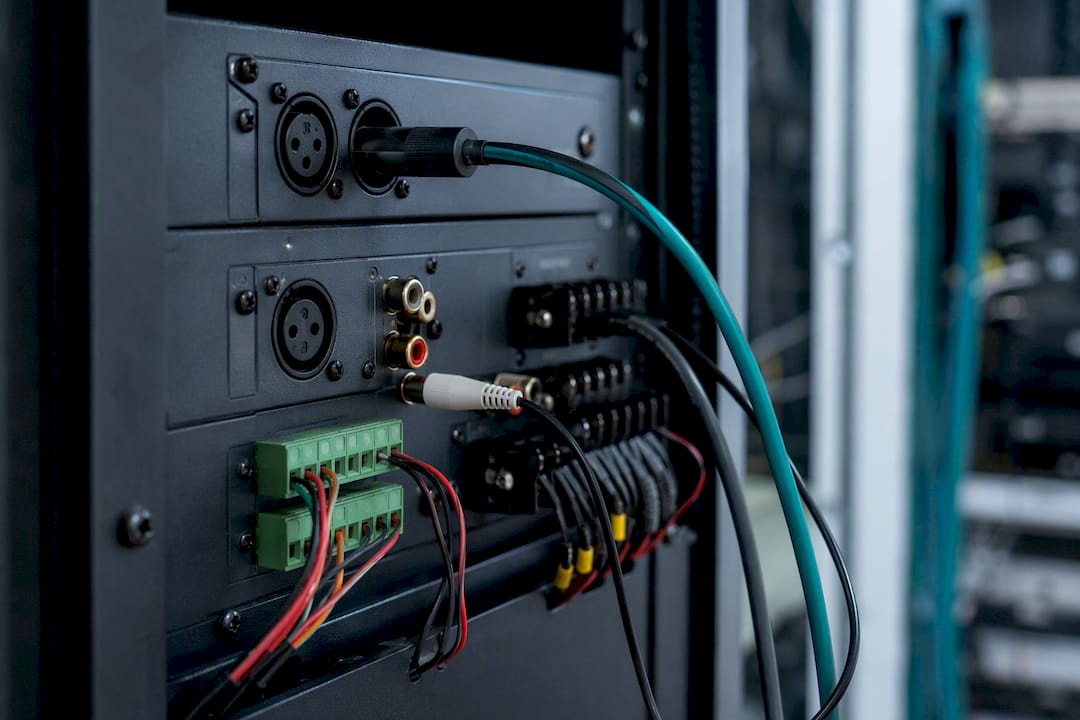
Impedance mismatches are the silent killer of retrofit projects. A 600 ohm line output feeding a 10k ohm input (or the reverse) causes distortion, low volume, or a page that sounds fine on one horn and garbled on another. Check the amplifier's input spec sheet before wiring anything.
If your current setup relies on an old FXS-based paging line or a dedicated telephone paging device, replacing it with a SIP adapter is usually a direct swap: disconnect the old paging trunk, wire the adapter's line-out into the same amp input, and register the adapter with your phone system.
Pro Tip: Wire and test one zone completely before touching the rest of the building. A proof-of-concept zone catches impedance and wiring issues while the fix is still a five-minute job, not a callback three weeks later.
What Does a VoIP Paging Retrofit Cost and Take?
Cost tracks closely with zone count and how much cabling you need to add. The biggest line items: number of zones, PoE switch upgrades if your existing switches lack power budget, amplified versus passive speaker choice, adapter licensing, and installer labor.
Timelines vary by scope:
- Small retrofit (adapter bridged to one existing amp, one or two zones): typically one to three days including testing.
- Full IP speaker rollout (new cabling, multiple zones, full building): typically one to three weeks depending on building size and how much cabling has to run through finished ceilings.
Before signing off with any vendor, request warranty terms, regulatory compliance certificates (FCC/CE/ICES markings), and documented power draw per device.
Should You Hire a Professional VoIP Paging Installer?
Bring in a specialist when the site has more than one building, ties into fire or alarm systems, runs unusually loud (a warehouse floor needing 100 to 115 dB SPL industrial horns), or when nobody on staff has hands-on VoIP or structured cabling experience.
A qualified installer should hand you an acoustic site survey, a health check on existing amps and speakers, a network readiness report covering VLAN, QoS, and IGMP status, a proof-of-concept test page, and documented warranty terms before calling the job done.
Ask any installer directly whether they provision the PoE switch themselves, run on-site testing before walking away, and what their support response time looks like if a zone drops out six months later.
Publisher's perspective: the mistake we see most
Most failed paging rollouts trace back to one overlooked switch port budget or a VLAN nobody configured, not a bad adapter. Test a page after hours first, alone, to confirm volume, latency, and who can actually trigger it.
How Businessvoip Handles VoIP Paging Installs
Businessvoip is the alternative to piecing together adapters, switches, and speaker wiring yourself: one local Ontario team designs, cables, programs, and tests your entire paging setup on-site before handing you the keys. Instead of researching PoE budgets and impedance specs solo, you get a site survey, a network check, hardware selection matched to your building, and full installer testing bundled into one fixed-price project.

That single-vendor approach matters most for multi-site operations and property management portfolios juggling paging across several buildings, where coordinating separate cabling contractors and phone vendors turns into its own project. Rented phones carry a lifetime warranty, and pricing stays fixed with no annual creep. If your site sits within about 150 km of Ancaster, request a free site survey and get back a network readiness report and hardware recommendation before committing to anything.
Frequently Asked Questions
Can I use my existing analog paging amplifier with a VoIP phone system? Yes. A SIP paging adapter converts the VoIP call into line-level audio your amplifier already accepts, so you keep your horns and wiring while gaining VoIP control.
What's the difference between SIP paging and multicast paging? SIP paging sends a separate call to each endpoint, which is simple but doesn't scale well past a handful of zones. Multicast paging sends one stream to many endpoints at once, which scales better but needs IGMP snooping configured correctly on your switches.
Do I need a dedicated VLAN for overhead paging VoIP? It's strongly recommended. Separating paging traffic from general data traffic reduces jitter and packet loss, and it makes troubleshooting far easier when something breaks.
How many paging zones can one adapter support? It depends on the model. Some adapters support dozens of multicast zones, with configurable priority and timeout settings per group, so check the specific datasheet for your hardware.
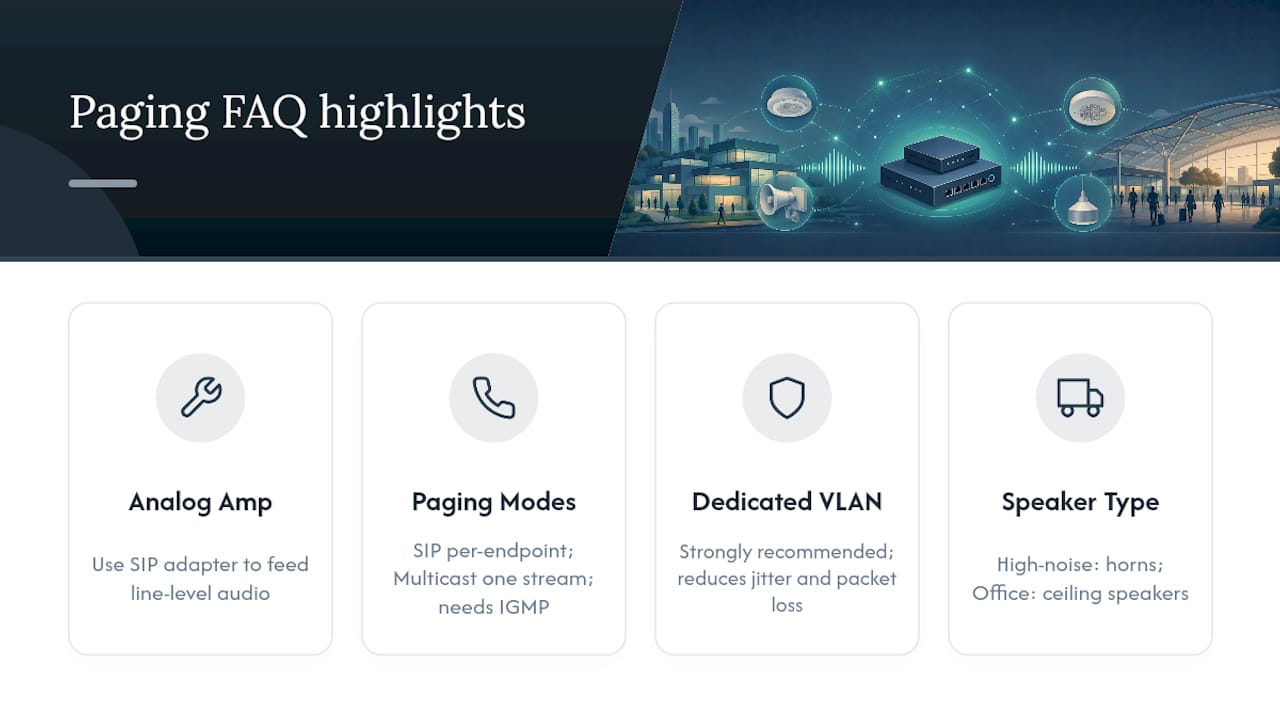
Should a warehouse use different speakers than an office? Usually yes. High-ambient-noise spaces need industrial-grade horns rated well above standard ceiling speakers to stay intelligible over machinery and forklift traffic.
Sources
- 8301 IP Paging Adapter & Scheduler - Algo Communication Products Ltd.
- 011233 SIP Paging Adapter – CyberData Corporation
- PA-IP SIP / Multicast Paging Adapter with Amplifier (Viking Electronics) - PA-IP.pdf
- VoIP paging system gateways & IP paging adapters (Bogen Paging)