
Fiber is the better technology. Full stop. If fiber is available at your address for a price within $20–$30 of a comparable cable plan, choose fiber every time. You get symmetric upload and download speeds, lower latency, and a connection that doesn't degrade when your neighbors all log on at 7 PM. Cable is the practical fallback when fiber hasn't reached your street yet, when you need service installed this week, or when the price gap is simply too wide to justify.
Two-line decision rule: If fiber is available and priced near cable, or if you need symmetric uploads, low latency, or reliable VoIP, pick fiber. If fiber isn't available, you need same-week installation, or the short-term price difference is significant, cable works fine for most households.
Immediate next steps:
- Check fiber availability at your address using your ISP's website or the FCC broadband map
- Run a speed test at peak hours (7–9 PM on a weekday) and record both download and upload
- Compare advertised speeds to measured speeds, and note any promotional pricing expiration dates
- If you run VoIP phones or video conferencing at your business, symmetric upload and jitter under 5 ms matter more than raw download speed
Fiber's upload advantage matters most for VoIP, cloud backups, and video calls. Fiber plans commonly offer symmetric speeds from 300 Mbps up/down to 1 Gbps or more, while cable typically caps uploads at 10–50 Mbps on consumer tiers. For businesses using Businessvoip's on-site phone systems, that asymmetry is the single biggest network risk.
Table of Contents
- How fiber and cable compare across every dimension that matters
- How the technologies actually work, and why architecture drives performance
- Real-world speeds, upload behavior, and why jitter matters more than you think
- Which providers offer fiber vs cable, and how to check your address
- Plans, pricing, hidden fees, and what you'll actually pay over three years
- What installation actually looks like, and the equipment you'll get
- How to decide: questions to ask, red flags, and picks by use case
- Key Takeaways
- The case for fiber is stronger than most people realize
- Your VoIP system deserves a network that can keep up
- Useful sources and where to verify availability
How fiber and cable compare across every dimension that matters
| Dimension | Fiber (FTTH) | Cable (DOCSIS HFC) |
|---|---|---|
| Typical download speeds | 300 Mbps to 5 Gbps | 100 Mbps to 1.2 Gbps |
| Typical upload speeds | Symmetric (matches download) | 10–50 Mbps on most consumer plans |
| Latency | 1–10 ms | 10–30 ms; higher at peak hours |
| Jitter | Under 3 ms | Can spike 5–40 ms during peak congestion |
| Availability (U.S.) | ~40–50% of homes (metro/suburban) | Over 90% of U.S. homes |
| Intro pricing | Often $40–$50/month | Often $30–$60/month |
| Regular price after promo | Typically more stable | Often jumps $30–$50 after 12 months |
| Equipment fees | ONT usually included; router optional | Modem rental $10–$15/month common |
| Data caps | Rarely capped | Some providers cap at 1.2 TB/month |
| Installation | Technician required; 1–3 hour visit | Often self-install; same-week activation |
| Best for | VoIP, cloud backup, remote work, gaming, 4K streaming | Basic streaming, budget households, areas without fiber |
Which dimension matters for which activity:
- Streaming (Netflix, YouTube, 4K): Download speed is all that matters. Cable handles this fine.
- Cloud backup and file uploads: Upload speed is the bottleneck. Fiber's symmetric speeds cut backup windows dramatically.
- VoIP and video conferencing: Jitter and latency matter more than raw speed. Fiber's typical jitter under 3 ms versus cable's potential 5–40 ms spikes is the deciding factor.
- Remote desktop and virtual desktops: Symmetric upload and low latency. Fiber wins clearly.
- Multi-user household (5+ devices): Fiber's dedicated path handles concurrent load without the node congestion cable can suffer.
How the technologies actually work, and why architecture drives performance
The performance gap between fiber and cable isn't arbitrary. It comes directly from how each technology moves data to your door.
Fiber to the home (FTTH) runs a strand of glass optical fiber from the provider's central office all the way to a small device called an ONT (optical network terminal) at your premises. Light pulses carry data at speeds that make copper look slow. Most residential fiber runs on PON (passive optical network) architectures. GPON, the older standard, delivers up to 2.5 Gbps downstream shared across a split of 32–64 homes. XGS-PON, the newer standard, supports symmetric 10 Gbps and enables the 2 Gbps and 5 Gbps residential tiers some providers now sell. The word "passive" matters: PON architectures use unpowered splitters between the OLT and ONT, meaning there are no active powered nodes between the provider and your home that can fail or degrade signal.
Hybrid fiber-coaxial (HFC) cable is a different story. Fiber runs from the provider's headend to a neighborhood node, but the last stretch to your home uses coaxial cable, the same type that carries cable TV. That last mile is shared. Hundreds of households compete for the same upstream RF spectrum on the same node. DOCSIS 3.1 can deliver multi-gigabit downstream speeds in theory, but residential uploads are still constrained by that shared RF design, typically topping out at 10–50 Mbps on most consumer plans. DOCSIS 4.0 will improve this, but it doesn't eliminate the shared-node characteristic.
Key terms to know:
- ONT (Optical Network Terminal): The fiber modem at your home; converts light signals to ethernet
- OLT (Optical Line Terminal): The provider's central equipment that manages the PON network
- DOCSIS 3.1/4.0: The cable modem standard governing speeds and capacity on HFC networks
- Node: The neighborhood junction box where fiber meets coax in an HFC network; shared by many homes
- Symmetric vs. asymmetric: Symmetric means upload equals download; asymmetric means upload is much slower
- Jitter: Variation in packet arrival times; high jitter breaks VoIP calls even when average latency looks acceptable
- Backhaul: The high-capacity connection between a local node or ONT and the provider's core network
The practical consequence: fiber's dedicated optical path means your performance doesn't change based on what your neighbors are doing. Cable's shared node means it can.
Real-world speeds, upload behavior, and why jitter matters more than you think
Download speed is the number ISPs advertise. Upload speed and jitter are what actually determine whether your workday runs smoothly.

Fiber plans commonly offer symmetric speeds from 300 Mbps up/down to 1 Gbps or more, while cable typically caps uploads at 10–50 Mbps. That gap is invisible when you're watching Netflix. It becomes very visible when you're uploading a 10 GB video file, syncing a cloud backup, or running a video call where your outbound stream is the bottleneck.
Latency and jitter by the numbers: Fiber last-mile latency typically runs 1–10 ms with jitter under 3 ms. Cable latency typically runs 10–30 ms, and jitter can spike 5–40 ms during evening peak hours. For context, a VoIP call becomes noticeably choppy when jitter exceeds 20 ms. A 40 ms jitter spike mid-sentence is an audible glitch. Consistent sub-5 ms jitter on fiber preserves call quality in a way that cable simply can't guarantee during peak congestion.
Cable performance can drop to around 60% of advertised speeds during evening peak congestion on some nodes. That's not a worst-case scenario; it's a documented pattern on shared-node HFC networks. Fiber, by contrast, tends to deliver close to its advertised speed around the clock because each subscriber has a dedicated optical path.
Pro Tip: Run your speed test three times: once at 10 AM, once at 7 PM, and once at 9 PM on a weekday. If your cable download drops more than 30% from morning to evening, your node is congested. Record upload speed each time too — that's the number that predicts VoIP and video call quality, not the download.
For businesses running VoIP phone systems, the math is straightforward. Each active VoIP call uses roughly 85–100 Kbps of upload bandwidth. A 10-person office with all phones active simultaneously needs about 1 Mbps of clean, low-jitter upload. Cable can technically supply that bandwidth, but jitter spikes during peak hours can still break calls even when the raw numbers look adequate. Fiber removes that variable.
Which providers offer fiber vs cable, and how to check your address
Cable passes more than 90% of U.S. homes, while fiber passes roughly 40–50%, concentrated in metro and newer suburban areas. Rural availability is the sharpest divide: cable infrastructure exists in most towns, but true FTTH fiber often doesn't reach lower-density areas yet.
Major providers and what they actually sell:
- Verizon Fios: True FTTH in its footprint (Northeast U.S.). Symmetric speeds, ONT installation, no coax in the last mile. One of the cleanest fiber deployments in the country.
- AT&T Fiber: FTTH in most markets where AT&T offers it. Symmetric plans from 300 Mbps to 5 Gbps. Confirm "AT&T Fiber" specifically, not legacy DSL or "AT&T Internet Air."
- Xfinity (Comcast): Primarily DOCSIS HFC cable across its national footprint. Xfinity is rolling out FTTH in some markets under its "Xfinity Now" and multi-gig tiers, but most addresses still get HFC. Fast cable, but asymmetric.
- Spectrum (Charter): DOCSIS HFC cable across its footprint. Spectrum is expanding fiber in some areas but the majority of its residential service remains coax-based. No data caps, which is a genuine advantage.
- Cox Communications: Primarily HFC cable. Cox has begun fiber deployments in select markets. Confirm whether your address gets FTTH or HFC before signing.
How to check your actual service type:
- Use each provider's address-lookup tool, but don't stop at "fiber available." Ask specifically: "Is this FTTH with an ONT, or is it fiber-powered HFC?"
- Cross-check with the FCC broadband map for a second opinion on what's available at your address
- When you call, ask: "Will a technician install an ONT at my premises?" A yes confirms FTTH. A cable modem means HFC.
- Watch for marketing language: "fiber-powered" and "fiber-ready" do not mean FTTH. They often mean fiber runs to the neighborhood node, and coax runs the rest of the way to your door.
Plans, pricing, hidden fees, and what you'll actually pay over three years
Advertised prices and real costs diverge quickly once equipment fees, promotional resets, and surcharges enter the picture.
Typical billing items to watch:
- Promotional vs. regular price: Cable promos often run 12 months, then jump $30–$50/month. Fiber pricing tends to be more stable, though promos exist there too.
- Equipment rental: Cable providers commonly charge $10–$15/month for a modem/gateway rental. Fiber providers often include the ONT in the service fee, though a router is still separate.
- Installation fees: Fiber installs typically require a technician and may carry a one-time fee of $50–$100 unless waived. Cable self-installs are often free.
- Data caps: Some cable providers cap usage at 1.2 TB/month with overage fees or throttling. Fiber plans rarely impose caps.
- Broadcast/network surcharges: Some cable providers add $5–$10/month in surcharges that don't appear in the headline price.
Three-year cost scenarios:
| Scenario | Cable (estimated) | Fiber (estimated) |
|---|---|---|
| Home user, 300 Mbps | ~$1,440–$1,800 (promo + reset + modem rental) | ~$1,800 (stable rate, no modem fee) |
| Small business, 1 Gbps | ~$2,880–$3,600 (promo reset, equipment, caps) | ~$2,880 (stable, symmetric, no caps) |
Fiber often avoids modem rental fees and broadcast surcharges common on cable, reducing three-year costs by $1,000–$1,400 in typical scenarios. The upfront monthly price on cable can look lower, but the three-year number often flips.
Before signing any plan, confirm these six things:
- Regular price after the promotional period ends
- Monthly equipment rental fee (modem, gateway, or ONT)
- One-time installation fee and whether it's waived
- Data cap and overage policy
- Early termination fee and contract length
- Whether upload speed is symmetric or asymmetric
What installation actually looks like, and the equipment you'll get
Fiber installation
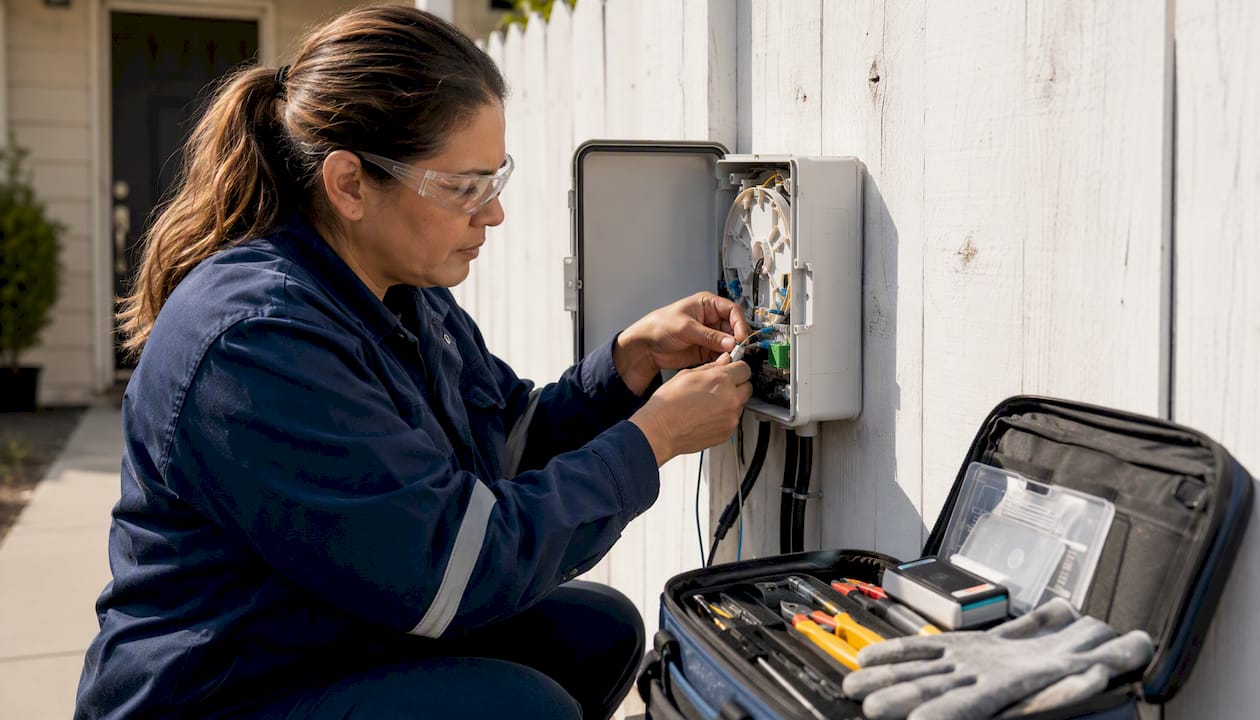
A fiber install requires a technician visit, typically scheduled 1–2 weeks out. The technician runs fiber from the street or a utility pole to your home, drills a small entry point if needed, and installs the ONT on an interior wall near your electrical panel or network closet. The ONT converts the optical signal to an ethernet handoff. You then connect your router to that ethernet port. The whole visit usually takes 1–3 hours.
Cable installation
Cable installs are faster. If coax already runs to your home (it usually does), you can often self-install the same week: the provider ships a DOCSIS modem, you connect it to the existing coax outlet, and activate online. A technician visit is available if needed but often isn't required.
Equipment comparison
| Equipment | Fiber | Cable |
|---|---|---|
| Primary device | ONT (optical network terminal) | DOCSIS modem or gateway |
| Provided by ISP? | Usually included in service | Rental ($10–$15/month) or buy your own |
| Router | Separate; you supply or rent | Often combined gateway; you can use your own |
| Compatibility | ONT is ISP-specific; router is universal | DOCSIS modems are standardized; check approved list |
Post-install checklist:
- Run a wired speed test (laptop or desktop connected directly to the ONT or modem via ethernet, not Wi-Fi)
- Record both download and upload speeds
- Compare measured upload to advertised upload, especially on cable
- Test at 7–9 PM on a weekday to catch peak-hour performance
- Confirm jitter and latency using a tool like Waveform's Bufferbloat Test or Fast.com
- Ask the technician for the service-level guarantee or uptime commitment in writing
Pro Tip: Buying your own DOCSIS modem for cable service (check your provider's approved device list) eliminates the monthly rental fee. Over three years, that's $360–$540 back in your pocket.
How to decide: questions to ask, red flags, and picks by use case
Start with availability, then work through performance needs, budget, and timing.
Decision framework:
- Is FTTH available at your address? If yes, and the price is within $20–$30 of cable, stop here. Choose fiber.
- What does your upload profile look like? If you back up to the cloud daily, video call for hours, or run VoIP phones, symmetric upload is worth paying for.
- How many concurrent users? Five or more devices streaming simultaneously will stress a congested cable node. Fiber handles it without degradation.
- What's your installation timeline? Need service this week? Cable's self-install wins on speed. Fiber typically requires a scheduled technician visit.
- What's the three-year cost, not the promo price? Run the math including equipment fees and the post-promo rate.
Questions to ask any provider before signing:
- Is this FTTH with an ONT, or is it fiber-powered HFC?
- Are upload speeds symmetric?
- What is the regular monthly price after the promotional period?
- Is there a data cap, and what happens if I exceed it?
- Is the ONT or modem included, or is there a rental fee?
- Do you offer a service-level agreement or uptime guarantee?
Red flags:
- Upload speed isn't listed or the rep can't confirm it
- "Fiber-powered" language without confirmation of ONT installation
- Promotional price with no clear disclosure of the regular rate
- Local reviews mentioning repeated evening outages or slow speeds
- No answer on data cap policy
Scenario-based picks:
- Single-person streaming household: Cable works fine. Download speed is all you need, and the lower promo price makes sense.
- Multi-person remote-work home: Fiber. Symmetric upload, low jitter, and no peak-hour degradation matter when three people are on video calls simultaneously.
- Small office with VoIP and cloud backup: Fiber, without hesitation. Fiber is the superior choice for VoIP, virtual desktops, and video conferencing because it eliminates upstream bottlenecks and reduces jitter. A VoIP phone system for small business deserves a connection that won't drop calls at 5 PM.
- Live streamer or content creator: Fiber. Upload speed is your entire workflow.
Key Takeaways
Fiber outperforms cable on upload speed, latency, and long-term cost predictability, making it the right choice for most households and small businesses where it's available.
| Point | Details |
|---|---|
| Fiber wins on upload and jitter | Fiber offers symmetric speeds and jitter under 3 ms; cable caps uploads at 10–50 Mbps and jitter can spike 5–40 ms at peak hours. |
| Cable covers more of the U.S. | Cable passes more than 90% of U.S. homes; fiber passes roughly 40–50%, concentrated in metro and newer suburban areas. |
| Three-year cost often favors fiber | Fiber avoids modem rental fees and surcharges common on cable, reducing three-year costs by $1,000–$1,400 in typical scenarios. |
| Confirm FTTH before signing | "Fiber-powered" marketing does not mean FTTH; always ask whether a technician will install an ONT at your premises. |
| Businessvoip recommends fiber for VoIP | Businesses running on-site VoIP phone systems need symmetric upload and low jitter; fiber removes the upstream bottlenecks that degrade call quality on cable. |
The case for fiber is stronger than most people realize
Most people frame this as a speed debate. It isn't. The real gap is in upload symmetry and jitter consistency, and those two things determine whether your workday runs smoothly or doesn't.
Cable's download speeds are genuinely good. A 500 Mbps cable connection will stream 4K on every TV in your house without a hiccup. The problem surfaces the moment you need to send data out, not just pull it in. A household with two people on video calls and one backing up a NAS to the cloud will saturate a cable upload pipe by mid-morning. The congestion doesn't show up on a 10 AM speed test. It shows up at 2 PM when the backup is still running and the video calls start stuttering.
The "fiber-powered" marketing language from some cable providers makes this worse. Plenty of people think they have fiber because their provider used that phrase. They don't. They have HFC with fiber running to the neighborhood node, and coax running the last stretch to their door. That coax is shared. That's the part that matters.
My honest recommendation for anyone running a small business: don't make this decision based on the promo price. Run the three-year math, confirm whether you're getting true FTTH, and test your upload speed at peak hours before committing. If fiber is available and the price is close, the reliability difference alone justifies the switch. If you're in a market where fiber hasn't arrived yet, cable is a perfectly workable interim solution, but know what you're accepting: asymmetric uploads, potential peak-hour congestion, and a connection architecture that was designed for TV, not two-way data.
Your VoIP system deserves a network that can keep up
Choosing the right internet connection is step one. Making sure your phone system actually performs on that connection is step two, and it's where a lot of small businesses get tripped up.

Businessvoip designs, programs, cables, and installs on-site VoIP phone systems for Ontario businesses, and part of that process is a network readiness check before a single phone goes live. The team tests your internet connection for jitter, latency, and upload capacity, configures QoS (Quality of Service) to prioritize voice traffic, and verifies wired ethernet paths to every desk. It's the difference between a phone system that works on paper and one that works during your busiest hour of the day. Fixed pricing means no annual increases, and rented phones carry a lifetime warranty.
If you're a multi-site business or a tech company evaluating integrated network and phone infrastructure, Businessvoip handles the full install, including remote office integration, so every location runs on the same system. Reach out to discuss a network audit and on-site consultation before your next ISP decision locks in.
Note: Businessvoip does not sell ISP service. This is network and phone-system support designed to work with whichever internet provider you choose.
Useful sources and where to verify availability
The claims in this article draw from several authoritative sources. Here's where to go to verify facts and dig deeper:
- Cable vs Fiber Internet: Speed, Latency, and Reliability Compared (SpeedtestHQ): Detailed technical breakdown of DOCSIS vs FTTH architectures, upload constraints, and PON reliability. Use for latency and jitter benchmarks.
- Fiber vs. Cable: Which Internet Type Is Best (TechRepublic): Industry commentary on fiber's advantages for VoIP, virtual desktops, and business-critical applications.
- Fiber internet vs. cable internet (USA Today): Consumer-facing comparison covering technology basics and provider options.
- FCC Broadband Map: The primary tool for checking what broadband options are available at a specific U.S. address. Use this before calling any provider.