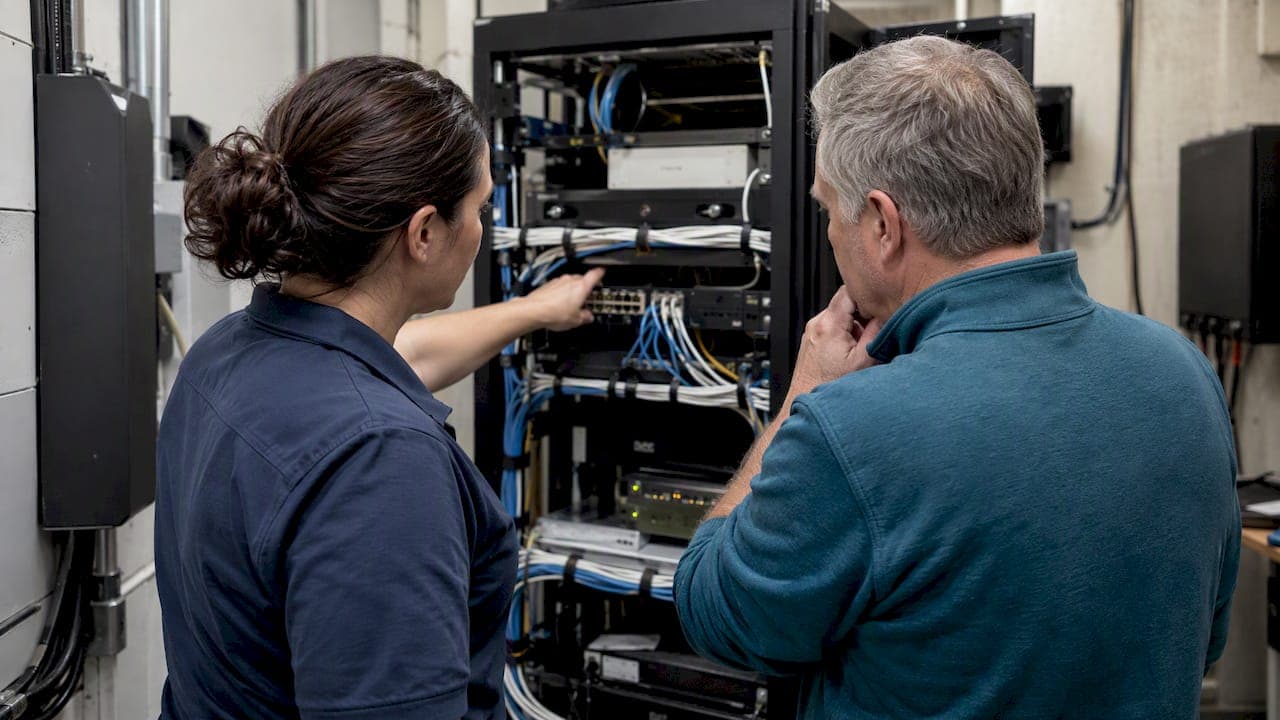
For a fully installed, locally supported on-site phone system, the practical choice is an on-premises PBX connected through SIP trunks with a properly placed session border controller, what installers sometimes call the direct route. This arrangement keeps call control, failover and emergency-calling accuracy in the hands of the people who designed your system. The real decision is where call control and failover live, not which marketing label a provider uses, so the next step is working through the checklist below and asking your installer for a network and E9-1-1 check before you sign anything.
TL;DR:
- Proper on-premises phone systems should include a SIP trunk, SBC at the network edge, and a local installer-managed setup for call control and failover.
- In-network testing must confirm proper QoS, bandwidth capacity, SIP traffic handling, and stress testing during normal office load conditions before deployment.
- An SBC is essential for security, media encryption, NAT traversal, and topology hiding, preventing direct exposure of the PBX to internet threats.
- Multi-site systems require documented failover testing, remote survivability options, and proven local calling during WAN outages, including emergency services.
- Complete acceptance involves verifying network setup, security configuration, E9-1-1 functionality, and support terms to reduce go-live risks and ensure reliable operation.
Table of Contents
- What SIP trunks, SBCs, and an on-site direct route actually mean
- Operational trade-offs: control, failover, and security ownership
- Network engineering that determines voice quality
- Security practices: why an SBC belongs at the edge
- Multi-site patterns and survivability
- E9-1-1 and emergency-calling checks buyers must require
- Procurement and acceptance checklist for buyers
- Comparing feature sets, licensing, and scalability
- Cost comparison and pricing models
- Integration with Microsoft Teams and other UC platforms
- Support and troubleshooting differences
- Migration strategies when switching connectivity methods
- Why local, fully installed service reduces go-live risk
- How we help: book a network and E9-1-1 check
- FAQ
- Sources
What SIP trunks, SBCs, and an on-site direct route actually mean
SIP trunking is the carrier connection that brings outside calling into your building: it replaces old analog or PRI lines with a data circuit carrying voice sessions. A session border controller, or SBC, sits at the edge of your network and terminates the carrier's session before re-originating it toward your PBX. This function, described by Cisco's edge architecture guidance, is known as topology hiding: the carrier never sees your internal network directly.
The signal and media path runs from your PBX to the SBC or gateway, then out to the carrier. That layered design is what separates a properly engineered on-site system from a simple cloud label.
This guide does not cover Microsoft Teams Operator Connect or Direct Routing, which are cloud-managed options for Microsoft 365 Phone System. The definitions here describe on-premises installed systems, the kind a local installer designs, cables and supports in your building.
Operational trade-offs: control, failover, and security ownership
Who changes your dial plan when a staff member moves desks or a department grows? With an on-premises PBX, that answer is usually your installer, working from documentation they built during setup, rather than a carrier support queue.
The trade-offs worth weighing before you commit:
- Agility: local PBX control means routing and extension changes happen on your schedule, not a carrier's ticket queue.
- WAN dependence: centralized trunking across multiple sites saves on carrier connections but raises exposure if the WAN link fails.
- Security ownership: an SBC is a required edge device, since an exposed PBX becomes an open target; installers typically manage SBC firmware and policy updates.
- Change management: clear SLAs should define who touches configuration, who approves changes, and how fast maintenance responds.
Local PSTN breakout or survivable remote telephony at branch offices mitigates the WAN-dependence risk, a point worth raising directly with whoever designs your system.
Network engineering that determines voice quality
Voice quality problems almost always trace back to how traffic is scheduled, not how fast your Internet connection is rated. Cisco's SIP trunk implementation guidance recommends marking RTP media traffic with DSCP 46 and handling it through Low Latency Queuing, while signalling traffic gets separate treatment through Class-Based Weighted Fair Queuing. Data traffic waits behind both.
Bandwidth planning follows a simple rule: budget roughly 80 to 100 kbps per G.711 call, then add headroom for your busiest hour rather than your average hour, a method detailed in our VoIP network requirements guide.
Before go-live, insist on these tests:
- Simulated concurrent calls at or above your expected peak volume.
- Codec behavior under load, not just on an idle network.
- Jitter and packet loss measured against defined thresholds, not just observed casually.
- SIP keepalive monitoring to confirm the trunk stays registered.
Pro Tip: Ask your installer to run the stress test with the office network under normal daytime load, not after hours when the LAN is quiet.
Our QoS configuration walkthrough covers the DSCP and LLQ setup steps in more depth if your IT team wants to verify the configuration themselves.
Security practices: why an SBC belongs at the edge
An SBC earns its place at the network edge by doing several jobs at once: hiding your internal topology, encrypting media through SRTP, handling NAT traversal, and adapting SIP signalling between your PBX and the carrier's requirements. Vendor security documentation from Avaya recommends exactly this kind of edge control rather than exposing a PBX directly to the Internet, where it becomes a target for toll fraud and intrusion attempts.

When you review your installer's configuration, check for a few specific things: unnecessary SIP forwarding features disabled, certificates properly deployed rather than self-signed and ignored, access controls limiting who can reach the SBC's management interface, and logging turned on.
Build a configuration review into your acceptance process, and ask that audit logs be retained. When something goes wrong six months after go-live, those logs are often the fastest way to find out why.
Multi-site patterns and survivability
Centralizing SIP trunking at one location reduces the number of carrier connections you pay for, but it concentrates risk: if the WAN link to that location drops, every site behind it loses outside calling at once, a trade-off Cisco's trunk deployment guidance addresses directly.
Practical survivability options include survivable remote-site telephony, local PSTN breakout at critical branches, multiple trunk destinations so one carrier outage does not take down the whole system, and redundant border elements at the busiest sites.
Before accepting a multi-site design, ask for a documented test that simulates a WAN failure at a remote site and proves local calling, including 9-1-1, still works. Our multi-site and remote office page outlines how this gets handled across branch locations.
E9-1-1 and emergency-calling checks buyers must require
Fixed VoIP service, tied to one physical address, handles emergency calling differently than nomadic VoIP, which can move between locations. CRTC guidance on VoIP emergency services requires providers to supply E9-1-1 where available and explains why an accurate registered address matters more for VoIP than for a traditional landline.
Before accepting your system, work through these steps:
- Confirm whether your provider uses an intermediary for 9-1-1 routing and how ANI or ALI information reaches the dispatcher.
- Place an actual test call to the PSAP or intermediary, not just a simulated one, and document the result.
- Verify how address changes get submitted and how long updates take to take effect.
- Ask what happens to emergency calling during a power or Internet outage, and whether a UPS or battery backup is available for PSTN survivability.
Our Canadian E9-1-1 checklist walks through each of these items in more detail.
Procurement and acceptance checklist for buyers
A fully installed system should pass a documented acceptance process before you consider the project finished, not just a phone call confirming "it works." Work through these steps with your installer:
- Design acceptance: documented SBC placement, dial plan, failover destinations, and proof that E9-1-1 routing was tested.
- Network acceptance: DSCP marking confirmed, LLQ results reviewed, concurrent-call simulation passed, codec selection documented, and packet-loss targets met.
- Security acceptance: SBC configuration reviewed line by line, firewall rules verified against the design document, and certificates properly deployed.
- Operational items: on-site installation scope confirmed, including cabling and phone provisioning; warranty terms on rented phones in writing; a clear after-hours support contact; and fixed pricing with no surprise increases.
For teams managing call flow across departments, our partner resource on service call routing for operations covers how routing decisions affect day-to-day operations once the system is live.
Pro Tip: Request a one-page WAN outage runbook from your installer, something front-desk staff can follow in the moment rather than guessing what to do when the internet drops.
Comparing feature sets, licensing, and scalability
Cloud-managed Teams connectivity options bundle licensing, carrier relationships, and management into the Microsoft ecosystem, while an on-premises direct route keeps those functions separate and under your installer's control. Licensing for an on-site system typically follows your PBX platform and the number of trunk channels you provision, rather than a per-user cloud subscription tied to a single vendor.
Management responsibility is the sharper contrast. With an on-site SBC and PBX, configuration changes, dial-plan updates, and failover routing are handled by whoever designed your system, using documentation specific to your network. That gives you a single point of accountability instead of a shared responsibility model split between a cloud operator and your IT staff.
Scalability on an on-premises system means adding trunk capacity or SBC licensing as call volume grows, planned around your actual peak usage rather than a seat count. For most small and mid-sized Ontario businesses, this means scaling in predictable increments tied to concurrent-call needs, which is often easier to budget than a per-user cloud tier that changes as headcount shifts.
The practical takeaway: feature parity matters less than who controls the features. An on-site system gives you direct access to dial-plan logic, routing rules, and failover behavior without waiting on a third party's change window.
Cost comparison and pricing models
Pricing for on-premises SIP trunking and SBC-based systems is typically structured around trunk channels, PBX licensing, and installation scope, rather than a recurring per-user cloud fee. That structure tends to favor businesses with a stable headcount and predictable call volume, since costs scale with capacity rather than every added mailbox.
Installation and hardware represent a larger upfront cost than a pure cloud subscription, since cabling, on-site programming, and phone provisioning happen once at setup. In exchange, ongoing costs are often more predictable: fixed trunk pricing from your carrier plus a flat support arrangement with your installer, rather than a subscription that can shift with vendor pricing changes.
Hidden costs tend to show up in two places on either model: inadequate bandwidth planning that forces a network upgrade after go-live, and underestimating SBC licensing needs as call volume grows. Both are avoidable with the acceptance testing covered earlier in this guide.
When comparing quotes, ask each installer to break out trunk cost, PBX licensing, SBC licensing, and installation labor separately rather than accepting a single bundled number. That breakdown makes it far easier to see where your money is actually going and to compare one proposal against another on equal terms.
Integration with Microsoft Teams and other UC platforms
Many Ontario businesses run Microsoft Teams for chat and meetings while keeping a separate on-premises phone system for calling, and that split works fine when the integration points are planned up front. An on-site PBX can hand off calls to Teams through a gateway or SBC-based integration, letting staff use Teams for collaboration without forcing every desk phone function through the cloud.
The practical integration points to confirm with your installer are presence synchronization, so staff see accurate availability status across both systems, and click-to-dial behavior, so numbers in Teams or other UC platforms route correctly through your PBX rather than failing silently.
Compatibility testing before go-live should include placing calls from Teams through your gateway to an outside line and back, confirming caller ID displays correctly in both directions, and verifying that voicemail and call transfer behave the same way they did before integration. Skipping this step is one of the more common reasons staff report "the new phones don't work right" weeks after a system goes live, when the real issue is an untested handoff between platforms.
Support and troubleshooting differences
When something breaks on an on-premises system, the first call usually goes to whoever installed and programmed it, someone with direct access to your dial plan, SBC configuration, and network documentation. That person can often diagnose a problem by checking logs on equipment they configured themselves, rather than opening a ticket with a cloud provider and waiting for a response.
Troubleshooting a cloud-managed connectivity option often means working through a support queue that has no visibility into your local network, your cabling, or your specific SBC placement, since that layer sits outside their management. For a straightforward registration or trunk failure, that gap rarely matters. For a packet-loss issue tied to your office's internal network, it can mean days of back-and-forth before anyone actually looks at the right layer.
The practical difference comes down to accountability during a problem: a single local point of contact who already has your documentation, versus a shared troubleshooting process split between a cloud vendor and your own IT staff. Ask any installer you are evaluating how after-hours support works and who physically responds to an on-site hardware failure, not just a configuration change.
Migration strategies when switching connectivity methods
Moving from one on-premises carrier connection to another, or from a legacy PRI setup to SIP trunking, generally works best as a phased cutover rather than a single flash migration. Running the new SIP trunk and SBC in parallel with your existing lines for a short window lets you test call quality and failover before retiring the old connection entirely.

The biggest migration risk is losing E9-1-1 accuracy during the transition, since address registration and ANI provisioning sometimes lag behind the technical cutover. Confirm with your installer that emergency-calling testing happens on the new trunk before the old one is disconnected, not after.
Number porting is the other common friction point: ports can take longer than expected, and a dropped port window can leave your business without inbound calling for a stretch of time. Scheduling the port for a low-traffic period, with the old trunk still live as a fallback, avoids most of that risk. A documented rollback plan, where you can revert to the previous trunk if the new one fails acceptance testing, is worth requesting from any installer handling the migration.
Why local, fully installed service reduces go-live risk
Our team has designed, programmed, cabled and installed phone systems on-site, backed by fixed pricing and a warranty on rented phones. We have walked into enough half-finished installs to know where things typically go wrong: mislabeled cabling, extensions provisioned to the wrong desk, and QoS settings nobody actually tested before go-live. Catching those issues during acceptance, not after staff start complaining, is what a local install is built to prevent.
— James
How we help: book a network and E9-1-1 check

We design, program, cable and install the full system on-site, then run the network validation and E9-1-1 checks covered throughout this guide before calling the job done. If you want a fixed-price quote or a network and E9-1-1 check scheduled before you sign with anyone, start with our Ontario business phone systems page and tell us what you are working with.
FAQ
What is the difference between SIP trunking and an SBC?
SIP trunking is the carrier connection bringing calls into your building, while an SBC is the edge device that terminates and re-originates those sessions, hiding your internal network from the carrier. A Cisco's edge architecture documentation describes, the two work together rather than replacing each other.
How much bandwidth does a VoIP call actually need?
Bandwidth planning follows a simple rule: budget roughly 80 to 100 kbps per call, then add headroom for your busiest hour rather than your average hour. Our network requirements guide walks through sizing examples for different office sizes.
Why can't my PBX connect directly to the Internet without an SBC?
An exposed PBX becomes a target for toll fraud and intrusion attempts, since it lacks the topology hiding, encryption and access controls an SBC provides at the edge. Vendor security documentation recommends SBC deployment specifically to avoid this exposure.
What should I test for E9-1-1 before accepting a new phone system?
Confirm your registered address is accurate, place an actual test call to the PSAP or intermediary, and verify how ANI and ALI information reaches dispatchers, as outlined in CRTC guidance on VoIP emergency services. Also confirm what happens to emergency calling during a power or Internet outage.
Does BusinessVoip.ca install the whole phone system on-site?
We handle design, programming, cabling, installation and E9-1-1 checks on-site, with fixed pricing and a warranty on rented phones. Details are on our Ontario business phone systems page.
Sources
- Cisco: Collaboration edge and border element guidance
- CRTC: Telecom Decision 2005-21 — Emergency services for VoIP
- Avaya: Securing trunks/lines guidance