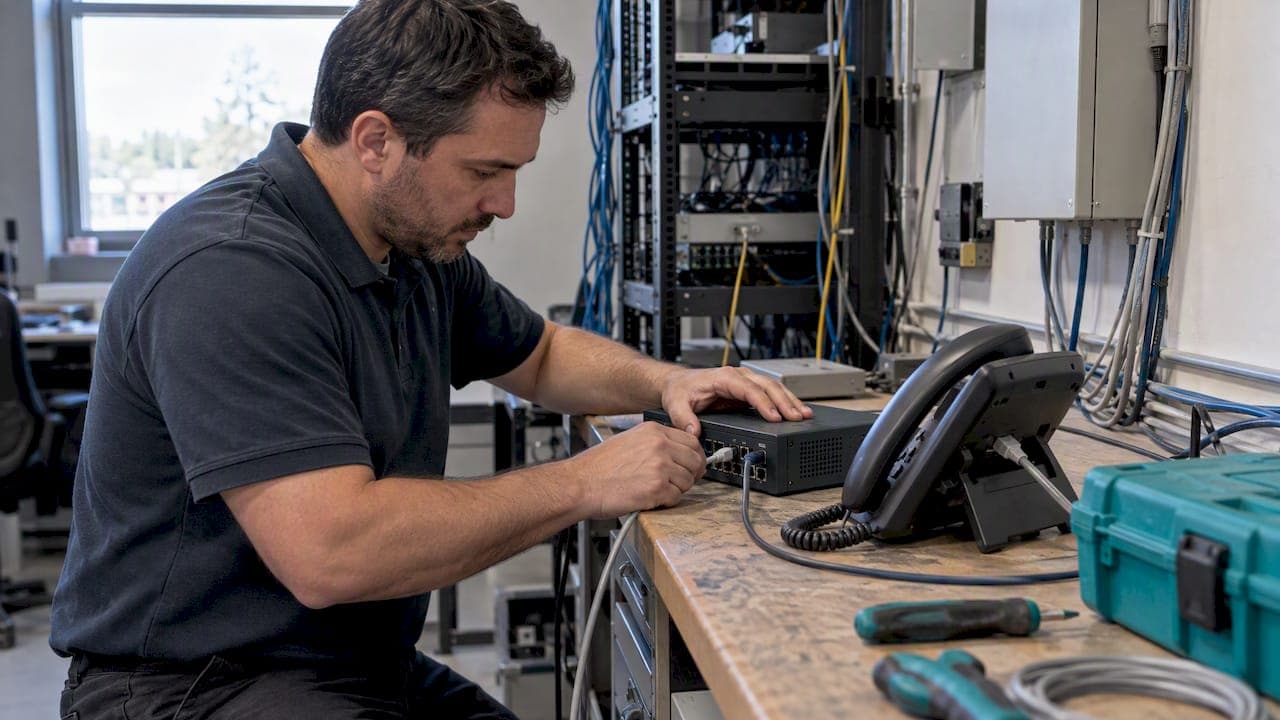
FXS supplies dial tone, ringing voltage, and battery to devices; FXO behaves like the analog telephone and accepts those signals. An FXS port works like a wall jack: it generates the electrical signals a phone expects. An FXO port works like the phone itself: it detects ringing, closes a loop when you pick up, and draws battery current. For VoIP, FXO gateways connect that logic to the PSTN or a PBX trunk, while FXS adapters hand a dial tone to analog phones, faxes, or modems.
TL;DR:
- FXO ports detect incoming ringing signals, loop closure, battery presence, and call progress tones, but do not generate any signals themselves.
- FXS ports produce dial tone, ringing voltage, and supply battery power to connected analog devices, and must be configured correctly for amplitude and polarity.
- Connecting FXS to FXO ports is essential for call setup, while mismatched pairings or improper wiring can cause frequent call or disconnection issues.
- Ground-start signaling prevents glare and improves disconnect supervision on trunk lines, making it preferable for business environments handling multiple calls.
- Reliable VoIP integration requires matching signaling types, proper timers, and correct wiring, with on-site testing and configuration crucial for a successful setup.
Table of Contents
- What is FXO: role, signals, and where it shows up
- What is FXS: role, signals, and where it shows up
- FXS vs FXO: the connectivity rules that matter
- How the signaling actually happens: ringing, loops, and disconnects
- Loop-start vs ground-start: where glare comes from
- Bridging analog and VoIP: gateways, ATAs, and the settings that matter
- Troubleshooting FXO and FXS: wiring, timers, and fax reliability
- On-site integration notes from the field
- When analog ports still earn their place
- On-site analog-to-VoIP integration done right
- FAQ
- Sources
What is FXO: role, signals, and where it shows up
FXO stands for Foreign Exchange Office, and the easiest way to picture it is as the electronic equivalent of a handset. An FXO port does not generate any signal on its own. It waits, detects, and reacts, the same way your phone waits for a ring and reacts by going off-hook.
A properly working FXO interface has to recognize a handful of signals coming from the other side:
- Ringing voltage, so it knows an incoming call has arrived.
- Loop closure state, which is how it reports "off-hook" back to the switch.
- DC battery presence (commonly around 48 volts), confirming a live line.
- Dial tone and call progress tones, which it listens for rather than produces.
You find FXO ports on VoIP gateways that bridge an analog phone line to SIP, on router voice cards, and at PSTN demarcation points where a telco line enters a building. Because an FXO port behaves like a telephone to whatever it is plugged into, it has to be configured to match that side's signaling scheme, not the other way around.
What is FXS: role, signals, and where it shows up
FXS stands for Foreign Exchange Station, and it plays the opposite role: it acts like the central office or the wall jack that a phone plugs into. Rather than waiting for signals, an FXS port originates them.
An FXS port is responsible for:
- Dial tone, generated the moment a connected device goes off-hook.
- Ringing voltage, typically around 90 VAC, to make a connected phone ring.
- DC battery, supplying the power that lets a basic analog phone operate with no separate power source.
- Correct cadence and polarity, so connected equipment reads the signaling as intended.
FXS ports show up on PBX station cards, analog telephone adapters (ATAs), and simple analog line adapters. Because the FXS side is the one producing voltage and current, it has to be set to the right amplitude and polarity for whatever device is plugged in, whether that is a cordless phone, a fax machine, or an old-fashioned alarm dialer.
FXS vs FXO: the connectivity rules that matter
The functional split comes down to one rule: FXO and FXS are complementary, not interchangeable. An FXO port expects to receive dial tone, ringing, and battery. An FXS port exists to provide exactly that. Connect them to each other and the call completes normally.
- FXS supplies dial tone and ringing. FXO does not generate either.
- FXS supplies battery voltage; FXO only detects it.
- FXO expects loop closure feedback; FXS is what reads that feedback.
- Wiring on both sides is typically simple two-wire tip and ring.
An FXO port must connect to an FXS port. FXS-to-FXS or FXO-to-FXO pairings will not work without a conversion device in between, because both ends would either be waiting for a signal that never arrives or producing a signal nobody is listening for, as Viking Electronics' explanation of FXO and FXS ports lays out plainly.
In practice: a PSTN line from your telco lands on an FXO port on a gateway, and an ordinary analog phone plugs into an FXS port on an ATA. Mixing those up is the single most common wiring mistake in small analog deployments.

How the signaling actually happens: ringing, loops, and disconnects
Normal analog call setup follows a predictable electrical sequence, and understanding it makes troubleshooting far less guesswork.
- The FXS side applies ringing voltage (around 90 VAC) to signal an incoming call, and the connected FXO or phone detects it.
- Picking up (or an FXO port answering) closes the loop, which draws current from the FXS battery and tells the switch that the line is now active.
- Dial tone and call progress follow, with dialed digits sent as DTMF tones that any device in the path, including a VoIP gateway, has to interpret or pass through correctly.
- When the call ends, disconnect supervision kicks in: the FXS side may briefly remove battery voltage ("power denial"), reverse polarity, or send a supervisory tone, and the FXO side has to recognize one of those signals to hang up cleanly.
That last step is where most real-world problems live. According to Cisco's documentation on the FXO disconnect problem, disconnect supervision failures are a frequent and well-documented issue, and mitigation depends on correctly configuring power-denial detection, battery reversal detection, and supervisory tone recognition rather than assuming the hardware will sort it out.
Loop-start vs ground-start: where glare comes from
Most residential analog lines use loop-start signaling, where the device simply closes the loop to request service. It is simple, cheap, and works fine for a single home line, but it has no mechanism for two devices to avoid seizing the same line at once.
That collision is called glare: the far end goes off-hook to make an outbound call at the exact moment an inbound call is ringing in, and both sides end up connected to each other instead of to their intended party. On a single residential line this almost never matters. On a business trunk carrying many simultaneous calls, it happens often enough to cause real problems.
Ground-start signaling fixes this with a handshake: the device grounds one wire first and waits for the switch to acknowledge before seizing the line, which prevents the kind of simultaneous grab that causes glare. Cisco's technical overview of loop-start and ground-start signaling notes that loop-start also lacks reliable disconnect supervision on its own, which is part of why ground-start is the recommended choice for business trunks.
- Use loop-start for simple single-line residential or small-office setups.
- Use ground-start for trunk lines carrying multiple simultaneous calls.
- Set power-denial and supervisory tone timers to match the equipment on both ends.
- Confirm with your telco or PBX vendor which signaling mode the trunk expects before cutover.
Pro Tip: If calls intermittently connect to the wrong party on a multi-line trunk, check the signaling mode before touching anything else, glare on a loop-start trunk is a frequent cause.
Bridging analog and VoIP: gateways, ATAs, and the settings that matter
FXO and FXS ports do not disappear in a VoIP deployment, they just move to the edges. An FXO gateway takes an incoming analog PSTN line and converts it to SIP, which lets a VoIP system route calls that still arrive over a copper pair. An FXS ATA does the reverse: it takes a SIP connection from a hosted PBX and gives an ordinary analog phone, fax, or alarm panel a dial tone it understands, a pattern covered in more depth in our guide to integrating analog devices with VoIP.
A handful of settings determine whether that bridge works reliably:
- Signaling type (loop-start or ground-start) matched on both sides of the connection.
- PCM companding law, µ-law or A-law, matched to the region's standard.
- Disconnect timers, particularly the power-denial timer, tuned so calls do not hang or drop prematurely.
- Digit mapping and DTMF handling, since misconfigured digit relay breaks IVR and voicemail navigation.
- Polarity settings, since some analog devices depend on polarity reversal for answer supervision.
Choose an ATA when you are connecting one or two analog devices to an existing SIP system. Choose a gateway when you need to bring multiple PSTN lines into a VoIP environment, particularly during a staged migration where some trunks are not ready to move to SIP trunking yet. In both cases, RFC 3372's description of SIP-T interworking with the PSTN is a useful reference for how signaling information gets translated as calls cross between analog and IP networks.
Troubleshooting FXO and FXS: wiring, timers, and fax reliability
Most FXO and FXS problems trace back to one of four things: wiring, timer mismatches, polarity, or fax handling.
- Start with wiring: confirm a straight-through two-wire tip and ring connection, and check for dial tone and an acceptable noise floor at the port.
- Adjust the power-denial timer on the FXO side to match what the FXS equipment actually sends. Cisco's guide to troubleshooting analog ports notes a default power-denial detection timer of 750 milliseconds, adjustable with the
timeouts power-denialcommand, and mismatched timer values between a gateway's FXO port and remote FXS equipment are a common cause of calls that stay off-hook or disconnect too early. - Check ring amplitude and polarity, and only enable battery reversal detection if the connected equipment actually supports it.
- For fax machines, prefer T.38 fax relay where the gateway supports it; where it does not, use analog passthrough with tight jitter and latency control, a topic covered in our guide to reliable fax over VoIP.
Pro Tip: Test power-denial and timer changes in both call directions, inbound and outbound often reveal different symptoms even on the same port.
On-site integration notes from the field
Cutover problems rarely come from the FXO or FXS hardware itself, they come from everything around it. Verified cable certification, proper VLAN and QoS configuration, and an actual pairing test between FXO and FXS ports before go-live catch most issues before they reach users, as our cabling specifications guide for VoIP installers and router settings checklist both cover. Supervised disconnect configuration matters just as much: a mismatched timer causes hung calls long after everything else looks fine. For a single ATA, DIY setup is reasonable; for multi-line trunks or multi-site cutovers, bringing in an installer reduces the risk of a failed go-live.
When analog ports still earn their place
Plenty of engineers treat analog as legacy baggage, but that view misses the cases where it is the right call. Fax machines, elevator phones, alarm dialers, and some older POS terminals depend on analog signaling that IP equivalents do not always replicate cleanly, and keeping an FXS port for those devices is often more reliable than forcing a questionable IP workaround. Full IP migration tends to pay off once the number of analog exceptions shrinks to the point where maintaining gateways costs more than retiring them. Test any migration in stages rather than cutting every line at once.
— James
On-site analog-to-VoIP integration done right
Getting FXO and FXS signaling right on paper is one thing, getting it right on a real network closet with real cable runs is another. A local team is sent on-site to design, program, cable, and install the full system, including the analog integration work covered above, so the power-denial timers, signaling modes, and wiring are verified before anyone picks up a handset.

Installations cover analog device integration for fax lines and alarm panels, carrier routing for PSTN trunks, and supervised disconnect tuning so calls do not hang after cutover. For readers managing cabling as part of a larger office buildout, Cables & Chips NYC's guide to VoIP infrastructure cabling is a solid reference on the structured cabling side of the project. If you are planning a cutover and want the analog edge cases handled rather than discovered after go-live, get a quote through our Ontario business phone systems page.
FAQ
What is the difference between Grandstream FXO and FXS ports?
On Grandstream gateways and ATAs, the distinction follows the same rule as any other hardware: FXO ports connect to the PSTN or a PBX trunk and behave like a phone, while FXS ports connect to analog phones or fax machines and supply dial tone and ringing. The underlying electrical behavior is standard across brands, so configuration differences are mostly in the management interface.
What does FXO stand for?
FXO stands for Foreign Exchange Office. It describes a port that receives dial tone, ringing, and battery voltage from a telephone line or PBX, functioning the way an ordinary telephone handset would.
What is an FXO port used for?
An FXO port connects equipment such as a VoIP gateway to an incoming analog phone line from the PSTN or to an FXS trunk on a PBX. It is the receiving side of the analog connection, detecting ring signals and reporting loop closure rather than generating any signal itself.
What does FXS stand for?
FXS stands for Foreign Exchange Station. It describes a port that supplies dial tone, ringing voltage of roughly 90 VAC, and DC battery to a connected device such as an analog phone, fax machine, or ATA.
Sources
- Understanding FXO disconnect problem — Cisco
- Loop-start and ground-start signaling on FXS & FXO ports — Cisco Community
- PBXBook — Ringing and battery discussion