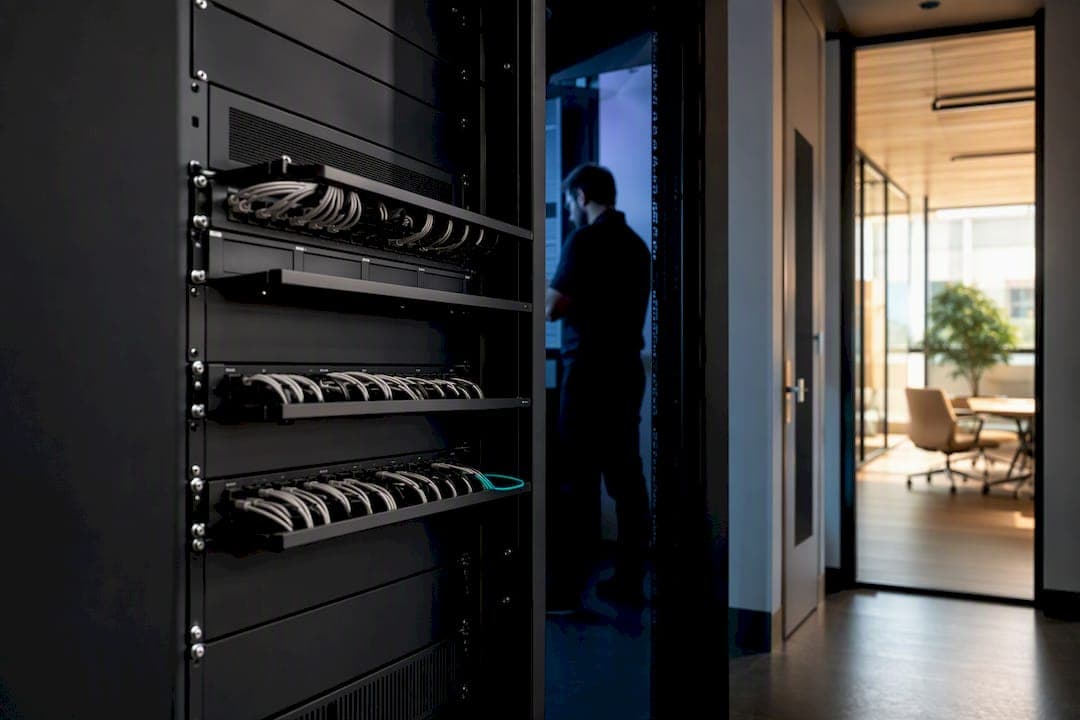
Carrier-grade VoIP means a locally installed, fully supported business phone system backed by carrier-class connectivity, uptime commitments, and a real service agreement. It's not a box of phones you configure yourself. Treat it as a staged project, run by a certified implementer, with network validation before anyone plugs in a handset. Everything below covers the technical checks, the deployment sequence, and how to pick the right partner.
TL;DR:
- Carrier-grade on-site VoIP systems require fixed pricing, on-site installation, and warranties, with a staged deployment process to prevent outages.
- Technical checks such as load testing for upload capacity, QoS tagging, PoE switch capacity, and failover strategies are essential before go-live.
- Proper planning includes inventory mapping, network validation, staged provisioning, and number porting with dual service during the transition.
- Choosing a vendor involves verifying on-site setup, PoE provisioning, clear project phases, SLA clarity, and references from similar projects.
- On-site installs by experienced technicians significantly reduce first-week outages and ensure reliable, long-term system performance.
Table of Contents
- What Is Carrier-Grade VoIP, and What Should It Include?
- What Technical Checks Confirm a VoIP System Will Actually Work?
- How Do You Deploy a Carrier-Grade VoIP System Without an Outage?
- How Do You Choose a Vendor for a Carrier-Grade VoIP Install?
- Why On-Site Installs Beat DIY VoIP Rollouts
- Get a Carrier-Grade VoIP System Installed the Right Way
- Sources
What Is Carrier-Grade VoIP, and What Should It Include?
Cloud-hosted VoIP shifts everything to a remote data center and hands you a login. On-site, fully supported systems are different: hardware lives at your location, a local team installs it, and support is a phone call away rather than a ticket queue. The distinction matters because hosted plans reduce upfront cost and admin burden while on-premise setups give more control and customization for offices with complex call flows, analog dependencies, or multi-site requirements.
A carrier-grade, on-site system isn't just a PBX in a closet. It's a defined set of parts working together:
- An on-premise PBX or unified communications platform, with SIP trunking for outside calling
- Provisioned handsets, matched to role (reception, warehouse, executive)
- PoE switches with enough power budget for every phone, camera, and access point on the same closet gear
- A UPS to keep the phone system alive through a power blip
- A failover WAN path so a single internet outage doesn't silence the whole office
The service side matters just as much as the hardware. A genuinely carrier-grade install comes with on-site installation (not a shipped box), fixed pricing that doesn't creep upward every renewal, lifetime warranty coverage on rented handsets, and documented SLAs that spell out response times. Admin controls should ship locked down from day one: multifactor authentication and role-based access, so nobody outside your IT team can repoint a call queue by accident.
What Technical Checks Confirm a VoIP System Will Actually Work?
Voice quality problems almost always trace back to something that was never tested, not something that broke; evaluating AI-assisted front-line handling with AI voice agents that answer the phone can improve call-flow design and automation. Before any phone rings for real, a handful of measurable checks separate a system that works from one that sounds fine in the demo and falls apart during the Monday morning rush.
- Upload headroom. Plan on a dedicated upload capacity appropriate for each concurrent G.711 call. A single-user speed test from a laptop tells you almost nothing about what happens when 15 people are on calls at once; you need load testing that proves the full network path under realistic concurrent call volume, measuring jitter and packet loss, not just raw throughput.
- QoS and DSCP tagging. Voice traffic needs priority over file transfers and video streaming on the same connection. Without DSCP tagging on your router and switches, a large print job or backup sync can knock out call quality mid conversation.
- PoE budget and switch capacity. Add up the wattage every phone draws and compare it against what your switches can actually deliver, especially once you factor in security cameras or Wi-Fi access points sharing the same closet.
- Wired versus Wi-Fi. Wi-Fi works fine for a receptionist's cordless handset. It's the wrong choice for a call center seat or anyone on back-to-back calls all day, where a wired drop avoids contention entirely.
- Failover and UPS. Carrier-grade availability assumes your primary internet connection will fail at some point. A documented failover internet strategy and a UPS on core phone equipment turn an outage into a non-event instead of a dead phone line.
- Staging and e911 validation. Provision every handset on an isolated VLAN before it touches the production network, and confirm dispatchable location data for every DID, including any remote or soft phone extensions.
Pro Tip: Run your load test during your actual busiest hour, not at 7 a.m. when the office is empty. A network that passes a quiet-morning test can still choke at 11 a.m. when sales, support, and the fax line are all active at once.
How Do You Deploy a Carrier-Grade VoIP System Without an Outage?
Most cutover failures aren't caused by bad hardware. They happen because a step got skipped or rushed, usually inventory or porting. A phased program with clear acceptance gates between each stage catches problems while they're still cheap to fix.
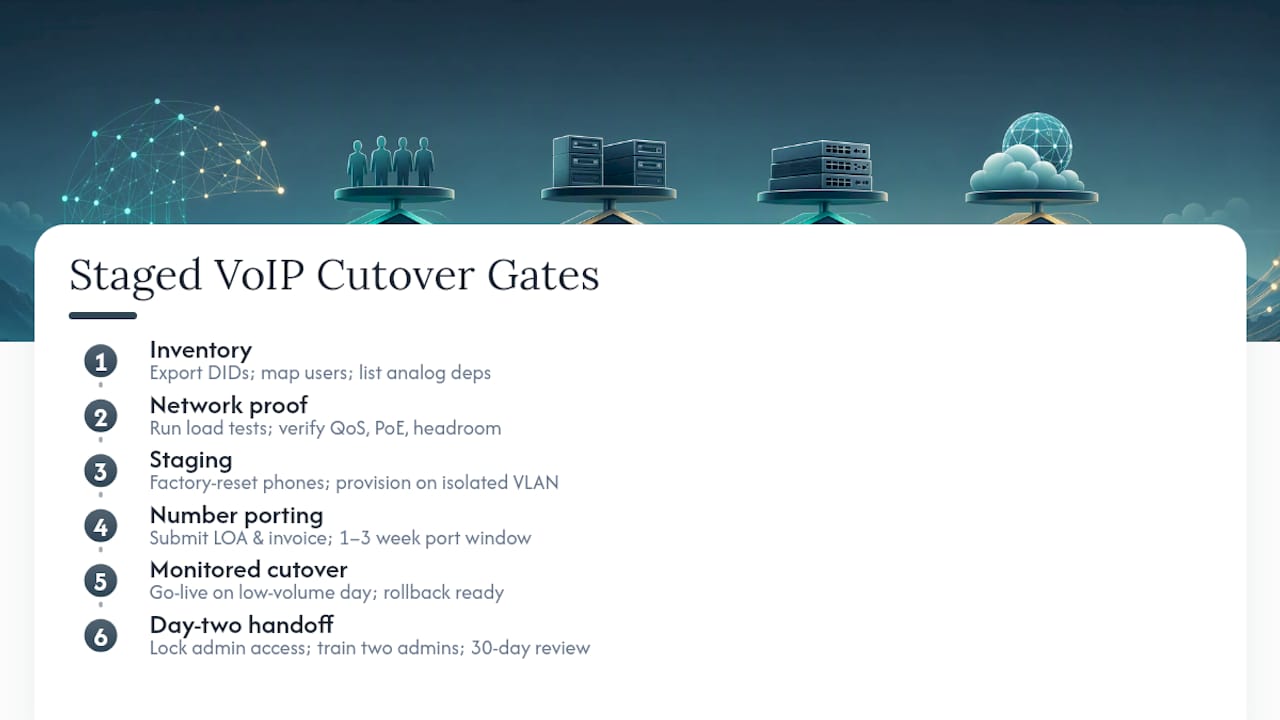
Phase 1: Inventory. Export every existing DID, map each user to a device type, and list every analog dependency that isn't obviously a phone: elevator lines, alarm panel dialers, fax machines, overhead paging. Missing one of these is the single most common source of a post-launch "why doesn't this work anymore" call.
Phase 2: Network proof. Run the load tests described above. Confirm QoS tagging, verify upload headroom against your concurrent call count, and check that PoE and wired drops exist everywhere they're needed. Don't skip this because the internet "seems fast."
Phase 3: Staging. Factory-reset every phone and provision it on an isolated VLAN, away from production traffic. Test inbound calls, outbound calls, transfers, and voicemail on every single extension before go-live day, not a sample of them.
Phase 4: Number porting. Submit letters of authorization and a recent invoice as early as possible. Porting typically takes one to three weeks, and keeping dual service active through the port window means a rejected or delayed request never leaves callers hitting a dead line. This single step causes more go-live delays than any hardware issue.
Phase 5: Monitored cutover. Schedule go-live for a lower-volume day if your business has one. Set up a dedicated communication channel for the go-live team, have a rollback plan ready, and verify every inbound line rings correctly first thing the next morning, not just at the moment of cutover.
Day-two handoff. This is where a lot of good installs quietly fail weeks later. Lock down admin access with MFA and least-privilege roles immediately, train at least two people who can actually manage the system (not just one person who happens to be on vacation the week something breaks), and hold a 30-day review that looks at concrete numbers: missed-call rate, voicemail volume, and any recurring complaints.
How Do You Choose a Vendor for a Carrier-Grade VoIP Install?
The right level of help depends on what you're actually walking into. A five-person office with a simple auto attendant needs less hand-holding than a 40-seat operation with an alarm-panel dialer, overhead paging, and three remote employees. Provider-assisted onboarding or a certified implementation partner usually costs less than the lost business from a botched self-managed migration, especially once you factor in staff time.
Before signing anything, put these questions to any vendor:
- Do you install and cable on-site, or does a technician just ship a box and walk you through setup by phone?
- Who provisions the PoE switching, and is that part of the quoted scope?
- What's your number-porting process, and do you keep dual service running through the port window?
- Can you show a sample project plan with defined phases and gates?
- What are the actual SLA terms, in writing, not just "we'll get back to you quickly"?
Ask for references from installs similar to yours in size and complexity, not just a logo wall. A vendor that can point to local, on-site resources near your business, rather than a call center in another time zone, is usually a stronger bet for anything that needs a technician on-site fast.
On commercial terms, favor fixed pricing over anything that creeps upward at renewal, a clearly scoped training and 30-day review period, and warranty coverage on any phones you're renting rather than buying outright.
Pro Tip: If a quote doesn't mention who handles cabling and PoE provisioning, ask directly. That's the line item most often left vague, and it's the one that turns into a change order three weeks into the project.
Why On-Site Installs Beat DIY VoIP Rollouts
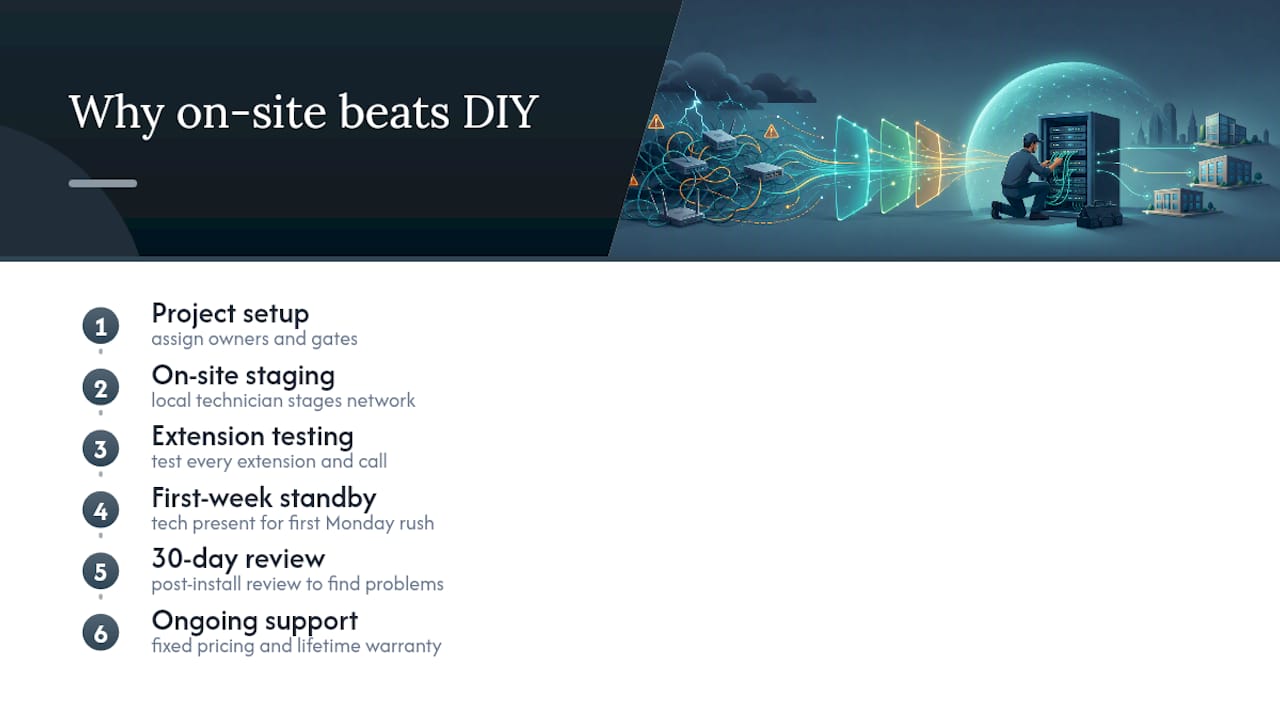
Businesses that get VoIP right on the first try almost always treated it as a project with owners and gates, not a weekend task. Businessvoip has installed and supported on-site phone systems since 2005, and the pattern holds every time: the offices with zero first-week outages are the ones where a local technician physically staged the network, tested every extension, and stood by through the first Monday morning rush.
Fixed pricing and lifetime warranty coverage on rented phones aren't marketing lines. They're what happens when a provider expects to still be answering your calls five years from now, not just through the install. Give the process the full six weeks it usually needs, and don't skip the 30-day review. That's where the real problems, not the theoretical ones, actually surface.
— James
Get a Carrier-Grade VoIP System Installed the Right Way
Everything covered above (network validation, staged VLAN provisioning, monitored cutover, day-two handoff) is exactly what Businessvoip builds into every install. A local team surveys your site, runs the network load tests, stages every phone before go-live, ports your numbers with dual service running through the window, trains your staff, and comes back for the 30-day review. No shipped box, no guesswork about PoE budgets, no admin account nobody remembers the password to.

Pricing is fixed at signing, phones you rent carry a lifetime warranty, and the infrastructure behind it already carries tens of thousands of business calls a day. Businessvoip installs on-site within about 150 km of Ancaster, with larger projects supported province-wide, including multi-location businesses and remote offices. If you manage a tech company, ISP, or a multi-site operation and want a system designed around your actual call flow rather than a generic template, request a custom phone system design and get a site survey scheduled.