
A VoIP caller is any person or device placing a phone call over the internet rather than a traditional copper landline or cellular tower. The call travels as digital data packets, not an analog signal, and when it reaches someone on a regular phone number, a gateway converts it back so the recipient needs no special equipment. You have almost certainly received a VoIP call without knowing it, and if you have ever used WhatsApp, FaceTime, or Microsoft Teams for a voice call, you have made one too.
Three things matter most: voice travels as internet packets (not a dedicated phone line), the caller can use a smartphone app, a desk phone, or a laptop, and recipients on regular numbers experience the call just like any other. For Canadian businesses and home users, the CRTC and the FCC both require interconnected VoIP providers to support emergency calling, though the handling differs from a traditional landline.
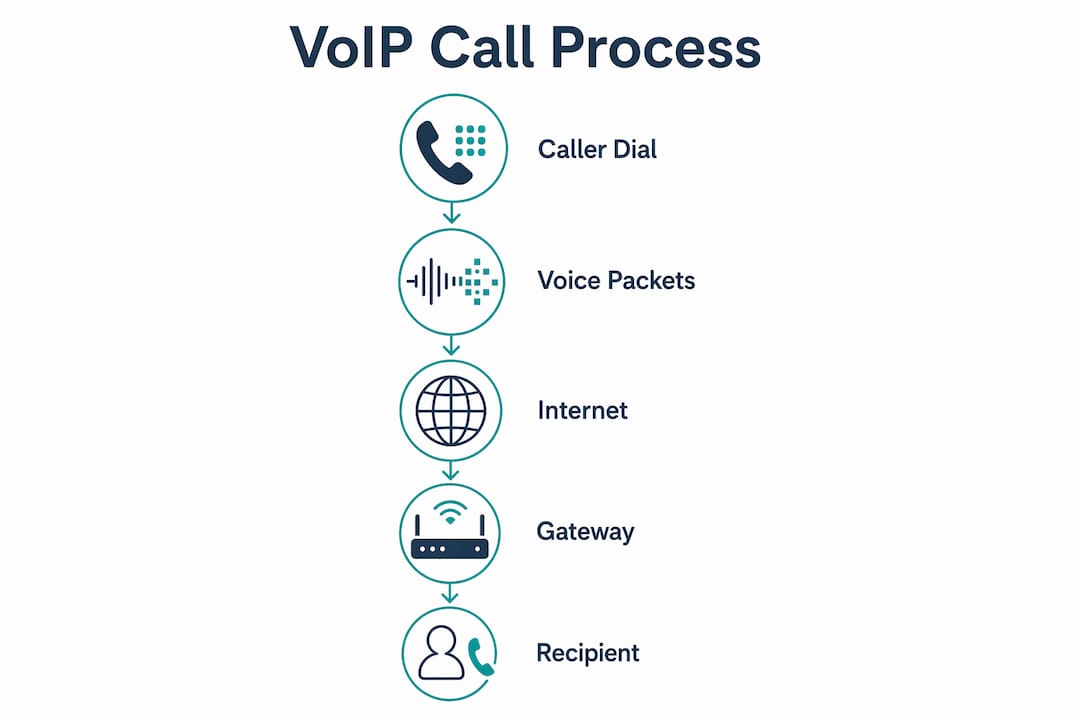
Table of Contents
- How does a VoIP call actually travel from caller to listener?
- What devices can make you a VoIP caller?
- What are the real benefits and limits of VoIP calling?
- What network quality does reliable VoIP actually require?
- How can you tell if a caller is using VoIP?
- What security and privacy risks come with VoIP callers?
- How does 911 work when you call from a VoIP phone in Canada?
- Should you answer a call from a VoIP number?
- Is VoIP the right fit for your home or business?
- Key Takeaways
- Why on-site installation changes everything about VoIP
- Businessvoip installs VoIP phone systems that work from day one
- Useful sources
How does a VoIP call actually travel from caller to listener?
The short answer: your voice gets chopped into tiny data packets, sent across the internet, and reassembled at the other end before the listener hears a word. That whole process takes milliseconds.
Here is the call flow in plain terms:
- You speak. Your microphone captures analog audio.
- A codec converts it. Software (a codec like G.711 or G.729) compresses and digitizes the audio into small packets.
- Packets travel over IP. The Real-time Transport Protocol (RTP) streams those packets across the internet while SIP (Session Initiation Protocol) handles the signaling: dialing, ringing, hanging up.
- Gateway conversion (if needed). When you call a regular phone number, a PSTN gateway translates the digital packets back into an analog signal that the traditional phone network understands.
- The listener picks up. On their end, it sounds like any other call.
A few terms worth knowing:
- SIP (Session Initiation Protocol): The signaling language VoIP systems use to set up, manage, and end calls.
- RTP (Real-time Transport Protocol): The protocol that actually carries the audio stream in real time.
- Codec: Software that compresses voice audio for transmission and decompresses it on arrival. G.711 prioritizes quality; G.729 saves bandwidth.
- PSTN Gateway: The bridge between the internet-based VoIP world and the traditional Public Switched Telephone Network.
The recipient on a regular landline or cell phone never sees any of this. From their perspective, the phone rang and someone was there.
What devices can make you a VoIP caller?
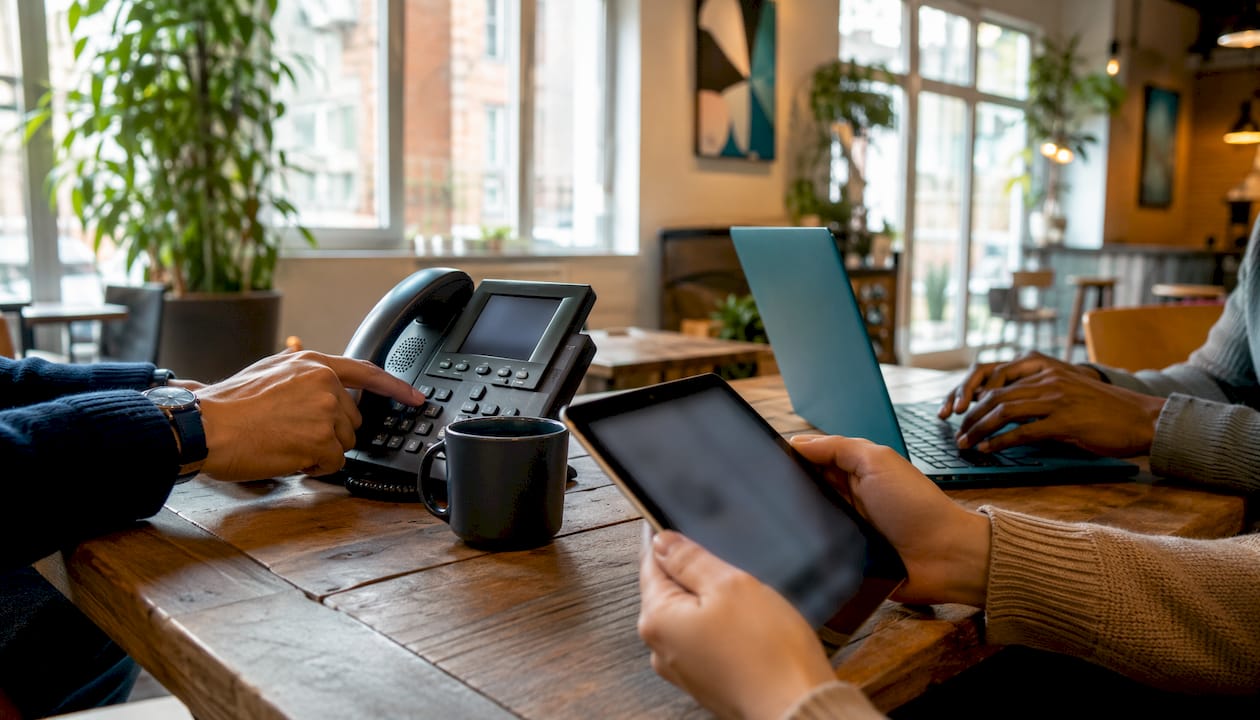
VoIP endpoints come in four main forms, and the right one depends entirely on how you work.
| Endpoint Type | Best For | What You Need |
|---|---|---|
| Softphone app | Remote workers, laptops, desktops | App + internet connection + account |
| IP desk phone | Office staff, receptionists | PoE switch or power adapter + network port |
| ATA (Analog Telephone Adapter) | Existing analog handsets | ATA device + analog phone + internet |
| Mobile VoIP app | Field staff, mobile workers | Smartphone + data or Wi-Fi |
Softphones are the most common entry point today. Anyone making a work call through Microsoft Teams, Google Voice, or a browser tab is already a VoIP caller. No hardware required beyond a headset.
IP desk phones look nearly identical to the office phones of 1995. The difference is that the line behind them is internet, not copper. They plug into a network switch and register with a hosted or on-premise PBX (Private Branch Exchange).
ATAs let you keep an analog handset you already own. The adapter sits between the phone and your router, handling the digital conversion invisibly.
Mobile VoIP apps are what field teams and remote offices rely on. A plumber in Mississauga can have the same office extension on their phone as their desk back at the shop.
Setup paths break down into three options: a simple app-and-account setup for individuals, a hosted cloud PBX for businesses that want someone else to manage the server, and an on-premise PBX for organizations that need full control over call routing and data.
Pro Tip: When porting an existing phone number to a new VoIP provider, confirm the port date before canceling your old service. Porting typically takes several business days in Canada, and canceling early can cause you to lose the number permanently.
What are the real benefits and limits of VoIP calling?
VoIP's cost advantage is the most cited reason businesses switch, and it holds up. Long-distance calls within Canada and to the US cost a fraction of what legacy carriers charge per minute, and features like voicemail-to-email, call routing, and conferencing are typically bundled rather than billed as add-ons.
Benefits for businesses and home users:
- Lower long-distance costs, especially for teams calling across Canada or into the US
- Bundled features: voicemail-to-email, auto-attendant, call recording, call queues, hold music
- Scalability: adding a line means adding a software license, not running new cable
- Mobility: your number travels with you on a mobile app, not a physical desk
- Multi-site flexibility: a Toronto office and a Hamilton office can share one phone system
- Integration with CRM tools and business software
Limitations to weigh honestly:
- Dependent on internet: if your connection goes down, so do your phones
- Power dependency: unlike a traditional landline, VoIP phones go dark in a power outage without a UPS (uninterruptible power supply)
- Call quality is sensitive to network conditions, not just speed (more on this below)
- 911 behavior differs from a landline (covered in its own section)
- Not every provider handles number porting cleanly
For a small business in Ontario weighing the switch, the feature bundle alone often justifies the move. The limitations are manageable with the right network and a provider who actually configures things properly.
What network quality does reliable VoIP actually require?
Raw download speed is not the right metric. A 100 Mbps connection with high jitter will produce choppy, robotic-sounding calls. A 25 Mbps connection with consistent latency and low packet loss will sound crystal clear. Call quality depends on latency, jitter, and packet loss, not just bandwidth.
| Metric | Acceptable Threshold | What Happens When Exceeded |
|---|---|---|
| Latency (one-way) | Latency under 150 ms avoids noticeable call delay | Noticeable delay, conversations feel awkward |
| Jitter | Jitter under 20 ms avoids choppy audio | Choppy audio, words cut out |
| Packet loss | Packet loss under 1% avoids gaps in speech | Gaps in speech, dropped syllables |
| Bandwidth per call | Minimum 100 kbps per call is required to prevent degradation | Insufficient bandwidth causes degradation |
QoS (Quality of Service) configuration on your router or switch tells the network to prioritize voice packets over everything else. Without it, a large file download or a video stream can crowd out a phone call on the same connection. For businesses with more than a handful of phones, a dedicated VLAN (Virtual Local Area Network) for voice traffic is worth the setup effort.
Consumer internet connections, even fast ones, are not designed for real-time voice. Managed carrier-grade infrastructure, like what underpins a professionally installed business VoIP system, is engineered to keep latency and jitter within acceptable ranges consistently, not just on a good day.
Pro Tip: Before any VoIP installation, run a network assessment during your busiest hours, not at midnight. Tools like PingPlotter or a vendor-supplied test can reveal jitter and packet loss that a basic speed test will never show.
How can you tell if a caller is using VoIP?
Most of the time, you cannot tell just by looking at the number. Interconnected VoIP services use gateways that present regular telephone numbers, so the number on your screen looks identical to a landline or cell number. That is by design.
A few checks can sometimes reveal VoIP origins:
- Reverse lookup services (like Canada411 or third-party tools) may flag a number as "VoIP" or "virtual" in their carrier-type field, though this is not always accurate or current.
- CNAM (Caller ID Name) queries can show the registered name on a number, but VoIP numbers are not always registered with a name, which can be a soft signal.
- SMS behavior: Many VoIP numbers cannot receive SMS, or they route texts through a separate app. If a two-factor authentication text fails to deliver, the number may be VoIP-only.
- Carrier flags: Some phone carriers and spam-detection apps (like Hiya or Nomorobo) label calls as "VoIP" or "potential spam" based on number-type databases, though false positives are common.
When you call a VoIP number, the experience is seamless. The gateway handles the translation, the phone rings, and someone answers. You would not know the difference.
What security and privacy risks come with VoIP callers?
VoIP's openness is also its vulnerability. Because calls travel over IP networks, they are exposed to the same threats as any internet traffic, plus a few specific to voice.
Common threats:
- Caller ID spoofing: A VoIP caller can present any number they choose, making it trivial to impersonate a bank, government agency, or local business. This is the engine behind most phone scams.
- Toll fraud: Attackers compromise a VoIP account and make thousands of dollars in international calls before anyone notices.
- Eavesdropping: Unencrypted VoIP traffic can be intercepted on a poorly secured network.
- Robocalls and spam: VoIP makes it cheap to dial millions of numbers automatically, which is why robocall volumes have climbed.
Practical mitigations for businesses and admins:
- Require TLS (Transport Layer Security) for SIP signaling and SRTP (Secure Real-time Transport Protocol) for the audio stream
- Use strong, unique passwords on every VoIP account and extension
- Enable STIR/SHAKEN compliance on your provider's platform; this framework, now required for Canadian carriers, cryptographically signs calls to reduce spoofing
- Set outbound call limits and geographic restrictions to catch toll fraud early
- Use a spam-filtering service or enable your carrier's built-in call screening
Pro Tip: If you receive an unexpected call from a number that claims to be your bank or a government agency, hang up and call back using the number on the official website. A VoIP caller can display any number they want — the callback is the only way to verify.
How does 911 work when you call from a VoIP phone in Canada?
This is the section most VoIP explainers gloss over, and it matters. Interconnected VoIP providers are required to support emergency calling, but the way 911 is handled differs meaningfully from a traditional landline.
On a landline, your address is tied to the line. When you call 911, the dispatcher sees your location automatically. With VoIP, your location is tied to whatever address you registered with your provider, and if you have moved your phone or are working remotely, that address may be wrong.
The CRTC requires Canadian interconnected VoIP providers to offer E911 service, but users carry responsibility for keeping their registered location current. Key points for Ontario users and businesses:
- Verify your E911 address with your provider when you first set up service.
- Update it immediately if you move the phone to a new location, even temporarily.
- Test it. Call your provider's E911 test line (not 911 itself) to confirm your address is on file correctly.
- Plan for power outages. VoIP phones go dark without power. Keep a charged mobile phone available as a backup for emergencies.
- Multi-site businesses need a registered address for each physical location, not just the head office.
For Ontario businesses with multiple offices or remote workers, VoIP for multi-site setups requires deliberate E911 provisioning at each site. A professional installer will handle this as part of the deployment, not as an afterthought.
Backup plan checklist:
- UPS (battery backup) on VoIP phones and routers at critical locations
- At least one mobile phone accessible to staff at all times
- Posted 911 address at each office location so staff can verbally confirm location if needed
- Annual review of registered E911 addresses with your provider
Should you answer a call from a VoIP number?
The short answer: yes, if you are expecting a call or recognize the number. Exercise real caution with unknown callers who apply pressure or ask for sensitive information.
Most VoIP calls are completely legitimate. Your dentist's office, your bank's outbound call center, a contractor returning your call, and your company's own phone system are all likely running on VoIP. The technology is neutral.
Red flags that suggest a scam:
- Urgency or pressure to act immediately
- Requests for payment via gift card, wire transfer, or cryptocurrency
- Claims to be CRA, Service Canada, or a police agency demanding immediate payment
- Requests for one-time passwords, SIN numbers, or banking credentials
- The number looks local but the caller has no knowledge of local context
What to do if something feels wrong:
- Hang up without providing any information.
- Do not call back the number that called you. Look up the organization's official number independently.
- If you shared financial information, contact your bank immediately.
- Report the call to the Canadian Anti-Fraud Centre at 1-888-495-8501 or online at antifraudcentre.ca.
- Block the number on your device and report it to your carrier.
The FTC's guidance on unwanted calls applies broadly: legitimate organizations do not demand immediate payment or threaten arrest over the phone.
Is VoIP the right fit for your home or business?
VoIP is a strong fit for most situations in 2026, but a few conditions determine whether it will work well or frustrate you.
VoIP is likely a good fit if:
- You have a reliable broadband connection (25 Mbps or better with consistent latency)
- You make frequent long-distance calls within Canada or to the US
- You need features like call routing, voicemail-to-email, or a mobile app for your team
- You run multiple locations or have remote staff
- You want to add or remove lines without calling a technician
Proceed with caution if:
- Your internet connection is unreliable or you are in a rural area with limited bandwidth options
- Your business has critical on-site emergency communication needs and no backup plan
- You have not yet addressed QoS on your network
Call a professional installer when:
- You have more than five phones and no IT staff to configure QoS and VLANs
- You are setting up multiple sites and need consistent E911 provisioning at each
- You are porting numbers from an existing carrier and cannot afford downtime
- You want call recording, advanced routing, or CRM integration set up correctly from day one
For Ontario businesses evaluating options, the best VoIP phone systems for small business vary significantly in how much setup support they include. A provider that ships phones and leaves configuration to you is a very different experience from one that arrives on-site and makes every phone work before they leave.
Key Takeaways
A VoIP caller sends voice as internet data packets, and the quality, security, and emergency behavior of those calls depend entirely on how the underlying network and service are configured.
| Point | Details |
|---|---|
| Core definition | A VoIP caller places calls over the internet; gateways convert them for regular phone recipients. |
| Network quality matters most | Latency under 150 ms matters more than raw download speed. |
| 911 is your responsibility | In Canada, you must keep your E911 address current with your VoIP provider. |
| Security requires active steps | Enable TLS/SRTP, use strong account passwords, and rely on STIR/SHAKEN-compliant providers. |
| Businessvoip for Ontario businesses | Businessvoip designs, installs, and supports on-site VoIP systems across Ontario, with E911 provisioning handled as part of every deployment. |
Why on-site installation changes everything about VoIP
Most VoIP problems I see in Ontario businesses are not technology problems. They are setup problems. A system that was never properly configured for the network it lives on, with phones that were never provisioned correctly and E911 addresses that were never verified. The technology is sound. The gap is in the deployment.
What actually separates a VoIP system that works from one that causes daily frustration is whether someone who understands both the network and the phone system sat down and designed them together. QoS rules that match the actual traffic on that specific network. Phones that are programmed before they are handed to staff. A registered E911 address for every physical location. Call routing that reflects how the business actually operates, not a default template.
For Ontario businesses, the local dimension matters too. When something goes wrong at 8 AM on a Monday, you want someone who can be on-site, not a support ticket queue. That is the case for professional installation that no feature list fully captures.
Businessvoip installs VoIP phone systems that work from day one
If you are an Ontario business that has been running on an aging phone system, or you are switching to VoIP and want it done right the first time, Businessvoip is worth a conversation. The local Ontario team designs, cables, programs, and installs the entire system on-site, so every phone is working before they leave. Fixed monthly pricing means no surprise increases, rented phones carry a lifetime warranty, and the carrier-grade infrastructure behind every system handles tens of thousands of business calls daily.

Businessvoip serves businesses within roughly 150 km of Ancaster and takes on larger projects province-wide, including multi-site and remote office setups where E911 provisioning and consistent call quality across locations are non-negotiable. If you are ready to stop guessing at configuration and have a system that is actually designed for your building and your team, design your phone system with Businessvoip today.
Useful sources
- FCC — Voice Over Internet Protocol (VoIP): The U.S. federal regulator's plain-language overview of VoIP, including 911 obligations for interconnected providers. Directly applicable to understanding regulatory baselines.
- Cloudflare — What Is VoIP?: A technically accurate explainer of packet-switched voice, codecs, and why latency and jitter determine call quality.
- HowStuffWorks — How VoIP Works: Accessible breakdown of VoIP endpoint types (softphones, IP phones, ATAs) and cost/feature trade-offs versus legacy systems.
- Avast — What Is VoIP, How Does It Work, and Why Use It?: Covers security threats specific to VoIP (spoofing, eavesdropping, robocalls) and practical mitigations.
- Retell AI — What Is a VoIP Caller?: Useful for understanding the expanding definition of a VoIP caller, including AI voice agents as a new endpoint category.
- Canadian Anti-Fraud Centre: Canada's primary resource for reporting phone fraud and scam calls, including VoIP-enabled spoofing schemes.
- Businessvoip.ca — Canadian VoIP Providers Overview: Ontario-focused guide covering Canadian regulatory obligations for interconnected VoIP, including E911 compliance notes.
- Netera Communications: Partner perspective on managed carrier-grade voice infrastructure and the shift from line-based to endpoint-managed telephony.