
Good staff phone training means every employee can place and answer calls, transfer without dropping them, use hold and voicemail, and open the mobile app the day the new system goes live. The fastest path there is scheduling short, role-based sessions before go-live and handing out quick-start cheat sheets, the same on-site training approach Businessvoip builds into every Ontario installation.
TL;DR:
- Staff training should focus on core functions like calling, transferring, holding, voicemail, and mobile app use, with role-specific sessions lasting 30 to 60 minutes.
- On-site installation and hands-on training ensure employees work with fully configured hardware, reducing troubleshooting time and supporting faster adoption.
- Supporting materials such as laminated quick-start cards, role-specific guides, recorded clips, and FAQs should be easily accessible in staff work areas and online.
- Training success is measurable through support ticket volume, app and voicemail activation rates, and resolution times, with follow-up reviews at 30 days and quarterly.
- Security practices include assigning unique voicemail PINs, restricting access to recordings, and conducting regular audits of extension and app access to prevent breaches.
Table of Contents
- Quick-Start Checklist: Day-One Essentials Every User Must Know
- Role-Based Training Plan: Session Templates For End Users, Receptionists, and Admins
- Delivery Methods and Rollout Schedule: Onsite, Remote, or Recorded
- Materials and Templates To Prepare Before Go-Live
- Common Issues and First-Line Troubleshooting
- Measuring Success and Scheduling Follow-Up
- Security Best Practices and Compliance When Using Staff Phones
- Tips for Effective Communication Etiquette and Professionalism on Phone Calls
- Publisher Perspective and E-E-A-T: Businessvoip's Approach to Training
- How Businessvoip Can Help
- Sources
- FAQ
Quick-Start Checklist: Day-One Essentials Every User Must Know
Before you call a rollout finished, every employee needs to clear a short list of daily tasks. Most non-technical staff can learn these in a single hands-on session, often under an hour, because modern VoIP handsets are simpler than the old office PBX most teams grew up on.
- Log in to their extension and confirm caller ID displays correctly.
- Place and answer a call on the desk phone.
- Complete an attended transfer (announce the caller) and a blind transfer (send without announcing).
- Put a call on hold and use call park to send it to a shared line.
- Set up voicemail and confirm voicemail-to-email is working.
- Install the mobile app or softphone and make one test call from it.
Not every role needs every item at the same depth. A warehouse supervisor might only need items 1, 2, and 5. A salesperson working from a laptop needs the mobile app cold. Have each person complete a two-call test: one inbound, one outbound with a transfer, before the trainer signs off.
Pro Tip: Keep a simple pass/fail sheet during training. If someone fumbles the transfer twice, flag them for a five-minute follow-up rather than letting it become a support ticket in week two.
Role-Based Training Plan: Session Templates For End Users, Receptionists, and Admins
Trying to train everyone in one room with one script is why so many phone rollouts stall. Different roles use radically different features, so the session length and content should match the job, not a generic company-wide script.
- End users (30 to 45 minutes): Cover the daily essentials, transfer, hold, voicemail, and the mobile app, then run two or three practice calls per person. Skip advanced call routing entirely; it just muddies the one thing this group needs to leave the room knowing.
- Receptionists (45 to 60 minutes): This is the highest-stakes seat in the building. Cover call routing, ring groups, attended transfers under pressure, and any special keys for paging or door release. Give them extra reps on transferring to voicemail versus a live extension, since that mistake generates the most callbacks.
- Admins and IT (60 to 120 minutes): Go deep on provisioning new users, resetting voicemail PINs, checking extension mapping, basic troubleshooting, and any CRM or helpdesk integrations. Guides on VoIP onboarding consistently recommend dedicated admin-level training rather than assuming IT staff will pick up system administration by trial and error.
Every location also benefits from a designated VoIP champion, a staff member who gets slightly deeper training than their peers and becomes the first call for "how do I forward this" questions. Field guides on VoIP adoption point to appointing an internal champion as one of the more reliable ways to cut support ticket volume in the first month. Pick someone who's naturally patient and already gets asked tech questions, not necessarily your most senior employee. Receptionist teams in particular benefit from a structured script and training plan they can reference after the formal session ends.
Delivery Methods and Rollout Schedule: Onsite, Remote, or Recorded
Not every session should look the same, and matching the format to the team matters as much as the content.
- Onsite training wins for anyone using a physical desk phone, a paging system, or a headset that needs pairing. Trainers can fix hardware issues on the spot instead of talking someone through a headset pairing problem over a video call.
- Remote live training fits distributed teams and staff who primarily work from the mobile app or a softphone on a laptop.
- Recorded sessions exist for one job: refreshers and new-hire onboarding after the initial push is over.
Rollout pace should scale with headcount. A small office of under 15 people can handle a big-bang rollout: one or two sessions and everyone's live the same day. Mid-size companies do better going department by department over one to two weeks, so support staff aren't buried answering questions from every desk at once. Larger organizations with multiple locations should plan a phased rollout over four to eight weeks, training one site or department at a time. A phased approach consistently beats a single marathon session for adoption.
Materials and Templates To Prepare Before Go-Live
Classroom retention fades fast, and a live session alone won't stick. Pair it with a small set of physical and digital references staff can grab without asking anyone for help.
- A laminated quick-start card taped to or near each desk phone, showing transfer, hold, park, and voicemail steps.
- A one-page guide per role, receptionist steps look nothing like what a warehouse manager needs.
- An old-to-new feature map, so staff who remember the previous system know exactly where their favorite shortcut moved.
- A living FAQ document that captures whatever questions actually come up in week one.
Recording every training session and cutting it into short, indexed clips gives you a self-serve library for new hires later. Retention from a single classroom session drops quickly without something to reinforce it, and a recorded walkthrough paired with a living FAQ is one of the more effective fixes.
| Material | Best For | Where To Store It |
|---|---|---|
| Laminated quick-start card | Desk phone users | Taped near the handset |
| Role-specific one-page guide | Receptionists, admins | Shared drive or intranet |
| Recorded session clips | New hires, refreshers | Intranet video folder |
| Living FAQ document | Everyone, first 30 days | Shared drive, pinned link |
Store everything somewhere staff already look, a company intranet or shared drive folder linked from onboarding materials, not a dusty PDF nobody can find. For teams that want a broader refresher on what changed with cloud systems, a primer on modern cloud-based phone systems helps explain the "why" behind the new interface.
Common Issues and First-Line Troubleshooting
Most phone problems in the first two weeks are simple and fixable without a support ticket, if staff know the basic checks.
- User side: Check the headset connection, try a wired connection if Wi-Fi is shaky, restart the handset or app, and confirm the network is up before assuming the phone is broken.
- Admin side: Verify the extension is provisioned correctly, confirm voicemail settings match what the user expects, and check basic network health, bandwidth and quality of service settings included.
- Escalation path: Start with the VoIP champion, move to the internal IT admin if it's not a quick fix, then escalate to vendor support for anything hardware or carrier-related. Aim for same-day resolution on anything blocking a user from taking calls during the first 72 hours after go-live.
Measuring Success and Scheduling Follow-Up
Training isn't done when the session ends. Track a few concrete numbers to know if it actually worked.
- Support ticket volume in month one, a spike that doesn't taper off by week three usually points to a training gap, not a system problem.
- Mobile app installs and voicemail-to-email activation rates, both are easy proxies for whether people actually adopted the features you taught.
- Average time to resolve common issues, this should shrink fast as your VoIP champion gets more reps.
Pro Tip: Pull a simple adoption report from your VoIP admin portal at the 30-day mark. If one department's mobile app adoption is way below the rest, that's your next training session, not a system fix.
A reasonable cadence: a week-one check-in with whoever ran training, a 30-day adoption review using portal reports and a short staff survey, then quarterly refreshers plus onboarding sessions for every new hire. Guides on phased VoIP rollouts recommend exactly this kind of structured post-launch check-in rather than assuming training ends at go-live.
Security Best Practices and Compliance When Using Staff Phones
Phone training isn't only about features. Every session should cover a few security habits that prevent the most common problems.
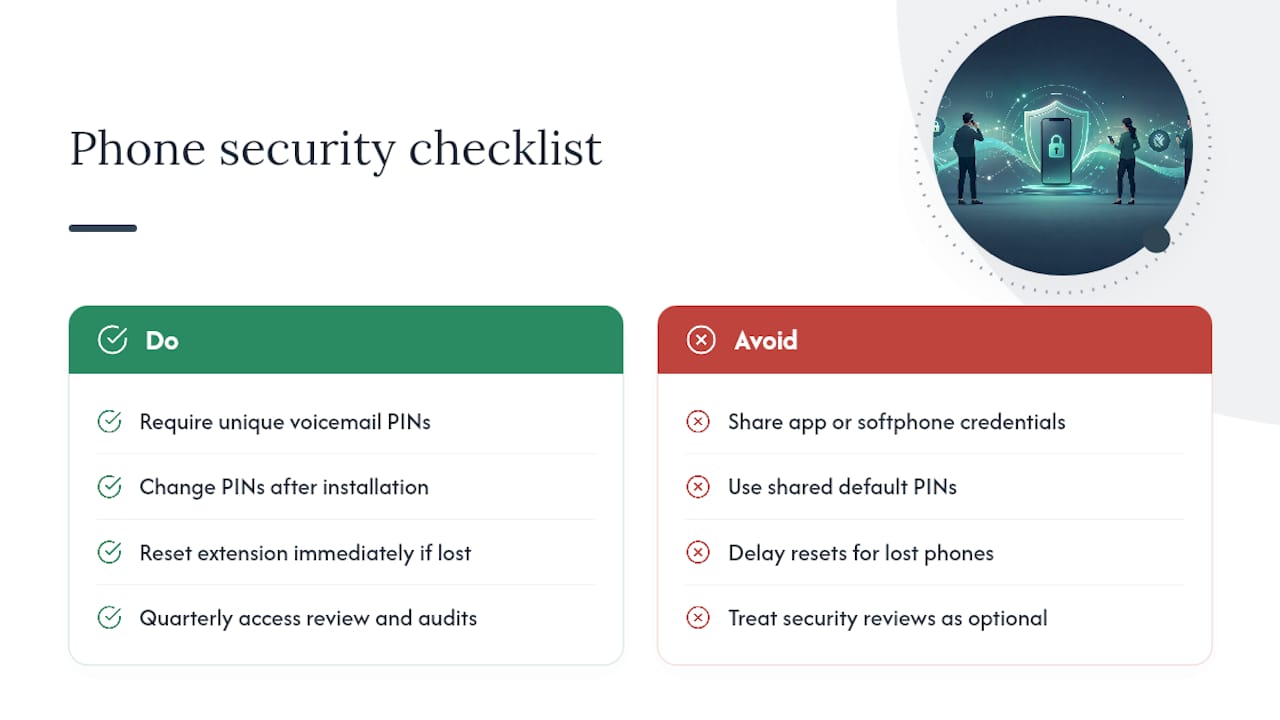
Require unique voicemail PINs for every extension, never a shared default, and change them immediately after installation. Staff should never share login credentials for the mobile app or softphone, especially on personal devices, and lost or replaced phones should trigger an immediate extension reset, not a "we'll get to it" note on someone's desk.
Call recording, if your system uses it, needs a clear policy: staff should know which calls are recorded, how long recordings are kept, and who can access them. This matters for industries handling sensitive customer information, financial services, healthcare-adjacent businesses, and property management among them, where call content may fall under privacy obligations.
Remote and multi-site teams add another layer. Extensions used from home or a satellite office should sit behind the same network checks as the main office, and IT should periodically audit who has access to which extensions, especially after staff turnover. A quarterly access review, wiping old accounts and confirming voicemail PINs haven't gone stale, takes fifteen minutes and closes a real gap. Build this into the same 30-day and quarterly cadence you use for adoption tracking, so security review isn't a separate project nobody schedules.
Tips for Effective Communication Etiquette and Professionalism on Phone Calls
The system can be flawless and calls can still go badly if staff haven't practiced how they sound on it. A few habits are worth building into every training session, regardless of role.
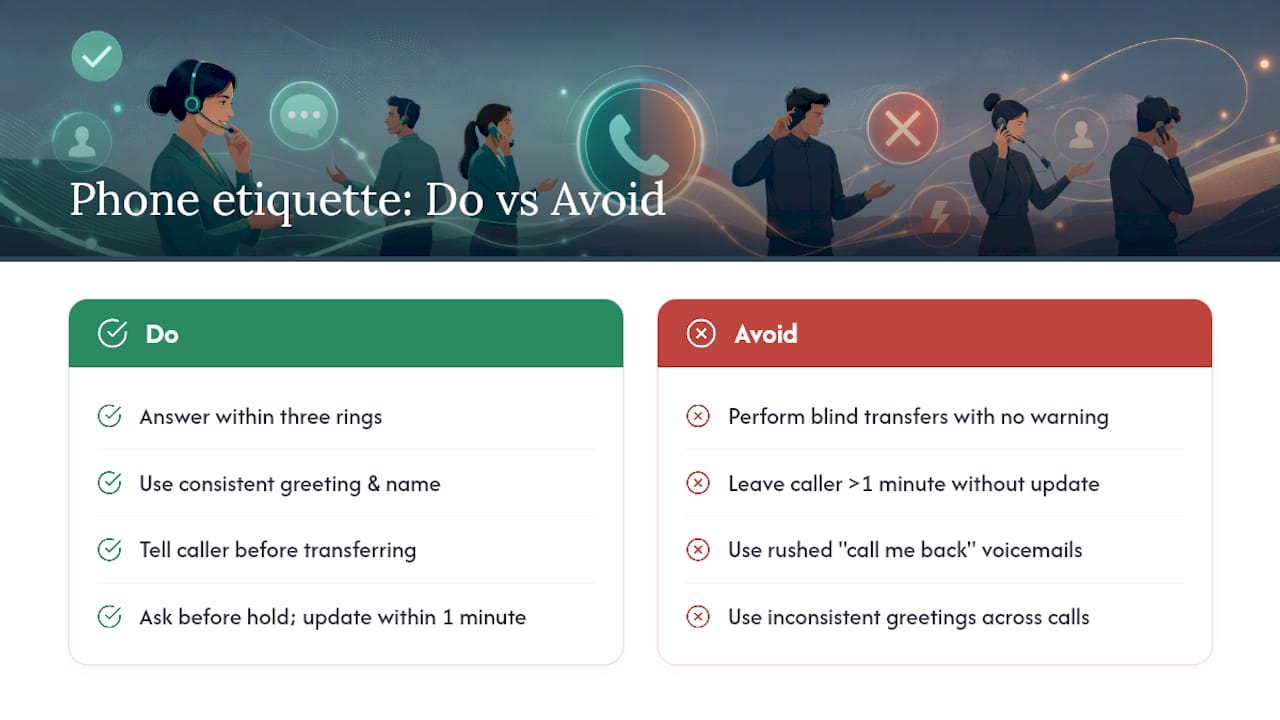
Answer within three rings when possible, and open with a consistent greeting, company name, individual name, and a simple "how can I help." Consistency here matters more than the exact wording; customers notice when every call sounds different.
Before transferring a call, tell the caller what's happening: "Let me connect you with billing, one moment." A blind transfer with no warning feels abrupt on the receiving end, and an attended transfer lets the receptionist confirm the right person is actually available before the caller gets bounced again.
Hold etiquette deserves its own thirty seconds of training. Ask before placing someone on hold, don't leave them there more than a minute without a status update, and thank them when you come back. On voicemail, a scripted line, name, reason for the call, and a callback window, produces far better message quality than "call me back" left in a rush.
None of this needs a separate workshop. Fold two or three minutes of etiquette practice into the receptionist and end-user sessions, right after the technical transfer drill, so staff connect the mechanics with how it should actually sound to the person on the other end.
Publisher Perspective and E-E-A-T: Businessvoip's Approach to Training
On-site training works better than a remote walkthrough for one simple reason: the trainer is standing next to the desk phone when something doesn't work. The technicians design, program, cable, and install the system before training even starts, which means the first session happens on hardware that's already confirmed working, not hardware someone's still troubleshooting over a video call.
That sequencing, install first, train second, is what shortens the gap between go-live and full staff competence.
— James
How Businessvoip Can Help
Businesses that buy a VoIP system and get a box of unconfigured phones in the mail end up running their own training program on hardware nobody's tested yet. This approach skips that problem entirely: the team designs, programs, cables, and installs the entire system on-site, then trains your staff on phones that are already confirmed working, not phones you're troubleshooting mid-session.

That on-site approach covers end users, receptionists, and admins in the same visit. Whether you're running a single office or coordinating multi-site and remote locations, the same local team handles installation and training start to finish. If your team is also planning phone routing tied into a CRM or automated workflow, it's worth reviewing a marketing automation checklist before your admin session so integrations get covered in the same visit. Start by requesting a custom phone system design or visit Businessvoip to see how a fully installed system and staff training come as one package.
Sources
For deeper admin reference, see the 2026 Ontario VoIP guide and receptionist training scripts for role-specific templates.
- The Complete Guide to VoIP Training
- Training Your Team on a New VoIP System: It’s Easier Than You Think
- How to Train Your Staff on a New VoIP
FAQ
How Long Should Staff Phone Training Sessions Last?
End-user sessions typically run 30 to 45 minutes, since most daily VoIP features can be taught in under an hour. Receptionists and admins need longer, up to 60 minutes for front-desk staff and up to two hours for IT covering provisioning and troubleshooting.
Who Should Be Trained First on a New Phone System?
Train admins and IT first so they can support everyone else during rollout, then receptionists, since they handle the highest call volume and most complex routing. End users come last, right before or on go-live day, so the training stays fresh.
Where Should We Store Training Materials for Staff?
Keep quick-start cards laminated near each desk phone, and store digital guides, recorded sessions, and the living FAQ on a shared drive or intranet page linked from your onboarding checklist. A phased rollout works best when materials are ready before the first session, not scrambled together afterward.
What Should IT Staff Learn Beyond Basic Phone Use?
IT needs training on provisioning new extensions, resetting voicemail PINs, checking network quality settings, and any CRM or helpdesk integrations. Vendor-provided admin training is recommended over letting IT staff learn the system through trial and error.
Does Businessvoip Provide Staff Training With Installation?
Yes. Businessvoip's Ontario team installs the entire phone system on-site and includes staff training as part of the rollout, so employees are working on confirmed, functioning hardware from the first session. Current pricing details are available at Businessvoip.