Use a ring group (ring-all) when a small, low-volume team needs every phone to ring at once for immediate coverage. Choose a hunt group pattern such as sequential, round-robin, or longest-idle when you need ordered handling, fairness among agents, or skills-based routing. The right call also depends on configuration details like no-answer timing and overflow, covered below.
TL;DR:
- A three line reception group can ring every front office phone together, then send unanswered calls to an auto attendant after four rings.
- Sales teams with five or more reps can use round robin or longest idle routing, which balances calls when volume shifts during the day.
- An after hours chain can ring the primary technician, a backup after 20 seconds, then a manager’s mobile before voicemail sends an email alert.
- When calls regularly exceed group capacity, use a queue to hold callers with music, position announcements, and reporting while agents become available.
- Set no answer windows with mobile app delays in mind, and test ring order, overflow, and mobile timing with three to five calls after changes.
Table of Contents
- How ring groups and hunt groups actually work
- Key differences at a glance: a decision checklist
- Common use cases and real-world examples
- Configuration checklist and admin settings to verify
- How an on-site provider configures and tests these groups
- Getting this right without the guesswork
- Getting your phone system set up right the first time
- FAQ
- Sources
How ring groups and hunt groups actually work
A ring group rings multiple extensions at the same time. Whoever picks up first gets the call, and everyone else's phone stops ringing. According to Vodia's documentation, a ring group distributes an incoming call to a group of extensions, and in older systems this same behavior was sometimes labeled a hunt group, which is why the two terms get tangled up in vendor marketing and support articles alike.

A hunt group, by contrast, usually implies some order or pattern to how calls move through the group rather than hitting everyone simultaneously. Avaya's IP Office documentation lists several ring modes under its group settings, including collective (simultaneous), sequential, rotary, and longest-waiting, each with its own configuration fields for no-answer time and user-list order.
The common patterns admins run into:
- Simultaneous (ring-all): every member's phone rings together until someone answers or the call overflows.
- Sequential (linear): the call rings one extension, then the next in a fixed order if unanswered.
- Round-robin (rotary): the starting extension rotates with each call so the same person isn't always first.
- Longest-idle: the call goes to whoever has gone the longest without taking a call, which spreads volume more evenly.
- Fewest-calls: routing favors the member who has handled the fewest calls in a given window.
- Skills-based: calls route to members tagged with the right skill or language, common in larger support teams.
Caller experience differs sharply across these. Ring-all feels instant since several phones ring at once, which is great for small offices but can mean three people all scramble for the same call. Sequential and rotary patterns introduce a short perceived wait as the system works through the list, and that wait grows if no-answer timers are set too long. Google Voice's ring group settings (and similar cloud PBX tools) typically let you set round robin, simultaneous, or fixed order, along with per-member ring time and a maximum total duration.
Device and presence behavior matters too. Most systems skip a member who's already on a call or whose device shows as busy, so a round-robin group won't double-ring someone mid-conversation. Multi-device setups, where a user has a desk phone, a softphone, and a mobile app all tied to one extension, add complexity because each device may have its own answer delay, and a slow-to-connect mobile app can eat into the group's no-answer window before a human even sees the call.
A reception desk with a small team answering walk-in and phone traffic together is a textbook ring-all scenario: speed matters more than fairness. A five-person sales team splitting inbound leads is a better fit for round-robin or longest-idle, since no one wants to watch a colleague get every third lead while standing idle.
Key differences at a glance: a decision checklist
The practical differences boil down to how a call is presented and how fairly work gets distributed.
- Call presentation: ring groups alert everyone at once; hunt groups alert members in a defined order or pattern.
- Caller wait behavior: ring-all answers fastest when staff are available; sequential and rotary add seconds per hop as the system works down the list.
- Team size suitability: ring-all suits two to five people; ordered patterns scale better to larger teams where fairness and coverage tracking matter.
- Fairness: round-robin and longest-idle distribute volume evenly; ring-all can let the fastest clicker take most calls.
- Admin overhead: ring-all is nearly zero-configuration; hunt patterns need ordering, timing, and overflow rules set and tested.
The trade-offs show up fastest in missed-call risk. Ring-all groups miss calls when everyone is simultaneously busy, since there's no queue, just a dead end unless overflow is configured. Hunt groups can still miss calls, but a well-built fallback chain (ring group member list, then voicemail, then a mobile number) catches more of them.
Pro Tip: If more than two people routinely argue about who was supposed to answer a call, that's usually a sign you need round-robin or longest-idle instead of ring-all.
A few quick signals point you one way or the other. Small reception teams and shared on-call lines lean toward ring-all. Sales teams splitting leads, support rotations tracking fairness, or any group where you need to prove even call distribution lean toward hunt patterns. If calls are backing up faster than staff can answer them regardless of pattern, that's a sign to look past both and consider a call queue.
Common use cases and real-world examples
Matching the pattern to the actual job gets easier with a few concrete flows.
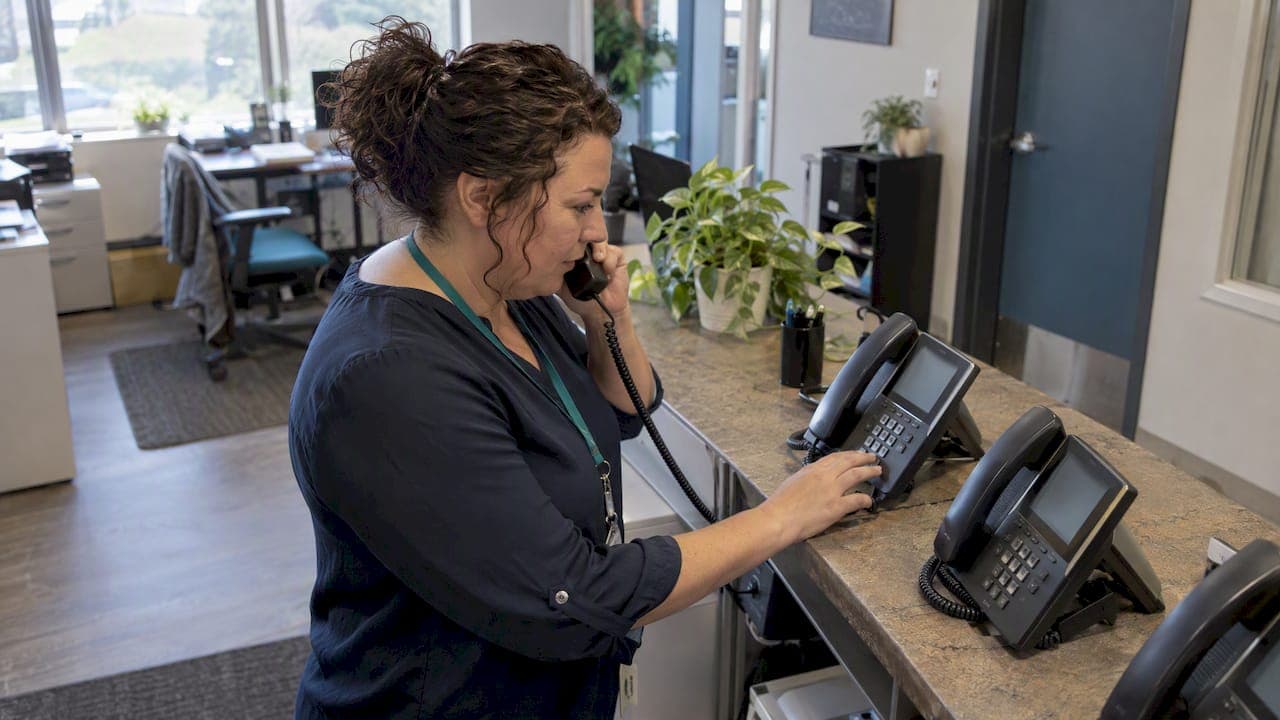
- Reception or shared front desk: a three-line ring-all group covering the main number is the standard setup. Calls hit every phone in the front office simultaneously, and overflow routes to an auto attendant after four rings if nobody's free.
- High-volume sales teams: a round-robin or longest-idle pattern keeps lead distribution fair across five or more reps. Longest-idle works well when call volume is uneven through the day, since it naturally rebalances toward whoever has been waiting.
- On-call and escalation lines: sequential patterns with a defined fallback handle after-hours support well. A typical chain rings the on-call tech first, then a backup after 20 seconds, then forwards to a manager's mobile, and finally drops to voicemail with an email alert if nobody answers.
- Moving from groups to queues: once call volume regularly exceeds what a ring or hunt group can absorb without dropped calls, a true call queue with hold music, position announcements, and reporting becomes the better tool. The practical difference between a queue and a group is explained well in this comparison of call queues and ring groups, which is worth reading before committing to either pattern for a growing team.
For escalation flows specifically, test the full chain end to end, not just the first hop. It's common to configure a perfect sequential order and never verify that the final fallback (often a personal mobile number) actually works when dialed from outside the office. Ready-made call flow templates can save time when mapping out these on-call or escalation structures before you touch the admin portal.
Skills-based routing and full ACD systems belong to a different conversation entirely, usually reserved for contact centers running dozens of agents across multiple queues. For most small and mid-sized teams, a well-tuned ring or hunt group handles the job without that added complexity.
Configuration checklist and admin settings to verify
Most routing failures trace back to a handful of settings that never got reviewed after initial setup.
- No-answer timing: Avaya's group settings documentation flags that recommended no-answer windows should account for mobile app clients, which often need a few extra seconds to connect compared to a desk phone.
- Overflow and fallback destinations: every group should end somewhere, whether that's an auto attendant, a shared voicemail box, or an external mobile number, and that destination needs to be dialed and tested, not just configured on paper.
- Ring mode selection: confirm whether the group is set to simultaneous, fixed order, or round robin, since some platforms default to a mode you didn't intend.
- Presence and device behavior: check how the system treats a member already on a call or showing "away" status, since this affects whether they're skipped or still rung.
- Membership and permissions: verify who's actually in the group, especially after staff turnover, and build a habit of pulling someone's extension from rotation during vacation rather than letting calls ring a desk nobody's at.
- Remote and mobile extensions: confirm remote team members' devices register correctly and ring within the expected window, a detail covered in this guide to remote extension setup.
Pro Tip: Run a 3 to 5 call acceptance test after any change: call to confirm ring order, call to confirm overflow actually triggers, and call a member on their mobile app specifically to confirm timing holds up there too.
If your overflow destination is an auto attendant, the recorded prompt matters more than most admins expect; a confusing or poorly paced greeting undoes a well-built routing chain. Professional recordings from a service like VoiceBros are worth considering if your current prompt was recorded on someone's cell phone in a quiet moment between meetings.
Log every test call with a timestamp and outcome. Without that log, a misrouted call reported days later is nearly impossible to trace back to its cause.
How an on-site provider configures and tests these groups
Ring and hunt groups are programmed as part of installation, not as an afterthought. An on-site network check is run, the phones are cabled and installed, and the group pattern, no-answer timing, and overflow destinations are configured before handing the system over. We then run acceptance tests on each line, including calls from outside the office to confirm fallback actually works.
For multi-site operations, reception desks, and after-hours routing, the call flow is built around how the business actually operates, not a generic template, and staff training is included so the team understands how the group behaves day to day.
Getting this right without the guesswork
Start with three steps: measure your actual call volume and how fast callers expect an answer, pick an initial pattern that matches your team size, and build in a tested fallback before you consider the job done. A ring-all group that quietly fails during a busy afternoon is a far more common problem than one that's too complicated.
If call volume keeps climbing past what a group can absorb, or fairness and reporting become real business requirements, that's the point to bring in a managed provider or move toward queue-based or skills-based routing. Most routing failures come down to settings nobody tested, not the wrong pattern.
— James
Getting your phone system set up right the first time
Picking between a ring group and a hunt group only matters if the system behind it is actually configured and cabled correctly, which is where a lot of self-managed VoIP setups fall apart. The system is designed, programmed, cabled, and installed on site, to ensure every phone works from day one instead of becoming a project your office manager inherits.

What that looks like in practice:
- On-site design and installation, including network checks and cabling, handled by a local team rather than a remote call center.
- Fixed pricing with no annual increases.
- Staff training and acceptance testing on your actual ring or hunt group setup before the job is called finished.
If you're weighing a DIY cloud PBX against something fully installed and supported, the difference usually shows up the first time a setting needs to change or a phone needs replacing. Our phone system design service starts with an assessment of your call volume and team structure so the right pattern gets built in from the start. Visit Businessvoip to get that assessment started.
FAQ
What does hunt group mean on a phone system?
A hunt group is a feature that routes an incoming call to one of several extensions based on a defined order or pattern, such as sequential, round-robin, or longest-idle. The goal is to distribute calls across a team rather than relying on one person or ringing everyone at once.
Why is it called a hunt group?
The name comes from the system "hunting" through a list of extensions in sequence or pattern until someone answers. Some older platforms used "hunt group" for what's now commonly called a ring group, which is why the terms still overlap in a lot of vendor documentation, as noted in Vodia's own documentation.
What is the main difference between a hunt group and a call queue?
A hunt group rings or routes calls directly to available extensions with no holding mechanism, so a call either connects or overflows to a fallback. A call queue holds callers in line with music or announcements while agents become available, which suits higher call volumes better than a simple group pattern, a distinction covered in this comparison of queues and ring groups.
What is a ring group?
A ring group rings multiple extensions simultaneously when a call comes in, and whoever answers first takes the call. It's a straightforward setup best suited to small teams that need immediate, all-hands coverage without ordered routing.
How do I choose between a ring group and a hunt group for a growing team?
Start with call volume and fairness needs: a ring-all group works until simultaneous calls routinely overwhelm the team, and fairness concerns point toward round-robin or longest-idle. Businesses with multiple locations or remote staff often benefit from a provider who can test the setup across sites, such as the multi-site and remote office configurations we build for Ontario businesses.