Yes, QoS fixes choppy calls, but only the ones caused by your own network. Set DSCP 46 (Expedited Forwarding) on RTP media, CS3 or AF31 on SIP signaling, and 802.1p CoS 5 at layer 2, then apply strict priority queuing on your WAN egress. The sequence is mark, queue, reserve. If your internet connection itself is the bottleneck, no amount of local marking will fix it.
TL;DR:
- Proper QoS markings, such as DSCP 46 for RTP and CS3 or AF31 for SIP, are essential but only effective if the internet connection can support the needed bandwidth.
- Accurate configuration requires marking traffic at the source, trusting switch ports to preserve those markings, and building priority queues with sufficient bandwidth reservation.
- Supporting tools like SQM with fq_codel or Fortinet's predefined QoS templates can simplify management on smaller or less complex networks.
- To ensure QoS effectiveness, traffic should be verified by packet captures at the WAN edge and through queue counters during active calls under load.
- Physical network verification, switch trust settings, VLAN segregation, and proper cable and provisioning checks are critical steps often overlooked but vital for reliable VoIP quality.
Table of Contents
- What Is QoS for VoIP, and Which Markings Actually Matter?
- How Do You Configure QoS for VoIP Step by Step?
- How Much Bandwidth Does VoIP Actually Need on Your WAN?
- Do VLANs and Switch Trust Settings Really Matter That Much?
- What About Wi-Fi? Does QoS Work the Same Way Wirelessly?
- How Do You Verify QoS Is Actually Working?
- Why Do Calls Still Sound Bad After QoS Is Configured?
- What Does a Real On-Site QoS Install Checklist Look Like?
- SQM or LLQ: Which One Fits Your Office?
- How Businessvoip Turns QoS Theory Into Working Phones
- Sources
What Is QoS for VoIP, and Which Markings Actually Matter?
Quality of Service for VoIP means tagging voice packets so routers and switches treat them differently from a file download or a video stream. Without that tagging, a single large upload can starve every call on the network, because standard routers process traffic first-in-first-out with no concept of urgency.
The industry has settled on a small set of values. RTP media, the actual voice audio, gets DSCP 46, known as Expedited Forwarding. SIP signaling, the call setup and teardown traffic, gets DSCP 24 (CS3) or 26 (AF31) depending on your platform's convention. At layer 2, voice VLANs carry 802.1p CoS value 5. These aren't arbitrary picks; they're the markings every major vendor, from Cisco to Fortinet, expects to see when you hand off traffic between devices.
Hitting the right marks is only half the job. You also need to hit specific performance targets, because voice degrades in ways data traffic never does. Cisco's own QoS guidance for voice, aligned with ITU-T G.114 recommendations, sets the bar at:
- One-way delay should be kept well under a few hundred milliseconds
- Jitter should be kept below a low tens of milliseconds
- Packet loss should be kept well below one percent
Pro Tip: If you want a single number to watch on a dashboard, jitter is usually the earliest warning sign of trouble, since it tends to spike before packet loss becomes visible.
Codec choice changes how much bandwidth each call actually needs, which matters when you're sizing a priority queue. G.711 runs roughly between low to mid tens of kbps per call including overhead, while G.729 compresses that down to a lower bandwidth range. These differences matter when sizing your WAN priority queue. That difference alone can double or triple how many simultaneous calls your WAN can support without a single hardware upgrade. For a deeper look at how these numbers translate into perceived call quality, our guide to MOS scoring for VoIP breaks down exactly what listeners hear when jitter or loss creeps above these thresholds.
How Do You Configure QoS for VoIP Step by Step?
Configuration follows a strict order: mark traffic first, build queues around those marks, then shape or reserve bandwidth so the queues have room to work. Skip a step and the ones after it have nothing to act on.
- Confirm or apply markings at the source. Most business-grade IP phones mark their own RTP and SIP traffic correctly out of the box. If yours don't, or if you're running a softphone through a PBX, set the marking at the application layer. Asterisk, for example, lets you configure
tos_audio=effor media and a CS3 value for signaling directly in the channel driver. - Set switch trust on voice access ports. Configure your access switches to trust CoS or DSCP markings coming from the phone, and build a dedicated voice VLAN so voice traffic never mixes with PC data on the same broadcast domain.
- Build a WAN egress policy with strict priority. On your router or firewall, configure a Low Latency Queue (LLQ) that gives DSCP 46 traffic strict priority, backed by a policer so voice can't monopolize the link and starve everything else. Pair it with a guaranteed, non-strict class for CS3/AF31 signaling.
- Reserve the right amount of bandwidth. SIPSymposium's configuration guidance recommends setting aside a moderate portion of total WAN capacity for the voice priority queue, adjusted for your actual concurrent call count.
For small offices without a full Cisco or Fortinet stack, Smart Queue Management (SQM) using fq_codel is a legitimate alternative. Instead of granular per-class marking, SQM attacks bufferbloat directly, keeping latency low across all traffic types without requiring you to hand-tune a queuing hierarchy. On Linux-based routers, a basic tc command stack using cake or fq_codel on the egress interface, combined with an iptables mangle rule to mark DSCP 46 on your VoIP subnet, gets you most of the way there in an afternoon. Fortinet's FortiSwitch and FortiGate platforms ship predefined voice QoS templates that map these same DSCP values to hardware queues through the GUI, which is worth checking before you write a single CLI command.
How Much Bandwidth Does VoIP Actually Need on Your WAN?
Sizing a voice queue is arithmetic, not guesswork. Multiply your peak concurrent call count by the per-call bandwidth of your chosen codec, then pad the result.
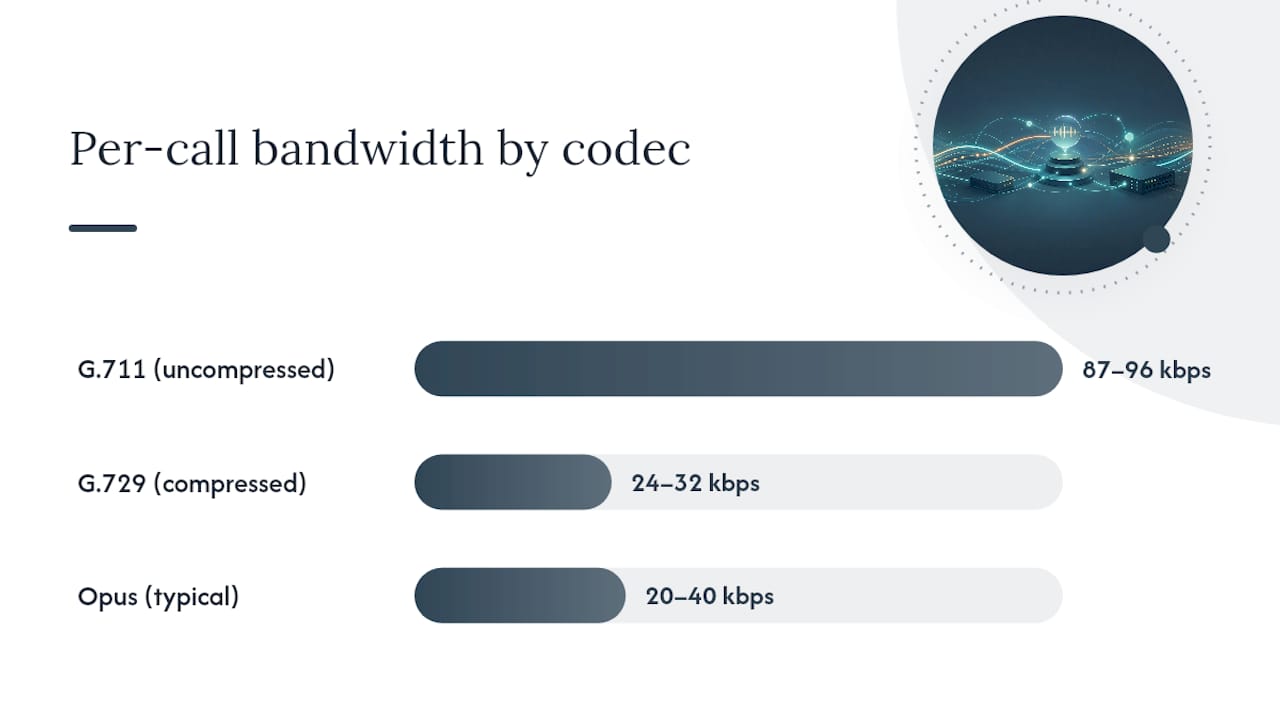
- G.711 (uncompressed): roughly 87 to 96 kbps per call with RTP and Ethernet overhead
- G.729 (compressed): roughly 24 to 32 kbps per call
- Opus: variable, typically 20 to 40 kbps for voice at standard settings, though it scales up if you push higher bitrates
Say your office runs 12 concurrent calls at peak, using G.711. Twelve calls at roughly 90 kbps each lands you at 1,080 kbps just for media, before signaling overhead. SIPSymposium's guidance recommends layering on roughly 20% headroom for signaling, retransmissions, and burst behavior, which pushes that number to around 1,300 kbps. That figure becomes either a fixed-kbps shaper setting on your priority class or a percentage of total WAN capacity, whichever your router's QoS engine supports.
Codec negotiation complicates this in practice. Two endpoints might negotiate down to G.729 automatically when bandwidth is tight, which is good for capacity but worth confirming, because a queue sized for G.729 traffic will overflow fast if a firmware update or SIP trunk change quietly switches everyone back to G.711.
Do VLANs and Switch Trust Settings Really Matter That Much?
They matter more than most engineers expect, because a marking applied at the phone means nothing if the next switch in line strips it or ignores it. Voice traffic needs its own VLAN, separate from data, with CoS 5 assigned inside that VLAN so every downstream device treats it consistently.
Switch trust settings determine whether a port honors the markings arriving from a device or overwrites them. You have two real options:
- Conditional trust using CDP or LLDP, where the switch verifies it's talking to a legitimate phone before trusting its markings
- Absolute trust, which trusts anything plugged into that port, including a PC someone connects after unplugging the phone
Conditional trust is the safer default for most offices, since it closes an easy path for a malicious or misconfigured device to fake voice-priority markings and jump the queue. Before rolling out a voice VLAN across an office, run through PoE budget, VLAN tagging on the phone's data port passthrough, and switch port configuration to confirm PC traffic can't spoof CoS 5. Our detailed walkthrough on setting up a VoIP VLAN covers the LLDP negotiation quirks that trip up most first-time installs.
What About Wi-Fi? Does QoS Work the Same Way Wirelessly?
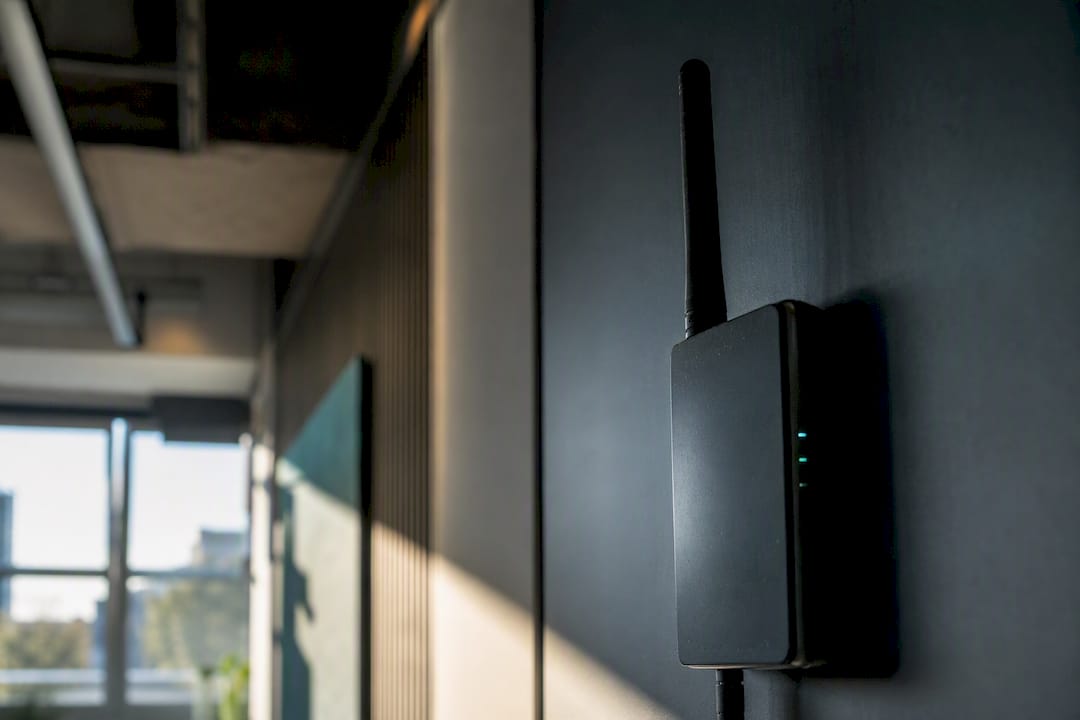
Wireless changes the math because airtime, not bandwidth, is the scarce resource. WMM (Wi-Fi Multimedia) maps voice traffic to the AC_VO access category, which should correspond directly to your DSCP 46 marking, but only if your wireless controller actually honors that mapping end-to-end instead of resetting it at the access point.
A few design choices make or break wireless voice quality:
- Put voice devices on a dedicated SSID and VLAN so you can apply distinct QoS policy without touching data traffic
- Plan access point density and channel assignment carefully; voice is far less tolerant of retransmissions than a data session
- Watch for video streaming competing for airtime on the same access category, since poorly configured devices sometimes misclassify video as voice priority
- Tune roaming aggressiveness on handsets and soft clients to reduce the audio gaps that happen mid-handoff between access points
How Do You Verify QoS Is Actually Working?
Configuring QoS and confirming it works are two different tasks, and skipping the second one is how offices end up with a policy that looks correct on paper but does nothing in practice.
- Capture traffic at the WAN egress. Run a quick
tcpdumportsharkcapture during an active call and confirm DSCP 46 is still present on the RTP packets by the time they leave your network. If it's gone, something upstream is stripping it. - Read your queue counters. On Cisco gear,
show policy-map interfaceshows you exactly how many packets have hit each class, including how many were dropped for exceeding the policed rate. On Linux,tc -s qdisc showgives the equivalent breakdown. - Run a loaded test. Start a call, then kick off a large file transfer or speed test in the background, and compare jitter and latency against a baseline call with no competing traffic.
If the numbers hold steady under load, your policy is doing its job. If jitter spikes the moment that file transfer starts, the priority class either isn't catching the right traffic or isn't sized correctly.
Why Do Calls Still Sound Bad After QoS Is Configured?
Most "QoS isn't working" complaints trace back to one of four causes, roughly in order of frequency.
- The problem is on the ISP's side, not yours. Providers routinely strip or ignore customer DSCP markings at their network edge, so no amount of internal QoS configuration fixes jitter or loss happening upstream of your router. If a loaded test inside your LAN shows clean results but calls still degrade, the issue is almost certainly the internet leg itself.
- DSCP is being stripped somewhere in the path. A switch set to absolute trust with the wrong defaults, an older firewall that rewrites TOS bytes, or a misconfigured access port can all erase your markings before they reach the WAN.
- Queues are drops instead of priority. Check your exceed counters. If the voice class is dropping packets under normal load, your policed rate is too conservative for your actual concurrent call count.
- Trust settings are backward. A common mistake is trusting the PC data port instead of the phone's voice VLAN, which lets bulk file transfers ride in the priority queue while calls get stuck behind them.
Pro Tip: When a call quality complaint comes in, ask whether it happens on calls to specific numbers or all calls. Consistent trouble on all calls usually points to your LAN or WAN configuration; trouble limited to certain destinations usually points to the carrier or the far end.
Quick mitigations while you investigate: switch temporarily to SQM if you don't have a tuned LLQ policy yet, force a lower-bandwidth codec like G.729 to reduce pressure on a congested link, or arrange a temporary bandwidth increase with your provider during peak periods. If ISP-side instability is a recurring pattern rather than a one-off, a failover internet setup is worth evaluating so a single provider outage doesn't take every call down with it. A partner troubleshooting guide from Mavericks Office Solutions walks through a similar diagnostic order if you want a second reference point.
What Does a Real On-Site QoS Install Checklist Look Like?
Configuration guides assume a clean network. Real offices rarely are, which is why on-site verification catches problems a remote config review never would.
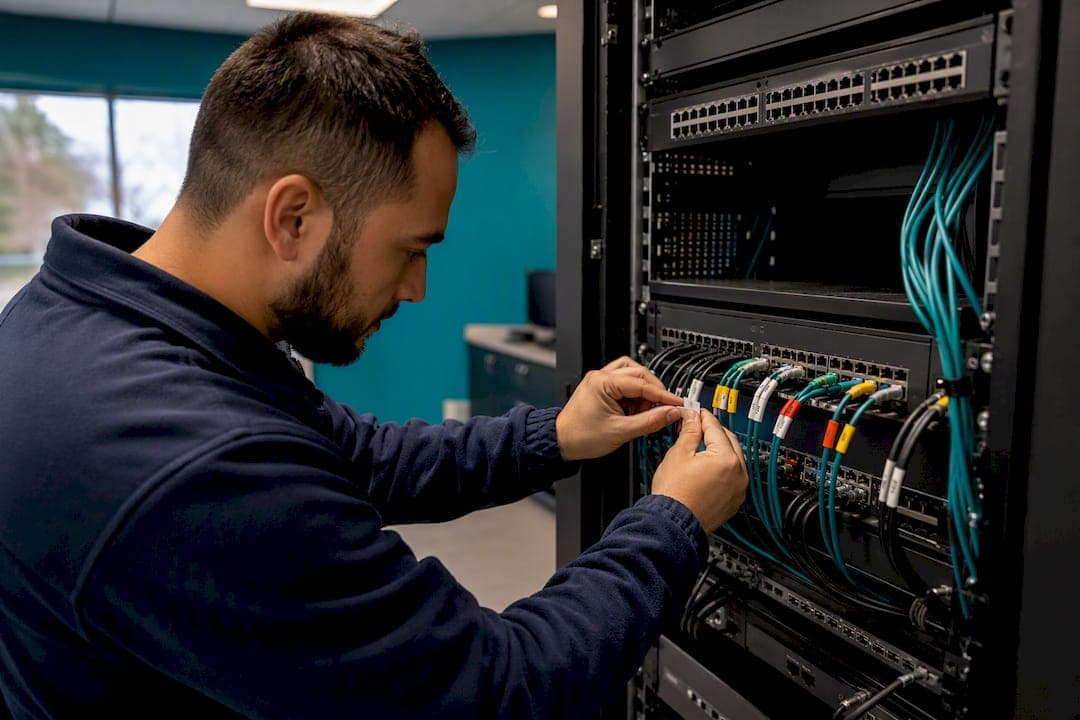
- Physically trace cable runs to confirm phones land on the intended access switch and VLAN, not a leftover data port from a previous layout
- Check PoE budget on the switch against actual phone draw, since underpowered ports cause intermittent reboots that look like network trouble
- Verify VLAN tagging arrives correctly at each phone, not just at the switch configuration screen
- Confirm phone provisioning applied the intended DSCP and CoS values, not factory defaults
- Capture DSCP values both at the phone's uplink and again at the WAN egress to confirm nothing strips them in between
That last check catches more problems than any other single step. It's common to find a phone marking traffic correctly while an intermediate switch, set to absolute trust with the wrong default CoS map, quietly overwrites it before the packet ever reaches the router. Businessvoip's installers run this exact sequence on every deployment, because a policy that looks correct in a configuration file and a policy that survives contact with the actual physical network are frequently two different things.
SQM or LLQ: Which One Fits Your Office?
Pick SQM if you're running a small office with mixed traffic, limited networking staff, and no strict SLA to hit; fq_codel does most of the heavy lifting with minimal ongoing tuning. Pick manual LLQ if you're running many concurrent calls, have dedicated IT staff, or need guaranteed bandwidth for a service commitment. Check your link speed, peak concurrent call count, and who's available to maintain the config before deciding. Past a dozen or so simultaneous calls, the manual approach earns its complexity.
— James
How Businessvoip Turns QoS Theory Into Working Phones
Reading a QoS guide gets you the right values to type. Making those values survive contact with your actual switches, your actual cabling, and your actual ISP handoff is a different job entirely, and it's the one Businessvoip's Ontario-based team handles on-site for every install.

The service covers the full chain: voice VLAN design, switch trust configuration, WAN egress shaping, and packet capture verification before the install is called done, not after a complaint comes in. Businessvoip physically cables, provisions, and tests every phone on-site rather than shipping a box and leaving the QoS work to whoever's available in-house that week. That matters most for multi-site operations and businesses running remote office integrations, where a marking that gets dropped at one location's switch can degrade call quality for an entire team without anyone spotting the root cause for weeks. Fixed pricing applies regardless of how much on-site tuning a location needs, and rented phones carry a lifetime warranty. If your calls are choppy and you'd rather have someone verify the fix in person than debug it over email, get your phone system designed and installed by a team that checks DSCP values at the phone and at the WAN edge before they consider the job finished.
Sources
- VoIP QoS Configuration — DSCP Marking, Priority Queuing & WAN QoS | SIPSymposium
- Asterisk documentation — IP Quality of Service
- Configuring a voice QoS policy | FortiSwitch 7.6.4