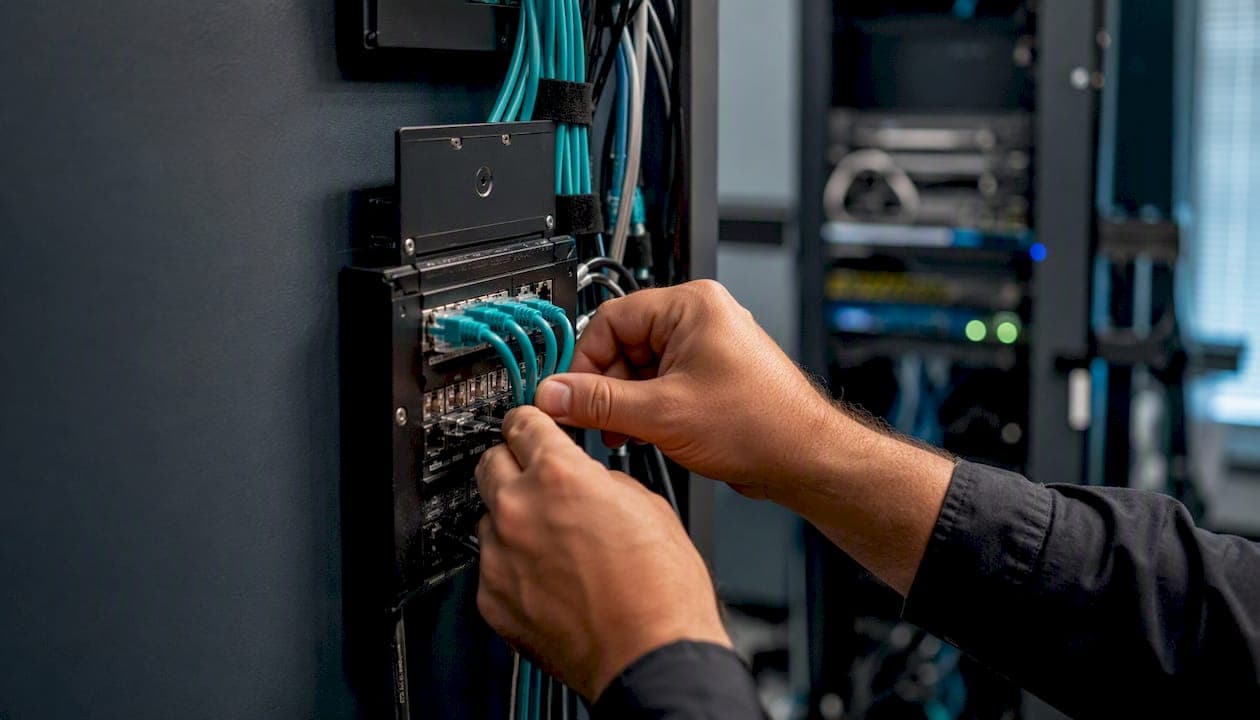
Your business controls a phone number when it is the account holder, or customer of record, with the carrier. That status determines whether you can port, reassign, or route that number to an on-site VoIP system. The carrier and NPAC recognizes the account holder as the authoritative party for any transfer request.
Three things to do right now if you need to prove or transfer control:
- Do not cancel your current service. CRTC guidance is explicit: canceling before a port is initiated almost always forces you to get a new number.
- Have your new provider submit the port request. The old carrier cancels service automatically on receipt of that notice.
- Pull your most recent bill. You need the account number, service address, and billing name before anything else moves.
Key Takeaways
Business phone number control belongs to the carrier's named account holder, and proving that status with a clean LOA and matching account documents is what makes a port succeed.
| Point | Details |
|---|---|
| Account holder controls the number | The carrier recognizes the customer of record; match every LOA field to the account exactly. |
| Never cancel before porting | Canceling first almost always forces a new number; let the new provider submit the transfer. |
| Port timelines vary by type | Simple wireline ports take about two business days; intermodal and bulk ports take longer. |
| Harden accounts before a port | Enable a port freeze, set a strong PIN, and restrict carrier portal access to named staff. |
| Businessvoip manages the full process | On-site LOA prep, port submission, cutover, and E911 resubmission handled by a local Ontario team. |
Table of Contents
- What does phone number ownership actually mean for a business?
- How to prove your business controls a number
- Step-by-step: how to port numbers to an on-site managed VoIP system
- How long ports usually take and what they cost
- Preventing and responding to number hijacking
- Operational checks to run before you port
- Why a port request may be rejected and what to do next
- Checklist and questions to ask your on-site VoIP installer before a port
- If you can't port the number: practical fallback options
- What on-site installs actually teach you about porting
- Businessvoip handles the port so your team doesn't have to
- Sources
What does phone number ownership actually mean for a business?
The phrase "phone number ownership" covers two separate things that IT teams often conflate. The first is carrier-level account control: who the carrier bills, who can authorize changes, and who can sign a Letter of Authorization (LOA) to move a number. The second is administrative assignment: which DID (Direct Inward Dial) maps to which SIP trunk, PBX extension, or hunt group inside your building.
You control the first layer by being the named account holder. You control the second layer through your PBX or SIP trunk configuration, which your on-site system administrator or VoIP installer manages directly.
The flow looks like this: carrier assigns a DID to your account, NPAC records the routing via a Location Routing Number (LRN), the LRN points to your SIP trunk, and your on-prem PBX routes the call to the right extension. NPAC's LRN method is what makes service provider portability technically possible. Disrupt any link in that chain and calls fail, E911 breaks, or billing goes to the wrong entity.
How to prove your business controls a number
Carriers and NPAC require specific evidence before they will process a port. Gather all of this before you contact anyone:
- Recent bill showing the account number, service address, and the exact billing name on the account.
- Signed LOA that includes: company legal name, service address, telephone number(s) to be ported, account number, account PIN or password, authorized signer's name and title, and the date.
- Corporate authorization: the signer must have authority to bind the company. A title like "Office Manager" or "IT Director" is usually accepted; a sole proprietor signs personally.
- EIN or business number if the carrier asks for additional identity verification.
When the billing name differs from your legal company name, include DBA paperwork or articles of incorporation. Carriers match the name on the LOA to the name on the account exactly. A single-word mismatch is enough to reject the port. Check your bill carefully before you type anything into the LOA.
Pro Tip: Scan and store your most recent carrier bill, your LOA template, and your account PIN in a shared, access-controlled folder. When a port request is time-sensitive, having these ready cuts preparation time from days to hours.
Step-by-step: how to port numbers to an on-site managed VoIP system
- Confirm the account holder. Verify the legal name, service address, and account number on the current carrier bill match what you will write on the LOA.
- Prepare the LOA. Complete every required field. An incomplete LOA is the single most common cause of port rejection.
- Confirm SIP trunk readiness. Your new provider must have a SIP trunk provisioned and a routing plan in place before the port date. On-site PBX programming should be staged in advance.
- Submit through the new provider. Your new carrier submits the port request to NPAC. You do not contact the old carrier to cancel.
- Monitor NPAC status. Your new provider should give you a Firm Order Commitment (FOC) date. That is your scheduled cutover window.
- Execute cutover on the port date. At the agreed time, update the PBX routing tables, confirm the SIP trunk is receiving calls, and test immediately.
- Run the post-port checklist. Test inbound and outbound calls on every ported number. Verify E911 civic address registration. Update CRM caller ID records, fax configurations, and any API integrations that reference the old number.
How long ports usually take and what they cost
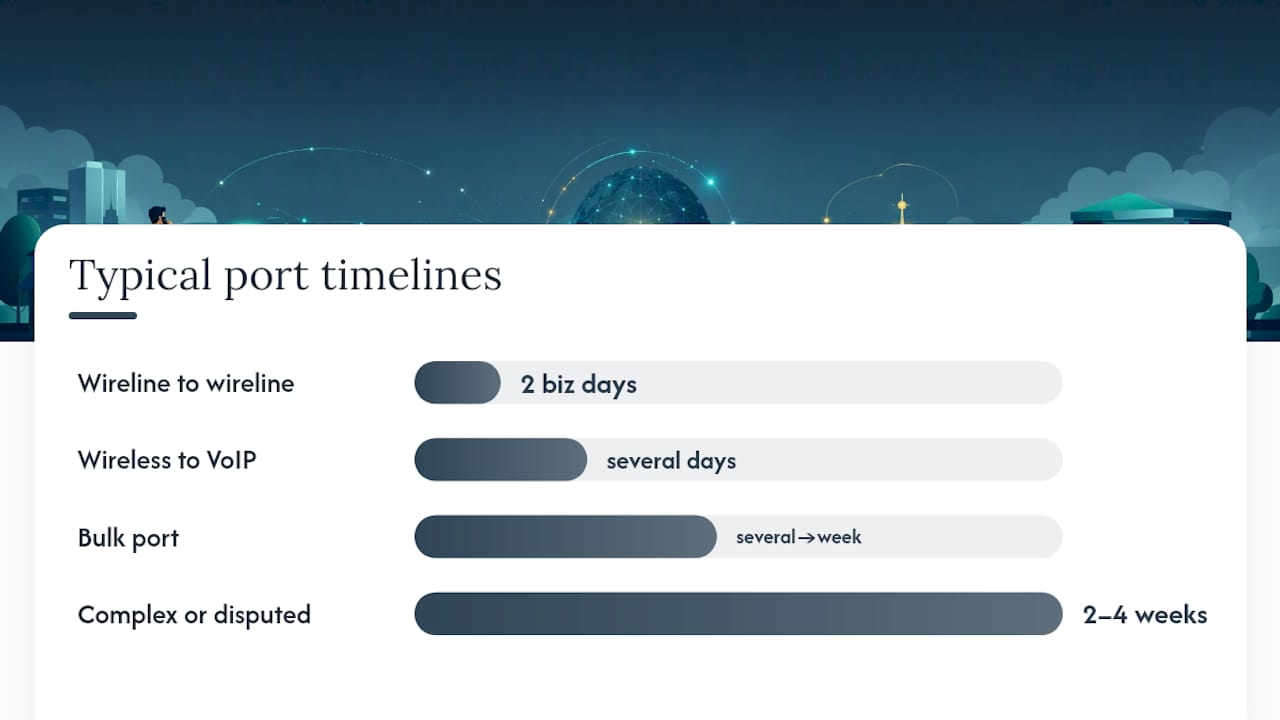
CRTC Telecom Decision 2005-72 set a two-business-day service interval for simple wireline-to-wireline ports and referenced a 2.5-business-hour target for some straightforward intermodal scenarios. In practice, timelines vary by port type.
| Port type | Typical timeline | Notes |
|---|---|---|
| Wireline to wireline (same exchange) | 2 business days | Fastest scenario; requires clean LOA and matching account details |
| Wireless to VoIP (intermodal) | several business days | CO code/LRN arrangements add steps; CRTC 2006-28 notes bulk porting constraints |
| Bulk port (multiple numbers) | several business days to over a week | Requires carrier coordination; staging reduces risk |
| Complex or disputed port | 2–4 weeks | Mismatched records, geographic restrictions, or escalations |
Common costs include per-number porting fees from the losing carrier, one-time SIP trunk configuration fees from the new provider, and PBX programming time if extensions need reassignment. Bulk ports often carry a flat fee rather than a per-number charge.
Pro Tip: Request a bulk port for any block of five or more numbers. Carriers process them as a single transaction, which reduces the window where some numbers are live on the new system and others are not.
Preventing and responding to number hijacking
Port-out fraud, where someone submits a fraudulent LOA to steal your business number, is a real threat for high-call-volume DIDs.
Hardening steps to take now:
- Enable a port freeze (also called port-out protection) on every mission-critical number. This requires additional verification before any port request is accepted.
- Set a strong account PIN on your carrier account and change it after any staff turnover.
- Enable MFA on all carrier portal logins.
- Require notarized LOAs for numbers tied to your main published line or toll-free numbers.
- Restrict portal access to named individuals and log who holds credentials.
If you suspect an unauthorized port has been initiated, contact both your current and new carrier immediately. File a complaint with the CRTC if the carrier does not respond within 24 hours. Preserve all bills, LOA copies, and carrier communications as evidence. Notify customers through alternate channels while the number is in dispute.
Pro Tip: Ask your carrier to flag your account for manual review on any port request. Some carriers offer this as a no-cost account note; it adds one business day but stops automated fraud attempts cold.
Operational checks to run before you port
A port date is not the time to discover that your E911 address is wrong or that your CRM pulls caller ID from a field that still shows the old number. Run these checks at least five business days before cutover:
- E911: Confirm the civic address registered to each DID matches your physical location. After the port, resubmit the E911 registration through your new provider and test with a non-emergency call to your local PSAP.
- CRM and caller ID: Update outbound caller ID settings in your PBX and in any CRM telephony integration. Outbound calls that show the wrong number confuse customers and break call-matching logic.
- Fax lines: T.38 fax-over-IP requires separate configuration. Confirm your new SIP trunk supports T.38 and that fax DIDs are included in the port request.
- SIP trunk and network: Verify NAT traversal settings, firewall rules for SIP/RTP ports, and QoS tagging on your LAN. On-site VoIP equipment is sensitive to jitter and packet loss; a VoIP calling guide for Ontario covers the specific QoS parameters worth checking.
- Voicemail and auto-attendant: Re-record greetings that reference the old number and update IVR prompts.
Why a port request may be rejected and what to do next
| Rejection reason | Immediate fix | Escalation if fix fails |
|---|---|---|
| Name mismatch on LOA | Resubmit with exact billing name; attach DBA docs if needed | Request carrier account reconciliation in writing |
| Missing or wrong account PIN | Retrieve PIN from carrier portal or call carrier support | Ask carrier to reset PIN with identity verification |
| Service already cancelled | Port is likely impossible; request a new DID | Contact CRTC if carrier cancellation was unauthorized |
| Wrong service address | Correct address on LOA to match bill exactly | Provide utility bill or lease as secondary address proof |
| Geographic/rate-centre restriction | Request a new local DID in the target exchange | CRTC 2016-345 governs location porting zones; cite it in your dispute |
Geographic restrictions are the hardest to overcome. Carriers may decline a port-in if the number falls outside their serving exchange, and CRTC 2005-72 acknowledges that intermodal and complex ports carry additional constraints. If the port cannot proceed, move to the fallback options in the section below.
Checklist and questions to ask your on-site VoIP installer before a port
Before signing with any installer, get written answers to these:
- Who submits the port request, and do they have a direct carrier relationship or do they use a third-party aggregator?
- What LOA template do they provide, and does it include all required fields for your carrier?
- Who executes the cutover, and what is the rollback plan if calls fail at the port window?
- Does on-site programming and testing happen the same day as the port?
- How do they handle E911 resubmission after cutover?
Deliverables to request in writing: signed LOA templates, a pre- and post-cutover test plan, E911 submission confirmation, and updated documentation for your CRM and billing systems.
Pro Tip: Ask your installer to run a live inbound and outbound test call on every ported number with a staff member present before they leave the building. Problems found on-site take minutes to fix; problems found the next morning take hours.
If you can't port the number: practical fallback options
When a port is denied or delayed, the priority is keeping calls reaching your business. Set up call forwarding from the old number to a new local DID immediately. Most carriers allow forwarding even on accounts pending cancellation.
Parallel ringing or hunt groups let you run both numbers simultaneously while you resolve the port or communicate the change. Update your website, Google Business Profile, email signatures, and voicemail greetings within 24 hours of knowing the port will not complete on schedule. A brief, direct voicemail message ("Our main number has changed to [new number]; please update your records") handles most customer confusion.
For multi-site operations, a SIP interconnect between your old carrier and new on-site system can bridge calls temporarily. This is a short-term fix, not a permanent solution, but it preserves continuity while the dispute or new number assignment resolves.
What on-site installs actually teach you about porting
The problems that delay ports are almost never technical. They are administrative: an LOA signed by someone whose title does not match the carrier's authorized-signer list, a service address that was updated with the carrier two years ago but never updated on the bill template the office manager kept, or an account PIN that was set by a former IT contractor and stored nowhere.
The fix is always the same: call the carrier before the port date, verify every field on the account, and match the LOA to what the carrier actually has on file, not what you think it should say. Pre-staging phones on the correct VLAN and verifying QoS settings before the port window means the network is ready the moment calls switch over. Running a live test call with a customer or colleague on the line at cutover catches routing errors in real time.
For multi-site deployments, the same discipline applies at each location. Businessvoip's experience with multi-site and remote office installations shows that the sites that port cleanly are the ones where someone confirmed the account details two weeks before the scheduled date, not two hours before.
Businessvoip handles the port so your team doesn't have to

Porting numbers to an on-site VoIP system involves carrier coordination, LOA preparation, NPAC timing, E911 resubmission, and same-day PBX programming. Businessvoip's local Ontario team handles every one of those steps on-site, within about 150 km of Ancaster and on larger projects province-wide.
The service includes LOA templates, port submission, cutover execution, and a live post-cutover test before the installer leaves your building. Fixed pricing means no surprise fees, and rented phones carry a lifetime warranty. If you want a port plan and on-site quote, start with a phone system design or contact the team directly to schedule a site survey.
Sources
Bookmark these before you start any port or dispute:
- Switch providers and keep your number | CRTC
- LNP FAQs / FAQs / Public Knowledgebase / Resources / Home - Number Portability Administration Center
- Telecom Decision CRTC 2016-345 | CRTC
- Telecom Decision CRTC 2006-28
Keep screenshots of every carrier communication, FOC notice, and NPAC status update. If a port stalls or a dispute arises, that paper trail is what the CRTC and your carrier will ask for first.