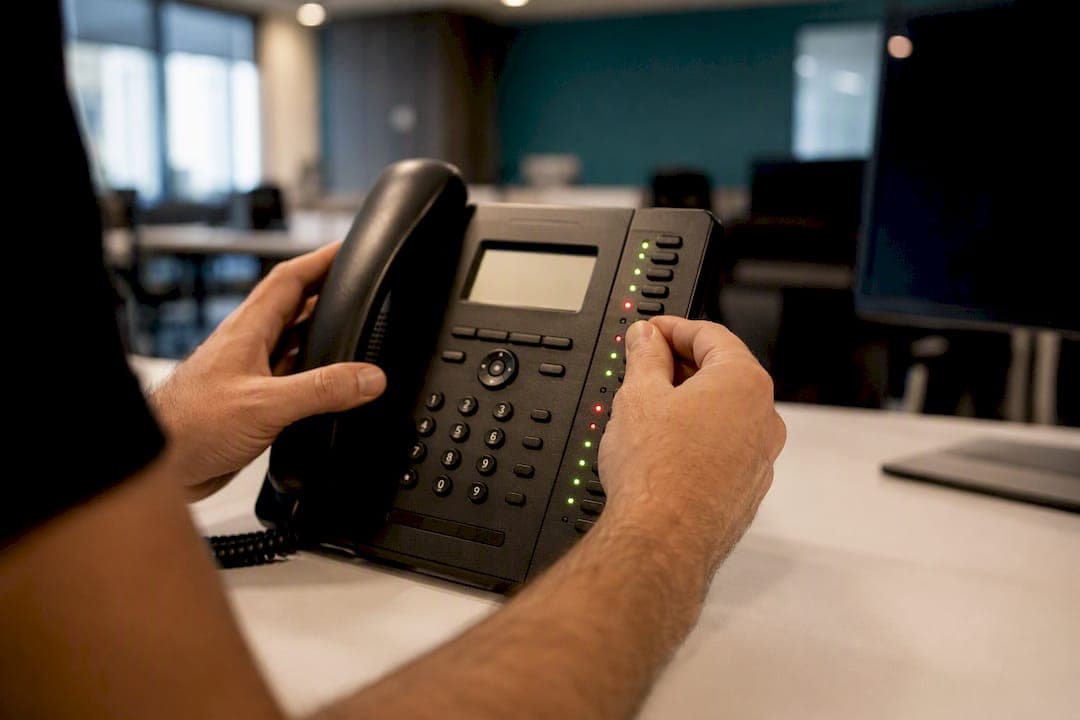
A busy lamp field shows the real-time status of other extensions on a phone system so anyone watching can see, at a glance, who's on a call, who's free, and who's ringing. The immediate payoff is speed: calls get transferred to an available person on the first try instead of bouncing around the office. You'll typically spot it as:
- A row of illuminated buttons or a sidecar module next to a receptionist's desk phone
- Colored status icons next to contact names in a softphone app or call center dashboard
- Programmable keys on an IP phone that double as one-touch speed dial and transfer buttons
Key Takeaways
A busy lamp field speeds up call handling by showing real-time extension status, and its reliability depends entirely on correct monitored-list setup, licensing, and clean SIP presence routing.
| Point | Details |
|---|---|
| BLF shows live status | Extensions display as idle, busy, or ringing so calls route to available staff on the first try. |
| Colors follow a standard code | Green means idle, red means busy, blinking red means ringing, amber usually signals a config error. |
| Presence relies on SIP SUBSCRIBE/NOTIFY | Firewall or routing issues on that traffic are the leading cause of frozen or stale lights. |
| Lists have limits and ordering rules | Many systems cap monitored users around 50 and require deliberate key ordering before provisioning. |
| On-site setup avoids configuration errors | Businessvoip installs and provisions BLF in person, catching key-ordering and sidecar issues before go-live. |
Table of Contents
- What Is a Busy Lamp Field, and Who Actually Uses One?
- Reading the Lights: What Each BLF Status Actually Means
- What a Busy Lamp Field Actually Buys You Day to Day
- The SIP Mechanics Behind the Lights
- Setup and Compatibility: What to Check Before You Turn It On
- Configuring BLF: The Admin Steps That Matter
- Fixing BLF When It Stops Working Right
- When On-Site Installation Prevents BLF Headaches
- Why the "Just Enable It" Advice Undersells BLF
- Getting BLF Right the First Time
- Sources
What Is a Busy Lamp Field, and Who Actually Uses One?
A BLF monitors the presence, or live call state, of specific extensions or SIP addresses that an administrator has assigned to it. That's the whole mechanism: pick who gets watched, and the system reports back whether they're free, busy, or ringing in something close to real time. According to OnSIP, this real-time visibility is what separates BLF from a static company directory.
The people who lean on it hardest are the ones standing between a caller and the right employee:
- Front-desk receptionists and switchboard operators fielding a constant stream of transfers
- Team leads and supervisors who need to know who's available before pulling someone into an urgent call
- Sales and support staff covering for each other during peak call volume
A speed dial button just dials a number blind. A BLF key shows you the outcome before you press it. That distinction is the whole reason offices install it: no more transferring a caller to someone's voicemail because you guessed wrong.
Reading the Lights: What Each BLF Status Actually Means
Every BLF color and blink pattern is a shorthand for what's happening on that extension right now, and misreading it wastes exactly the time the feature is supposed to save. The core codes are fairly standard across most IP phone systems:
- Green (solid): The extension is idle and available to take a call
- Red (solid): The person is currently on a call
- Red (blinking): The extension is ringing, an incoming call is alerting right now
- Amber or orange: Something is misconfigured, not necessarily that the phone itself is broken
- Unlit or grayed out: The device is offline, unregistered, or hasn't been provisioned yet
Per ic.uk's knowledge base, that amber or orange state is one of the most misunderstood signals in the whole system. Staff often assume it means a dead handset, when it's usually a presence or configuration issue on the back end rather than a hardware fault. Softphones tend to mirror the same logic with text labels or colored dots ("Available," "In a Call," "Do Not Disturb") instead of physical LEDs, and hold or park states sometimes get their own distinct indicator so a receptionist can tell "on a call" apart from "parked and waiting for pickup."
Pro Tip: Train new receptionists on the amber/orange state specifically. It's the one status that gets misread as a broken phone, and most of the time it just needs a config fix, not a truck roll.
What a Busy Lamp Field Actually Buys You Day to Day
The return on enabling BLF shows up in fewer transfer failures and shorter hold times, since the person routing the call can see availability before they ever pick up the line. A few concrete wins:
- Faster, more accurate transfers. The person routing the call knows instantly who's free instead of guessing or asking the caller to hold while they check.
- Fewer callers stuck in transfer limbo. No more sending someone to an extension that's already ringing or already occupied.
- Better coverage for distributed teams. A softphone user working from a second location still shows up correctly on the main office's BLF panel, so remote staff aren't invisible to the front desk.
- Smarter load balancing during busy periods. Supervisors watching a BLF panel across temp and staffing agency dispatch lines or a shared support queue can spot who's overloaded and route accordingly.
The ROI concentrates in a few specific spots: reception desks, small contact centers, and any shared line where multiple people could plausibly answer. If nobody's routing calls to specific people throughout the day, BLF matters a lot less.
The SIP Mechanics Behind the Lights
Under the hood, a BLF key works by subscribing to presence information over SIP, using SUBSCRIBE and NOTIFY messages exchanged between the monitoring phone and the system tracking each extension's state. When status changes, a NOTIFY message pushes the update back to every device watching that extension, which is why lag usually traces back to network plumbing rather than the phone itself.
A few technical realities worth flagging for whoever manages your network:
- SUBSCRIBE/NOTIFY traffic needs a clean path through the firewall; blocked or delayed presence traffic is a common cause of stale or frozen lights
- Every monitored entity, whether it's an extension or a full SIP URI, has to be explicitly authorized to be watched, according to Cisco's presence configuration documentation
- Most systems cap how many users a single BLF list can monitor, often around 50, and the order those users appear in matters for how keys get assigned on physical devices
That cap and the ordering rule are easy to overlook until you're mid-deployment and realize the sales team's extensions got bumped off a sidecar because reception's list filled up first.
Setup and Compatibility: What to Check Before You Turn It On
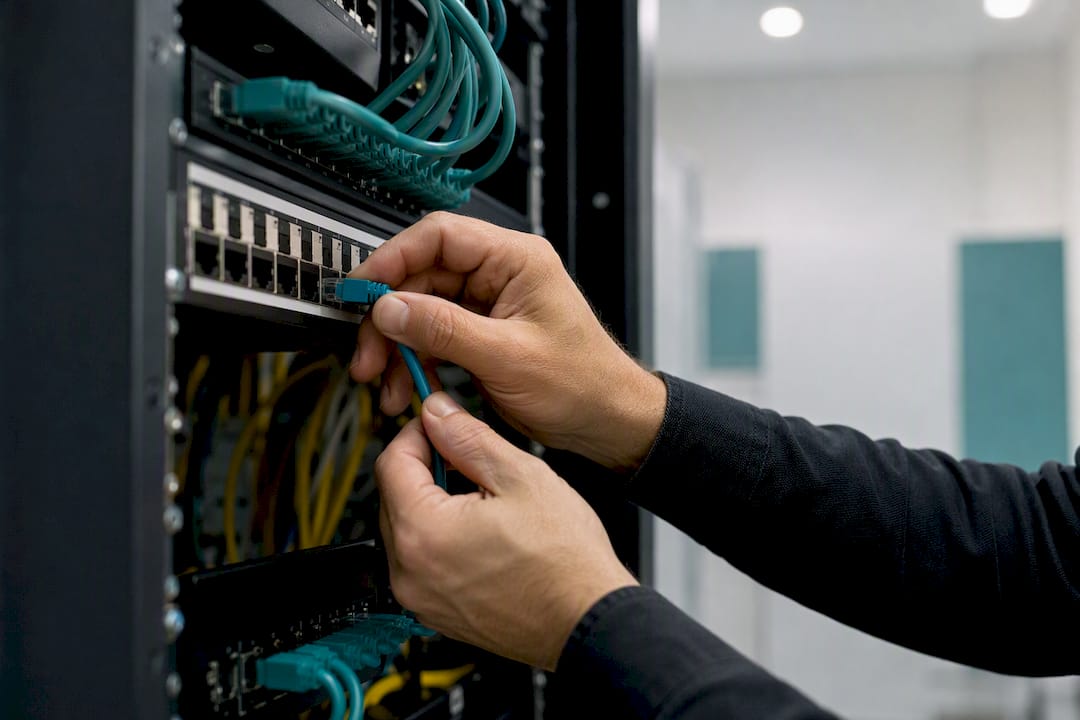
Before flipping on BLF for your office, run through device support, licensing, and network readiness, because gaps in any one of those three will quietly break the feature after installation. Desk phones from most major manufacturers support BLF natively through programmable keys, and many pair with physical sidecar modules that add dozens of extra keys for reception desks watching large teams, a capability 3CX documents as standard across most modern IP phone lines. Softphones typically handle it as an on-screen contact list with status icons instead of physical buttons.
A short pre-install checklist:
- Confirm your desk phones and any sidecars are on a firmware version that supports BLF presence
- Check whether BLF requires a specific license or add-on per user. According to Vonage, many providers gate it behind an extra feature tier
- Verify your network allows SIP presence traffic to route cleanly, and that your SIP trunk isn't dropping SUBSCRIBE requests
- Decide who goes on primary desk keys versus a sidecar before provisioning, since retrofitting the order later means reprogramming devices
Configuring BLF: The Admin Steps That Matter
Once the licensing and network pieces are in place, the actual configuration is a short, sequential process:
- Assign monitored users to the BLF list in the admin portal, and set the display order deliberately, since that order usually maps directly to key position on the physical phone.
- Push the configuration and reboot the device. Most systems won't reflect the new BLF list until the phone downloads updated provisioning, which BT Business's setup guide notes typically requires a manual or forced reboot.
- Set up call pickup groups if you want one-touch pickup. Monitored users generally need to sit in the same pickup group or site as the person watching them, and directed pickup often relies on a specific feature access code rather than the BLF key alone.
Skipping the reboot step is the single most common reason a freshly configured BLF list looks completely blank the next morning.
Fixing BLF When It Stops Working Right
Most BLF failures trace back to one of four things: unsupported hardware, an incomplete monitored list, blocked presence traffic, or a device that just needs a fresh provisioning push.
- Confirm the phone model and firmware actually support BLF before assuming it's a software bug
- Open the admin portal and check that the monitored list is populated and correctly ordered, missing entries are often just an incomplete assignment
- Check firewall rules for SIP presence traffic; blocked TCP paths for SUBSCRIBE/NOTIFY are a frequent, invisible cause of stuck or frozen lights
- Reboot the affected device after any configuration change before escalating further
Pro Tip: If one phone shows stale statuses while every other phone on the same system updates fine, the problem is almost always that single device's provisioning, not the network.
When On-Site Installation Prevents BLF Headaches
Most of the BLF problems we've walked through, blank lists, missing keys, presence traffic that never reaches the phone, trace back to provisioning gaps rather than bad hardware. That's the case for handling BLF setup in person rather than shipping boxes and hoping the office figures it out.
On-site design, programming, cabling, and installation catch key-ordering conflicts and sidecar mismatches before a phone ever gets handed to a receptionist, not after the first missed transfer.
Multi-site pickup groups and shared-team sidecars are where remote setups tend to fall apart. A multi-site or remote office deployment with BLF spanning locations needs presence routing checked in person to work reliably.
Why the "Just Enable It" Advice Undersells BLF
Most guides treat BLF as a checkbox: flip a switch, assign some extensions, done. That advice undersells how much the ordering and licensing details actually matter. A BLF list with the wrong people in the wrong slots is arguably worse than no BLF at all, because staff start trusting a status light that's telling them the wrong thing.
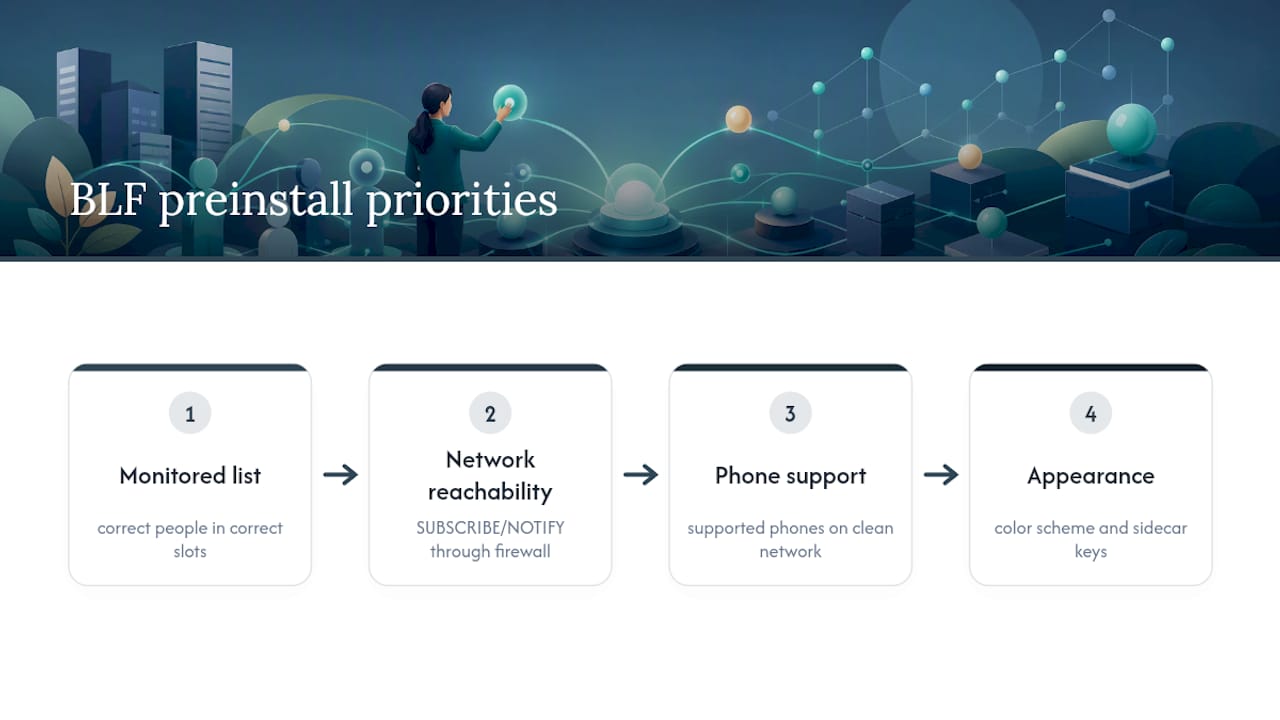
The conventional wisdom also underweights the network side. Everyone focuses on which phones support BLF and skips past the fact that presence traffic has to travel cleanly through a firewall to mean anything. I'd put SUBSCRIBE/NOTIFY reachability ahead of hardware compatibility on any pre-install checklist, since a supported phone on a broken network still shows dead lights.
If you're prioritizing one thing before touchdown day, prioritize the monitored list and its order, not the color scheme or the number of keys on the sidecar. Get the right people watched, in the right slots, before you worry about anything else. Everything downstream, faster transfers, accurate pickup, fewer dropped calls, depends on that list being right from day one.
— James
Getting BLF Right the First Time
Reading about BLF configuration is one thing. Having someone physically wire the sidecars, assign the monitored lists in the right order, and confirm presence traffic clears your firewall before your receptionist's first Monday morning call is another. Businessvoip designs, programs, cables, and installs your entire phone system on-site, which means the exact ordering and licensing issues covered above get resolved before anyone's transferring a live caller.

This matters most for offices with more than a handful of monitored extensions, multiple sites, or receptionists juggling sidecars, exactly the scenarios where a shipped box and a setup PDF tend to fall short. Businessvoip's rented phones carry a lifetime warranty, pricing stays fixed with no annual increases, and the team has been installing systems for Ontario businesses since 2005. If your office runs on shared lines and fast transfers, get your phone system designed and installed on-site and let a technician handle the BLF list before it becomes a support ticket.
Sources
- Busy Lamp Field — KB (ic.uk)
- BLF presence configuration (Cisco Unified Communications Manager) — Cisco